Last reviewed: August 27, 2026. An ID scanner for a vending machine has one job that matters more than everything else: it must make a fast, repeatable decision from a real credential without turning every valid customer into a support call. That sounds simple until the machine is installed in a dim bar, a busy retail location, or an unattended lobby where nobody is standing nearby to explain how to hold a driver’s license.
For most U.S. vending projects, the best setup in 2026 is not simply “the scanner with the highest-resolution camera.” The right choice depends on whether you only need to read the PDF417 barcode on a North American driver’s license, whether you need the software to calculate age locally, or whether the transaction calls for stronger document authentication and identity matching. Those are three different levels of verification, and they require different hardware and software.
Quick answer: For a dedicated embedded kiosk reader, the E-Seek M260 remains a practical choice because it is designed around ID cards, supports PDF417 and offers USB/serial/kiosk integration. For a compact hands-free imager with a driver-license parsing option, the Zebra DS9308-DL is a strong fit. For a cost-conscious general 2D scanning component, the Honeywell Orbit HF680 can read PDF417 and connect over USB or RS-232, but it needs a separate age-verification software layer. If the application requires more than barcode reading, use an authentication platform that compares barcode data with the visible document and, where appropriate and lawful, adds document-security or face-matching checks.
There is also an important legal point for tobacco and e-cigarette vending in the United States: an ID scanner does not, by itself, make a location compliant. Current FDA rules prohibit tobacco-product vending-machine sales in facilities where people under 21 are present or permitted to enter at any time. Retailers must also comply with the federal minimum age of 21 and current photo-ID requirements, plus any stricter state or local rules. Compliance should be checked for the exact product, location and operating model before deployment.
Best ID Scanners and Verification Setups for Vending Machines in 2026
| Pick | Best For | What It Does Well | What to Watch |
|---|---|---|---|
| E-Seek M260 | Dedicated vending/kiosk ID reading | Purpose-built card insertion, PDF417 decoding, USB and serial/kiosk connectivity | Reading a barcode is not the same as authenticating the physical ID; software is still required for age rules and higher-assurance checks |
| Zebra DS9308-DL | Fast hands-free scanning with U.S. driver-license parsing | Compact presentation form factor, 1D/2D/OCR capability, USB and RS-232 support, driver-license parsing option | Confirm the exact DL model, firmware and output format before building the cabinet and controller logic around it |
| Honeywell Orbit HF680 | General-purpose PDF417 scanning on a controlled budget | Reads common 1D/2D symbologies, USB/RS-232 connectivity, wide scan angles and retail-oriented design | It is a barcode scanner, not a complete age-verification or fake-ID authentication system |
| IDScan.net Age Restricted Vending stack | Software-led unattended age verification | Combines ID parsing/authentication software with vending integration and optional face-matching workflow | Requires software licensing, privacy planning, careful integration and a separate legal review of the vending use case |
| Multispectral document reader + verification software | Higher-assurance identity workflows | Can compare visible, infrared/UV and machine-readable document information depending on the selected reader | Higher cost, larger integration footprint and usually more complexity than a standard vending route needs |
These are not ranked by marketing claims or by a single “accuracy percentage.” They are ranked by how well each approach fits a vending-machine architecture. A scanner that is excellent at decoding PDF417 can still be the wrong choice if your controller cannot consume its output, if the lens position encourages bad card angles, or if your compliance plan requires authentication rather than simple data extraction.
First, Decide What You Mean by “ID Scanner”
The phrase ID scanner gets used for several different devices. That creates confusion when vending operators compare specifications. A basic 2D imager can capture the PDF417 barcode on the back of many North American driver’s licenses and identification cards. With the right parser, the system can extract fields such as date of birth, expiration date and document number. That is useful, but it does not automatically prove the card is genuine or that the person presenting it is the person named on the card.
A complete age-verification system can include several layers:
Barcode capture: reads the PDF417 or other machine-readable data.
Data parsing: turns the encoded string into structured fields such as date of birth and expiration date.
Rules engine: applies the configured age threshold, expiration policy and transaction logic.
Document authentication: looks for inconsistencies or security features that a basic barcode reader cannot evaluate.
Identity matching: when legally appropriate, compares the credential photo with the person presenting the credential.
Vending control: sends a clear pass/fail state to the machine controller before payment or product release.
When a supplier says a scanner “verifies age,” ask which of those steps happen inside the scanner, which happen in local software, and which require a cloud service. That one question usually reveals more than a page of specifications.
Why PDF417 Support Matters for U.S. Driver’s Licenses
For U.S. and Canadian vending projects, PDF417 support is a baseline requirement. The American Association of Motor Vehicle Administrators (AAMVA) DL/ID Card Design Standard uses PDF417 as the mandatory machine-readable barcode technology for compliant physical driver-license and identification documents. The 2025 AAMVA standard also updated how data elements are represented and continues to emphasize interoperability and cardholder privacy.
This matters because the back of the ID is often the fastest place to obtain structured data. A vending system can read the barcode, parse the date of birth and expiration date, and then apply its configured transaction rules without asking a customer to type personal information on a touchscreen.
But there are two common mistakes. First, do not treat a successful PDF417 decode as proof that the card is authentic. A copied or fabricated barcode can still contain plausible data. Second, do not confuse PDF417 with MRZ. Machine-readable zones are common on passports and some international identity documents; they are not the standard machine-readable format for a typical U.S. driver’s license. If your machine must accept passports or international documents, that is a separate requirement and should be specified at the start of the project.
1. E-Seek M260: Best Dedicated Kiosk ID Reader
The E-Seek M260 is a useful benchmark for a true kiosk-oriented ID reader because its physical design is built around inserting an ID card rather than waving a code in front of a general retail scanner. Current support documentation lists PDF417 decoding, USB 2.0, RS-232 and a kiosk connection, which makes it easier to integrate into vending hardware that needs a predictable card position and a wired interface.
That fixed card path is more important than it sounds. In an unattended machine, you do not have a cashier correcting the customer’s hand position. A dedicated slot can reduce the number of partial scans caused by glare, distance or odd angles. It also gives the industrial designer a clear target for the bezel opening and internal bracket.
Where it fits best: vending and kiosk projects that primarily need reliable North American ID barcode capture and want a compact, dedicated reader rather than a presentation scanner.
Where it does not solve everything: the reader can decode ID data, but the vending application still needs logic for age calculation, expiration handling, unsupported documents, error states and the final vend-enable signal. If fake-ID detection is part of the requirement, add an authentication layer rather than assuming the barcode hardware provides forensic validation.
2. Zebra DS9308-DL: Best Hands-Free Scanner with Driver-License Parsing
The Zebra DS9308 family is well suited to counter and kiosk-style scanning because it is a compact hands-free area imager rather than a handheld gun-style scanner. Zebra’s documentation lists 1D, 2D and OCR capabilities, and the product reference guide includes a DS9308-DL configuration for parsing information from standard U.S. driver’s licenses and certain AAMVA-compliant ID cards. The unit also supports common host interfaces including USB and RS-232.
For a vending machine, the appeal is flexibility. The same scanner family can handle a broad set of barcodes, so it can be useful when the machine also needs QR codes, service codes or other 2D symbols. The presentation design can also work well behind a protected scanner window if the viewing angle and illumination are tested in the final cabinet.
The “DL” part matters. Do not assume every DS9308 configuration ships with the same driver-license parsing capability. Confirm the exact model, firmware, license requirements and output fields with the supplier before ordering production quantities.
Where it fits best: machines that need fast hands-free scanning, multiple barcode types and a mature hardware platform with a driver-license parsing option.
Where it needs help: like any general imaging scanner, it should be treated as one component in the age-verification chain. If you need physical-document authentication or face-to-ID matching, that functionality comes from additional hardware or software.
3. Honeywell Orbit HF680: Best Value General-Purpose 2D Imager
The Honeywell Orbit HF680 is a practical option when the project needs a compact presentation scanner that can read PDF417 but does not require the scanner itself to be the age-verification engine. Honeywell lists 1D/2D decoding, USB and RS-232 connectivity, wide pitch/skew tolerance and a presentation form factor intended for retail use.
That makes the HF680 attractive for a machine builder who already has a local parsing library or controller application. The scanner captures the symbol; your software decides what the data means and whether the transaction can continue.
This separation can be an advantage. It keeps the scanner replaceable and prevents the entire vending application from being locked to one proprietary age-verification appliance. It can also simplify spare-parts planning if the same scanner is used elsewhere in the machine fleet.
The tradeoff is responsibility. Your engineering team must validate the full workflow, including PDF417 parsing, malformed data, date calculations, expired IDs, communication timeouts and audit logging. A successful barcode decode should never be treated as a complete counterfeit-ID check.
Where it fits best: cost-sensitive vending designs with a capable controller and a separate, well-maintained age-verification software stack.
4. IDScan.net Age Restricted Vending: Best Complete Software-Led Approach
Some vending projects are better served by buying a verification stack rather than assembling barcode capture, parsing, authentication and identity matching from separate vendors. IDScan.net currently documents an Age Restricted Vending solution that combines its ID Authentication SDK with facial-recognition components and exposes an integration path for vending applications.
This category is worth considering when the requirement is not “read the date of birth” but “make a higher-confidence unattended identity decision.” The software can compare information from multiple parts of the credential rather than relying on one barcode field. It can also provide a clearer integration layer for a machine application that needs a pass/fail response.
The extra capability comes with extra obligations. Face matching and retained identity data can create privacy, consent, security and data-governance requirements that do not exist in a simple local barcode-age calculation. The machine owner should decide what data is actually necessary, how long it is retained, who can access it and what happens if the network connection is unavailable.
Where it fits best: unattended age-restricted workflows where the operator has a genuine need for stronger document or identity verification and is prepared to manage the privacy and compliance implications.
5. Multispectral Document Readers: Best for Higher-Assurance Authentication
There is a point where a standard 2D scanner is no longer the right tool. If the application must inspect the physical credential itself, a document reader that captures the full card under visible and additional wavelengths can provide more evidence than a barcode-only device. Depending on the model and software, these readers may evaluate document layout, print characteristics, security features and consistency between machine-readable and visible data.
For a normal vending route, this may be excessive. The hardware is larger, integration is more involved, and the cost can be difficult to justify. But it is the right category to evaluate when the risk model demands document authentication rather than simple age extraction.
The important distinction is this: barcode reading answers “what data is encoded on this card?” Document authentication tries to answer “does this credential appear to be genuine?” Identity matching tries to answer “is the person presenting it the rightful holder?” Those are different questions.
What We Would Choose for Different Vending Builds
| Vending Project | Recommended Direction | Reason |
|---|---|---|
| Standard adult-access kiosk with local controller | E-Seek M260 or similar dedicated PDF417 reader + local parser | Simple hardware path, predictable card positioning, wired integration |
| Multi-purpose smart vending machine | Zebra DS9308-DL | Driver-license parsing option plus broader barcode/OCR capability |
| Budget-conscious custom build | Honeywell HF680 + tested parsing software | Separates scanning hardware from business logic and keeps the component replaceable |
| Higher-risk unattended identity workflow | Authentication platform such as IDScan.net ARV | Adds more than simple barcode decoding and supports a more complete verification flow |
| Need to inspect document security features | Multispectral document reader | Designed for physical credential authentication rather than barcode-only reading |
Scanner vs. Age Verification vs. Fake-ID Detection
This is the most important buying distinction in the entire article.
A scanner captures data. A parser turns that data into fields. An age-verification rules engine calculates whether the date of birth satisfies the configured threshold. An authentication system looks for evidence that the document may be fake or altered. A face-match system checks whether the person at the machine resembles the credential photo.
Vendors sometimes bundle these functions under one label, which makes comparisons difficult. When evaluating a proposal, ask for a block diagram showing exactly where each function runs. If the supplier cannot explain whether the age calculation happens in the scanner, the vending controller or the cloud, support will become painful later.
For many deployments, local processing is preferable for the core age decision because it reduces dependency on a network connection. Cloud services can still be useful for software updates, reporting, optional data checks or higher-assurance verification. The right architecture depends on the legal and operational requirements of the route.
The Five Technical Specs That Matter Most
1. Supported Credential Formats
Start with the IDs your customers will actually present. For a U.S.-focused deployment, AAMVA PDF417 support is fundamental. If you need passports, passport cards, mobile IDs or non-U.S. credentials, write those into the requirement explicitly. “Reads IDs” is too vague for a purchase order.
2. Host Interface
USB is convenient for Windows, Android and Linux-based controllers, while RS-232 remains useful in industrial equipment because it is simple, deterministic and easy to troubleshoot. Some embedded readers also provide a kiosk-specific connection. Match the scanner to the controller you already use rather than adding adapters after the cabinet is finished.
3. Local Parsing and Offline Behavior
Ask what happens when the internet fails. Can the machine still read the credential and make the configured age decision? If not, does it fail closed and clearly explain the problem to the customer? An unattended system should never silently bypass verification because a cloud request timed out.
4. Mounting Geometry and Scan Window
A scanner that performs perfectly on a workbench can fail inside a cabinet because the protective window adds reflections or because the ID is presented too close to the focal range. Build and test the final bezel, glass, lighting and user instructions before freezing the metalwork. This is one of the most common integration mistakes in smart vending.
5. Software Maintenance
Driver-license formats and data standards evolve. A scanner or parser that cannot be updated can become a long-term liability even if the hardware still works. Ask how updates are delivered, whether they require a subscription, how long the model is supported and whether you can stage an update on a test machine before rolling it to the route.
Do Not Use License Orientation as the Age Decision
Vertical driver’s licenses are often associated with younger drivers, but orientation should not be used as the actual pass/fail rule. An adult may still be carrying a valid vertical credential issued before turning 21. The correct workflow is to read the date of birth, evaluate it against the current date and the applicable age threshold, and apply any expiration or credential-validity rules required by your policy.
From a scanner perspective, the important question is whether it can capture the machine-readable code reliably when the card is inserted or presented in the expected orientation. The physical layout of the front of the card is not a substitute for reading the encoded data.
Compliance: The Part a Scanner Cannot Solve
If the machine sells ordinary snacks, electronics or personal-care products, an ID scanner may simply be an optional access or loyalty feature. If the machine sells a regulated product, the compliance analysis changes completely.
For tobacco products, including e-cigarettes, current U.S. federal requirements set the minimum sales age at 21. FDA guidance also states that retailers must check photo identification for people under 30 who attempt to purchase tobacco products. In addition, tobacco-product vending machines may not be used in facilities where individuals under 21 are present or permitted to enter at any time.
That means a machine with a sophisticated scanner can still be deployed in the wrong place. A barcode scan at the cabinet does not cancel the facility restriction. State and local laws may also be stricter or may regulate specific product categories differently.
Practical rule: treat the scanner as one control inside a broader compliance system. Confirm the product is lawful to sell, the location is lawful for unattended sale, the verification method is acceptable, required records are handled correctly, and the machine fails closed when verification cannot be completed.
Operators selling alcohol, cannabis or other age-restricted products should not reuse a tobacco compliance checklist. Those categories are governed by different federal, state and local regimes, and unattended vending may be prohibited or heavily restricted in some jurisdictions.
Privacy and Data Retention Matter More Than Most Buyers Expect
An ID contains far more information than a vending machine normally needs to decide whether someone meets an age threshold. Depending on the credential, the barcode may include name, address, date of birth, document number and other fields. Just because the scanner can read a field does not mean the operator should store it.
For many vending workflows, the cleanest design is data minimization: extract only what is necessary for the transaction, calculate the age decision, record only the minimum operational event data needed for troubleshooting or compliance, and discard unnecessary personal information. If the system stores credential images, document numbers or biometric data, the security and privacy burden increases sharply.
Before deployment, document the answers to four questions: What data is collected? Why is it needed? How long is it kept? Who can access it? Those answers should be reflected in the software configuration, not just in a privacy-policy page.
How to Integrate an ID Scanner into a Vending Machine
A reliable vending integration should be designed around states, not around a single “scan” event. A simple transaction flow looks like this:
The machine wakes the scanner or verification service when the customer selects an age-restricted path.
The user is prompted to present an accepted credential.
The scanner captures the machine-readable data or document images.
The parser validates the data structure and extracts the fields required by the rules engine.
The software checks age, expiration and any configured document conditions.
If higher-assurance verification is enabled, authentication or identity matching runs before authorization.
The controller receives an explicit PASS, FAIL or ERROR state.
Only PASS allows the purchase flow to continue.
FAIL provides a neutral message without exposing unnecessary personal data.
ERROR fails closed and records enough diagnostic information for support without storing more identity data than necessary.
Keep the scanner decision separate from payment authorization. If age verification is required, do not capture payment and then discover that the scanner is offline. From the customer’s point of view, the cleanest order is eligibility first, payment second, vend third.
What to Test Before You Deploy 50 Machines
The right place to find scanner problems is on a bench and in a pilot location, not after a full route rollout. Build a test set that reflects real customer behavior. Include clean and worn IDs, different issuing jurisdictions, vertical and horizontal layouts, low-contrast or scratched barcodes, expired credentials, unsupported document types and cards presented at imperfect angles.
Then test system failures deliberately. Disconnect the internet. Reboot the controller during a scan. Unplug and reconnect the scanner. Send malformed barcode data. Fill the local log storage. Change the system clock. Present the same credential repeatedly if your policy includes anti-passback logic. Confirm that every failure results in a safe, understandable state.
Do not publish an “accuracy rate” based on a tiny sample of clean cards. A useful acceptance test defines the credential set, environmental conditions, software version, pass/fail criteria and known exclusions. If you claim performance publicly, keep the test record that supports the claim.
Maintenance: Design for Replacement, Not Perfection
Any scanner installed in public use will eventually be scratched, dirty, bumped or electrically disconnected. A smart vending design assumes replacement will happen and makes it easy.
Use a modular bracket and a serviceable cable path. Avoid permanent adhesive around the scanner. Keep a known-good spare unit for diagnosis. Make sure a technician can replace the scanner without removing the entire touchscreen or payment assembly. After replacement, the machine should have a short self-test that confirms communication, reads a test code and reports the installed firmware or software version.
Cleaning frequency depends on the environment. A bar, club or convenience location will generally need more attention than a controlled office lobby. Use the scanner manufacturer’s cleaning instructions; do not assume that any glass cleaner or solvent is safe for the scan window or protective coating.
Total Cost: Look Beyond the Scanner Price
The purchase price of the scanner is only one line in the cost model. For an unattended vending system, also account for the mounting kit, interface cable, software license, parsing or authentication service, engineering time, remote support, spare parts and the cost of a truck roll when the machine cannot verify a customer.
A low-cost barcode imager can be the right choice if you already own the software stack and can support it. A more expensive dedicated ID reader can be cheaper overall if it eliminates mechanical problems and reduces integration work. A subscription verification platform can make sense if it replaces software your team would otherwise have to maintain.
There is no universal lowest-cost option. The useful comparison is the cost of keeping a verified transaction path working for several years across the whole route.
Retrofit an Existing Machine or Buy an Integrated Age-Verification Machine?
Retrofitting can work well when the existing machine has enough controller capacity, a documented interface and a cabinet that can accept a secure scanner opening. It is less attractive when the original controller is closed, the machine has no safe place to mount the scanner, or adding the reader requires a separate computer just to translate data.
Before approving a retrofit, check power, data interface, mounting depth, front-panel access, environmental protection and how the scanner state will interact with the vending controller. A scanner that can read an ID is not useful if the legacy controller has no secure way to block the vend command.
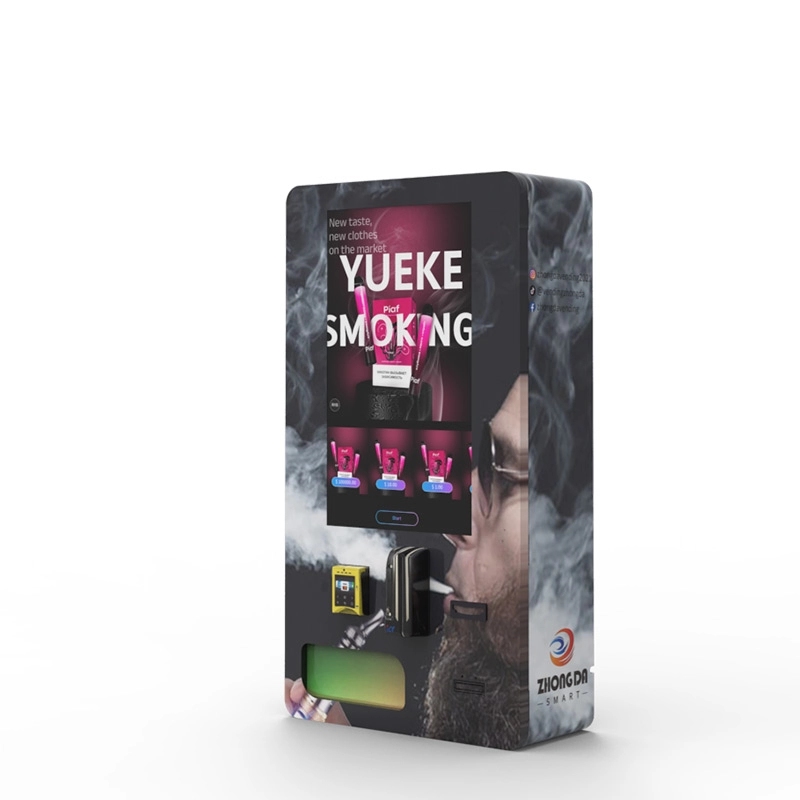
For a new deployment, an integrated system is usually easier to support because the scanner, controller, software and cabinet have been tested as one product. Zhongda Smart’s ID scan vending machine and age verification vending machine pages show how the verification component can be built into the machine rather than added after installation.
The Shortlist in One Minute
If you are comparing options and need the practical version, these are the four takeaways:
Best dedicated kiosk reader: E-Seek M260 for straightforward PDF417 ID capture with kiosk-friendly wired interfaces.
Best flexible hands-free option: Zebra DS9308-DL when you want driver-license parsing plus broader barcode capability.
Best general 2D value option: Honeywell HF680 when your own software handles parsing and age logic.
Best higher-assurance approach: pair an appropriate document reader with authentication software rather than expecting a basic barcode scanner to detect sophisticated fake IDs.
And for regulated vending, the scanner is never the whole compliance answer. Product legality, venue restrictions, age-verification rules, privacy obligations and local law still control the deployment.
Buyer Checklist for a Vending ID Scanner
| Question | Why It Matters |
|---|---|
| Does it read AAMVA PDF417 reliably? | Baseline requirement for many U.S./Canadian physical driver-license workflows |
| Does it parse the ID or only return raw barcode data? | Determines how much software you must build or license |
| Can the core age decision run offline? | Reduces failed transactions when connectivity is unavailable |
| USB, RS-232 or kiosk interface? | Must match your vending controller and service strategy |
| Does it authenticate the document? | Barcode decoding alone should not be marketed as strong fake-ID detection |
| Which credential types are supported? | Driver’s licenses, state IDs, passports and mobile IDs require different capabilities |
| How are format updates delivered? | ID standards and issuer implementations change over time |
| What personal data is stored? | Directly affects privacy, security and breach exposure |
| What happens on timeout or scanner failure? | The machine should fail closed and provide a clear recovery path |
| Can a technician replace it quickly? | Serviceability often matters more than a small difference in component price |
Frequently Asked Questions
What is the best ID scanner for a vending machine in 2026?
For a dedicated kiosk-style reader, the E-Seek M260 is a practical choice because it is designed to read ID-card PDF417 data and offers wired kiosk integration. The Zebra DS9308-DL is a strong hands-free alternative when you want broader barcode capability plus driver-license parsing. The Honeywell HF680 is a good general 2D imager when a separate software layer handles age verification. The best choice depends on whether you need barcode reading, age calculation, document authentication or identity matching.
Can a normal barcode scanner verify age from a driver’s license?
It can be part of the process. A 2D scanner that reads the PDF417 barcode can capture the encoded date of birth, but software must parse the data, calculate age and apply the transaction rules. A basic barcode scan does not automatically authenticate the credential or prove that the presenter is the rightful holder.
Does scanning a PDF417 barcode detect a fake ID?
No, not by itself. PDF417 decoding tells the system what data is encoded in the barcode. Stronger fake-ID detection may compare barcode data with visible text, evaluate document structure or security features, and use other authentication checks. The exact capability depends on the hardware and software used.
Can ID scanners read vertical driver’s licenses?
Yes, a suitable scanner can read the machine-readable barcode regardless of whether the front layout is vertical or horizontal, provided the barcode is supported and presented correctly. The vending system should calculate age from the date of birth rather than using card orientation as the age decision.
Do vending ID scanners work without internet access?
Some do. A scanner plus local parsing software can often read the barcode and calculate age without a network connection. Authentication platforms that rely on cloud services may require connectivity for some checks. For unattended vending, define the offline behavior before deployment and make sure a failed verification cannot bypass the age gate.
Is an ID scanner enough to make a vape or tobacco vending machine legal in the United States?
No. Under current federal FDA rules, tobacco products, including e-cigarettes, may not be sold through vending machines in facilities where individuals under 21 are present or permitted to enter at any time. Federal minimum-age and photo-ID rules also apply, and state or local requirements may be stricter. A scanner is one compliance control, not a substitute for venue and product rules.
What connection is best for a vending ID scanner: USB or RS-232?
Both can work well. USB is convenient for modern Windows, Linux and Android controllers. RS-232 remains common in industrial systems because it is simple and easy to diagnose. Choose the interface your controller can support reliably and standardize it across the route when possible.
Should an age-verification vending machine store the customer’s ID data?
Only if there is a clear operational or legal need and the storage is permitted. An ID can expose more personal information than is necessary for a simple age decision. A privacy-conscious design minimizes collection and retention, protects any stored data, and limits access to authorized personnel.
Can I retrofit an older vending machine with an ID scanner?
Often, yes, but the feasibility depends on the controller, available power, cabinet space and the machine’s ability to block vending until verification passes. If the retrofit requires multiple converters, an extra computer or major cabinet modification, an integrated age-verification machine may be easier to maintain.
How should I test an ID scanner before a large vending rollout?
Test real-world credential variety and failure conditions, not just clean sample cards. Include multiple issuing jurisdictions, vertical and horizontal IDs, worn barcodes, expired IDs, unsupported document types, poor presentation angles, network outages, controller reboots and scanner disconnects. Record the hardware, software version, test set and acceptance criteria so performance claims can be reproduced.
Methodology and Source Notes
This guide compares scanner categories and currently documented products based on publicly available manufacturer documentation, current ID-scanning documentation, AAMVA credential standards and practical vending-integration requirements. It is not presented as a laboratory head-to-head accuracy test, and no unsupported “99% accurate” score is assigned to any device.
Technical references reviewed for this update include the AAMVA 2025 DL/ID Card Design Standard, Zebra DS9308 product and reference documentation, Honeywell Orbit HF680 product documentation, E-Seek M260 documentation published through IDScan.net, and IDScan.net’s Age Restricted Vending and SDK documentation. Regulatory references include current FDA Tobacco 21 and retail tobacco sales guidance. Specifications, software capabilities and regulations can change, so buyers should verify the current version before purchase or deployment.
Final Recommendation
If you are building a vending machine from the controller up, start with the verification requirement rather than the scanner catalog. If all you need is dependable AAMVA PDF417 capture and local age calculation, a dedicated reader such as the E-Seek M260 or a well-integrated 2D imager can be enough. If the machine needs multiple barcode functions, the Zebra DS9308-DL is a more flexible platform. If cost and replaceability matter and your software team owns the parsing layer, the Honeywell HF680 is a sensible component to evaluate.
If your risk model requires stronger evidence that an ID is genuine and belongs to the person presenting it, move beyond barcode-only hardware and evaluate a document-authentication stack. That is a different engineering problem and should be budgeted as one.
For machine buyers who would rather avoid assembling the scanner, bracket, controller logic and verification workflow separately, a pre-integrated platform can reduce field surprises. See Zhongda Smart’s compliant e-cigarette vending machine and wall-mounted compact e-cigarette vending machine configurations for integrated-machine options.
Compliance and legal disclaimer: This article is general technical and commercial information, not legal advice and not a guarantee that any scanner, software package or vending-machine configuration complies with a particular law. Rules for tobacco, vapor products, alcohol, cannabis, privacy, biometrics, identity data and unattended retail vary by country, state, province, city, venue and product type and can change. Before deploying an age-restricted vending machine, confirm current requirements with the relevant regulator and qualified local counsel. Do not use this article to bypass age restrictions, identity controls or product-sale laws.