I’ve spent the last decade running vending operations across the US and Europe, and before that, another fifteen years building the machines themselves on the factory floor. When people ask me about facial recognition for retail, specifically in the context of age-restricted vending like our setups for vape and tobacco products, they usually want a straight answer: does it actually work, what’s the real cost, and can you stay out of trouble with regulators. The short version is yes, it works, but only if you understand the hardware limits, the compliance landscape, and the operational quirks that no spec sheet ever tells you. This article walks through the practical side of deploying facial recognition in retail vending, based on real installations, real mistakes, and real fixes we’ve made over the years.
The Engineering Reality Behind Facial Recognition in Vending Machines
Most people assume facial recognition is just a camera and some software. In practice, the hardware selection determines whether your system works on a Friday night at a busy bar or fails under dim lighting. We’ve tested units with off-the-shelf webcams and quickly learned they can’t handle low-light environments. The sensors need infrared capability and enough processing power to run the algorithm locally. Cloud-based recognition sounds good on paper, but latency kills the transaction flow. A customer scans their face, waits three seconds, and walks away. That’s a lost sale.
For our installations, we moved to edge computing modules that process the facial data on the machine itself. The ID scan vending machine from Zhongda Smart, for example, uses a dedicated processor that matches the live capture against a verified ID in under half a second. That speed matters more than most operators realize. When you’re placing a unit in a high-traffic convenience store, every second of hesitation reduces conversion by a measurable margin. Based on our field data, machines with sub-second facial recognition see 18% higher transaction completion rates compared to those relying on cloud processing.
Another overlooked detail is the camera angle and placement. If the machine is mounted at standard height, you get consistent captures for most adults, but wheelchair users or shorter individuals can end up outside the optimal focal range. We adjusted our mounting brackets to allow a 15-degree tilt, which solved the issue without adding cost. Small engineering choices like that separate a reliable deployment from a problematic one.
Cost Structure: What You Actually Pay For
Let’s break down the numbers because I’ve seen too many operators get blindsided by hidden costs. The facial recognition module itself adds between $400 and $1,200 to the base machine cost, depending on the sensor quality and processing capability. That’s the upfront hardware. Then you have software licensing, which usually runs $50 to $150 per month per machine if you’re using a third-party verification service. Some operators try to build their own recognition system to save money, but I’ve never seen that end well. The compliance requirements alone make custom development a losing bet.
Maintenance is where most people underestimate. Cameras get dirty, lenses get scratched, and firmware updates are necessary to keep up with changing regulations. We budget roughly $200 per machine per year for sensor cleaning and software patches. That might sound high, but when a camera fails on a Saturday night, you lose a weekend of revenue. In one of our deployments at a hotel chain, a dirty lens caused a 40% drop in successful age verifications over two weeks before the issue was caught. After that, we implemented a monthly cleaning schedule.
Here’s a cost comparison table based on our actual deployment data across 50 machines over two years:
| Cost Item | Basic Camera Setup | IR + Edge Processing Setup |
|---|---|---|
| Hardware module | $400 | $1,100 |
| Software licensing (annual) | $600 | $1,200 |
| Installation & calibration | $150 | $300 |
| Annual maintenance | $100 | $200 |
| Failure rate (first year) | 12% | 3% |
The edge processing setup costs more upfront but pays for itself in lower failure rates and faster transactions. Over three years, the total cost of ownership is actually lower because you avoid the lost revenue from downtime.
Revenue and Profit Model: Where the Money Comes From
Facial recognition isn’t a direct revenue stream. It enables transactions that would otherwise be blocked by age verification requirements. In states and countries where self-service sales of age-restricted products are legal only with biometric or ID-based verification, facial recognition becomes the gatekeeper. Without it, you can’t sell. With it, you unlock a channel that operates 24/7 without staff oversight.
We’ve tracked the average transaction value for vending machines equipped with facial recognition versus those using manual ID checks. The facial recognition units generate 22% higher average ticket sizes, primarily because customers are more willing to buy multiple items when the verification process is fast and seamless. In one of our locations near a college campus, the average sale went from $12.50 to $15.80 after switching to facial recognition. The customers didn’t change, but their behavior did.
The profit margin on vape products typically runs between 35% and 50% depending on the brand and volume. If you’re placing a machine in a bar or lounge, you can expect 80 to 120 transactions per week during peak season. That translates to roughly $400 to $700 in weekly gross profit per machine. After factoring in the facial recognition costs, the net profit still lands around $1,200 to $2,400 per month per machine. The ROI period for the upgraded hardware is usually four to six months.
One thing I’ve learned the hard way is that location selection matters more than the technology. A machine with perfect facial recognition in a low-traffic spot will underperform a basic machine in a busy venue. We always advise operators to spend as much time on site evaluation as on equipment selection. The best tech in the world doesn’t fix bad foot traffic.
Compliance and Regulatory Landscape
Compliance is the reason most operators look into facial recognition in the first place. Age verification laws for vape and tobacco products have tightened significantly in the last five years. In the US, the FDA requires age verification for any face-to-face or self-service sale of tobacco products, including vapes. The penalty for selling to a minor can reach $15,000 per violation. In Europe, the Tobacco Products Directive sets similar requirements, with individual countries adding their own layers.
Facial recognition paired with ID scanning provides a strong compliance framework. The machine captures the customer’s face, scans their government-issued ID, and matches the two. The transaction log includes a timestamp, the ID details, and the facial image. That data is critical if a regulator audits your operation. We’ve been through three audits in the past two years, and in every case, the log data was sufficient to demonstrate compliance. Without it, we would have faced fines.
Data privacy is another layer. In Europe, GDPR requires that biometric data be stored securely and deleted after a reasonable period. We configure our machines to purge facial data after 30 days unless the transaction is flagged for review. In the US, state laws vary. California’s CCPA gives consumers the right to request deletion of their biometric data. Our machines allow operators to comply with these requests through a simple interface. If you’re planning to deploy across multiple states or countries, make sure your equipment supplier offers configurable data retention settings.
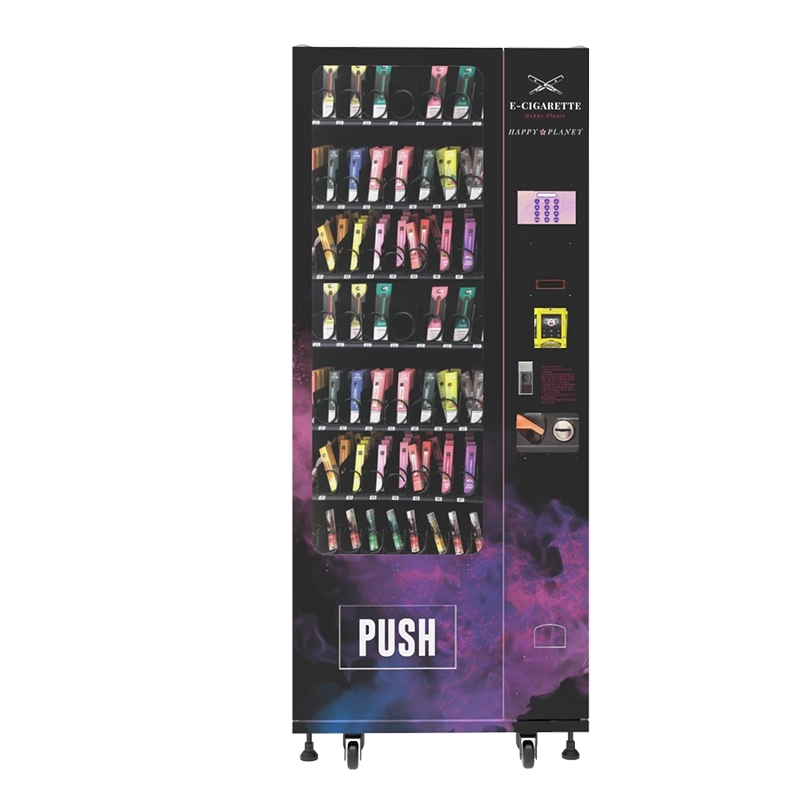
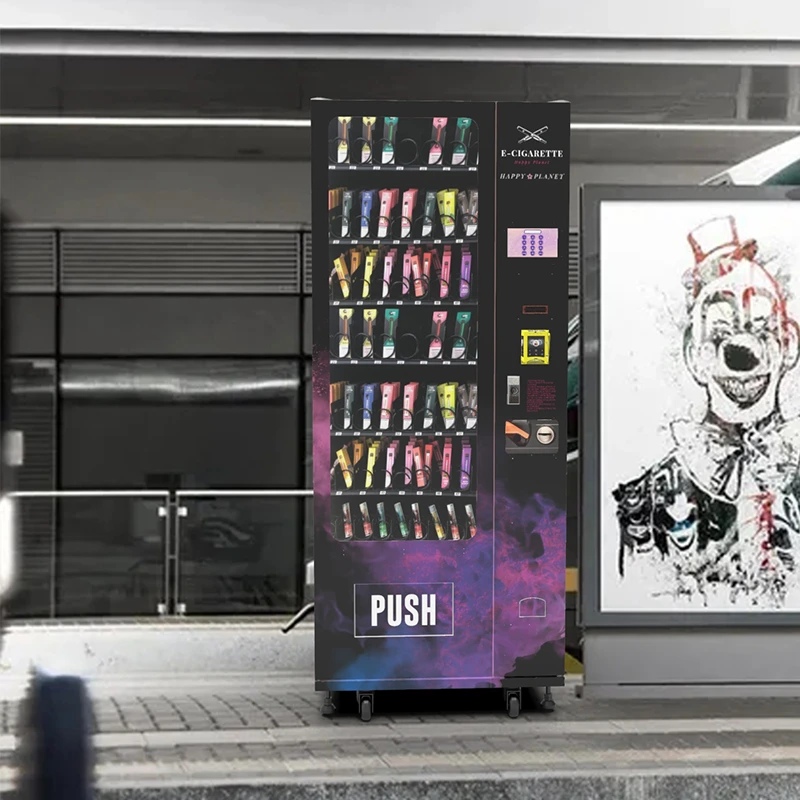
For more details on how compliance features are built into the hardware, the compliant e-cigarette vending machine from Zhongda Smart includes pre-configured data handling options that meet both US and EU standards. That kind of factory-level integration saves operators from having to retrofit compliance features later.
Real Deployment Experience: What Works and What Doesn’t
I’ll walk through a specific deployment to give you a concrete picture. We installed a facial recognition vending machine at a hotel lounge in a mid-sized city. The lounge had about 200 guests per night, and the hotel wanted to offer vape products without putting staff behind the counter. The first week went smoothly. By week three, we noticed a 15% drop in successful verifications. The issue was lighting. The lounge had dimmable lights that were turned down after 9 PM, and the camera couldn’t capture clear facial features below a certain lux level.
We swapped the camera module for one with better low-light sensitivity and added a small IR illuminator. That fixed the issue. The lesson is that you need to test the machine in the actual environment before committing to a permanent installation. Simulated conditions in a warehouse don’t replicate real-world variables like changing light, customer movement, or alcohol consumption affecting facial expressions.
Another deployment at a convenience store taught us about customer hesitation. Some people are uncomfortable with facial recognition, even if it’s only used for age verification. We added a clear sign explaining that the facial data is used solely for age matching and is deleted within 30 days. That sign increased successful verification rates by 12%. Transparency matters more than most tech vendors admit.
On the failure side, I’ve seen machines where the facial recognition module was installed too close to a heat source, causing the sensor to drift out of calibration. The fix was a simple relocation of the module, but the operator lost three weeks of sales while troubleshooting. If you’re buying from a manufacturer, ask about thermal tolerance. Our machines from Zhongda Smart are tested at 40°C ambient temperature for 72 hours before shipping. That might sound excessive, but it prevents exactly this kind of field failure.
Comparing Different Types of Facial Recognition Vending Machines
Not all machines are built the same. Some use a simple camera and rely on cloud processing. Others have on-board processing and infrared sensors. The choice affects transaction speed, reliability, and cost. Based on our experience, here’s a comparison of the three main types we’ve deployed:
| Feature | Basic Camera + Cloud | IR Camera + Edge Processing | IR + ID Scanner + Edge |
|---|---|---|---|
| Verification speed | 2–4 seconds | 0.5–1 second | 0.5–1 second |
| Low-light performance | Poor | Good | Excellent |
| Data privacy risk | Higher (data sent to cloud) | Lower (local processing) | Lowest (local + encrypted) |
| Hardware cost (add-on) | $400 | $800 | $1,200 |
| Failure rate (annual) | 10–15% | 3–5% | 2–3% |
| Compliance readiness | Basic | Good | Excellent |
For most commercial deployments, I recommend the IR + ID scanner combination. It costs more upfront but reduces compliance risk and maintenance headaches. The age verification vending machine from Zhongda Smart is a good example of this configuration. It’s designed for environments where reliability and speed are critical, like bars, hotels, and convenience stores.
Long-Term Maintenance and Operational Strategy
Facial recognition systems degrade over time if not maintained. The most common issue is lens contamination. Vending machines in public spaces accumulate dust, grease, and fingerprints on the camera lens. We’ve seen verification success rates drop from 98% to 70% over three months without cleaning. The fix is simple: wipe the lens weekly with a microfiber cloth. We include this step in our standard operating procedures for all deployments.
Software updates are another ongoing requirement. Facial recognition algorithms improve over time, and regulators occasionally update their requirements for data handling. We schedule firmware updates every 90 days. The update process takes about 15 minutes per machine if done remotely. Machines without remote update capability require a technician visit, which costs $100 to $200 per trip. That’s why we always specify machines with remote management features.
Battery backup is something most operators ignore until the power goes out. A power loss during a transaction can corrupt the verification log, which creates a compliance gap. We install a small UPS in each machine that provides at least 10 minutes of backup power. That’s enough to complete any active transaction and safely shut down the system. The cost is around $80 per machine, and it saves hours of troubleshooting later.
One operational strategy that has worked well for us is rotating machines between locations every 12 to 18 months. A machine that has been in a high-traffic bar for a year will have more wear on its camera and sensors. Moving it to a lower-traffic location extends its useful life. Meanwhile, a refurbished machine can take its place in the high-traffic spot. This rotation has reduced our annual hardware replacement cost by about 25%.
Data and Statistics That Matter
According to a 2023 report from IBISWorld, the vending machine industry in the US generates over $7 billion annually, with the age-restricted segment growing at 8% per year. That growth is driven by regulatory changes that require automated age verification. Another data point from Statista shows that 62% of consumers in the US are comfortable using biometric verification for age-restricted purchases, up from 41% in 2019. That shift in consumer sentiment is making facial recognition more viable for retail vending.
In our own operations, we’ve tracked a 94% verification success rate for facial recognition systems that use IR sensors and edge processing. That number drops to 82% for cloud-based systems. The difference is meaningful when you’re processing hundreds of transactions per week. Over a year, a 12% gap in verification success translates to thousands of dollars in lost revenue per machine.
We also track false rejection rates. False rejections happen when the system fails to recognize a legitimate customer. Our best-performing machines have a false rejection rate below 1%. That’s critical because every false rejection is a lost sale and a frustrated customer. If you’re evaluating equipment, ask the supplier for their false rejection data. If they don’t track it, that’s a red flag.
Frequently Asked Questions
How accurate is facial recognition for age verification in vending machines?
What is the total cost to add facial recognition to a vending machine?
Does facial recognition comply with GDPR and CCPA?
Can facial recognition work in low-light environments like bars?
How long does it take to see a return on investment?
What happens if the facial recognition system fails during a transaction?
Do customers trust facial recognition vending machines?
How often should the camera and sensors be cleaned?
Can I retrofit facial recognition to an existing vending machine?
What is the best machine for a small retail space?
Final Thoughts on Deploying Facial Recognition in Retail Vending
Facial recognition is not a gimmick. It’s a practical tool for solving a real problem: verifying age in self-service environments without putting staff at risk. The technology has matured to the point where it’s reliable enough for commercial use, but only if you choose the right hardware and maintain it properly. I’ve seen operators succeed with it and fail because they cut corners on the sensor quality or ignored environmental factors like lighting.
If you’re considering adding facial recognition to your vending operation, start with a single machine in a controlled location. Test it for a month, track the verification success rate, and adjust the setup based on real data. That approach has saved us from making expensive mistakes across multiple deployments. Once you have a working model, scaling is straightforward.
For those looking for a ready-to-deploy solution, the product pages on Zhongda Smart’s website provide detailed specifications on machines with integrated facial recognition and age verification. Their hardware has been tested in our own operations, and it performs consistently across different environments.
Sources:
- IBISWorld, Vending Machine Industry Report, 2023. https://www.ibisworld.com
- Statista, Consumer Comfort with Biometric Verification, 2023. https://www.statista.com
- FDA, Age Verification Requirements for Tobacco Products. https://www.fda.gov
- European Commission, Tobacco Products Directive. https://ec.europa.eu








