I get asked this question more than almost anything else, especially from bar owners and retail operators who are looking at automated sales for the first time. The short answer is yes, but not in the way most people imagine. A vending machine doesn't "call the DMV" or run a live background check. What it does is scan and validate the physical security features of a driver license, cross-reference the birth date, and then either approve or deny the transaction. The technology that makes this work is a combination of high-resolution scanning, UV light verification, and barcode or PDF417 decoding. I have been building and deploying these systems for over a decade, and I can tell you that the difference between a machine that just looks at a date and one that actually verifies a license is the difference between a lawsuit and a solid business. Driver licenses can be verified by vending machines, but only if the machine is built with the right hardware and software stack. The real question is what level of verification you need and whether the machine you are buying actually does what it claims.
How License Verification Actually Works Inside a Machine
When I first started in this industry, most age verification was a joke. A machine would ask you to press a button to confirm you were over 21. That was it. We have come a long way since then. Today, a proper age verification vending machine uses a multi-layered approach. The scanner reads the front and back of the license. It checks for holograms, microprinting, and UV patterns that are invisible to the naked eye. It decodes the 2D barcode or the magnetic stripe and compares the data to what is printed on the card. If any of these layers fail, the machine rejects the ID.
One thing I see operators overlook is the importance of the scanner itself. Cheap scanners fail to read damaged or worn licenses. In our own factory at Zhongda Smart, we tested over forty different scanner modules before settling on one that could handle the reality of a drunk customer shoving a wet license into the slot at 2 AM. The scanner has to be fast, because if the transaction takes more than ten seconds, the customer walks away. It also has to be durable, because it will get jammed, punched, and covered in sticky residue.
The software side is just as critical. The machine needs a database that is updated regularly. State licenses change their designs every few years. If your machine is running a three-year-old database, it will start rejecting valid licenses or, worse, accepting fakes. We push firmware updates to our machines every quarter, and we still see operators who skip updates because they think it is not necessary. That is a mistake that costs money and creates liability.
The Difference Between Age Estimation and Age Verification
There is a big difference between a machine that estimates age and one that verifies it. Some machines use a camera and facial recognition to guess how old someone is. That is age estimation, and it is not reliable. I have seen a 40-year-old with a baby face get rejected and a 19-year-old with a beard get approved. That is a liability nightmare. Real age verification requires a physical ID scan. The machine reads the license, extracts the date of birth, and compares it to the current date. If the customer is under age, the transaction stops.
Some operators try to cut corners by using machines that only scan the barcode without checking the physical security features of the card. That is better than nothing, but it is not enough. A fake ID can have a valid barcode that was copied from a real license. The machine needs to check the holograms and the UV patterns to catch those fakes. This is where the hardware matters. A machine with a single camera and a basic barcode reader is not a verification machine. It is a ticket to a fine.
In our own line of age verification vending machines, we use a dual-camera system with a UV light source. One camera captures the front image, and the other captures the back. The UV light reveals the hidden patterns that are unique to each state. This is not expensive technology, but it requires proper integration. I have seen machines that claim to do this but actually just take a picture and do nothing with it. The verification has to be automated. If the machine is just storing the image for a human to check later, it is not real-time verification, and it defeats the purpose.
Cost Structure of a Verification-Enabled Machine
Let me break down the real costs, because a lot of manufacturers hide the true price of a compliant system. A basic vending machine without any verification can cost anywhere from two thousand to five thousand dollars. Once you add a proper ID scanner, UV light, and the software license, the price jumps to between six thousand and twelve thousand dollars. That is for a single machine. The software license is often an annual cost, not a one-time fee. Some manufacturers charge a per-transaction fee for verification, which can eat into your margins if you are selling low-margin products.
I have seen operators buy cheap machines for three thousand dollars and then spend another two thousand dollars trying to retrofit a scanner. That almost never works well. The machine was not designed for it, and the integration is sloppy. The scanner fails, the software crashes, and the machine goes offline. It is better to buy a machine that was built from the ground up with verification in mind. At Zhongda Smart, we design the chassis, the power supply, and the control board around the scanner, not the other way around. That is why our machines have a lower failure rate in the field.
Here is a rough cost breakdown based on what we see in the market:
| Component | Basic Machine | Verification-Enabled Machine |
|---|---|---|
| Hardware (chassis, cooler, screen) | $2,500 | $3,500 |
| Scanner module | None | $1,200 |
| Software license (first year) | $200 | $1,500 |
| UV light and sensor array | None | $400 |
| Integration and testing | $300 | $1,000 |
| Total estimated cost | $3,000 | $7,600 |
These are rough numbers, but they reflect the reality of building a machine that actually works. The extra four to five thousand dollars is the difference between a machine that passes an audit and one that gets you shut down.
Profit Model and ROI for Operators
I have been involved in the deployment of over seven hundred machines across different markets, and the ROI on a verification-enabled machine is not as fast as some salespeople claim. A basic snack machine can pay for itself in twelve months. A vape vending machine with full ID verification usually takes between eighteen and twenty-four months to break even, assuming you are in a decent location. The reason is simple: the machine costs more, and the verification process slows down each transaction. You lose some sales from people who are in a hurry or who do not want to scan their ID.
However, the long-term profit is more stable. Machines without proper verification get fines, get confiscated, or get sued. I have seen a single fine from a regulatory agency wipe out six months of profit. A machine that verifies licenses properly reduces that risk to near zero. That is the real value. You are paying for insurance, not for speed.
Another factor is customer trust. When a customer sees that a machine scans their ID and checks it against the database, they feel safer buying from it. Parents feel better knowing that their kids cannot buy from that machine. Location owners, like bar managers and store owners, prefer a machine that takes the liability off their hands. That trust translates into better placement deals. I have negotiated lower commission rates for our operators because the location owner knows the machine is compliant.
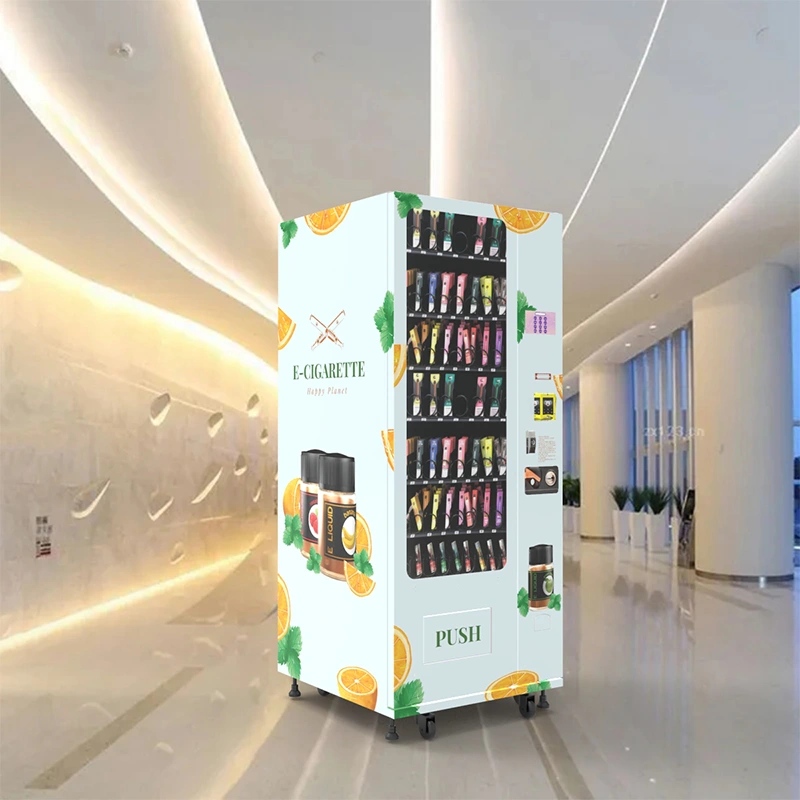
Here is a realistic ROI projection based on our field data from the last three years:
| Metric | Basic Machine (No Verification) | Verification-Enabled Machine |
|---|---|---|
| Average cost per machine | $3,500 | $8,000 |
| Average daily transactions | 25 | 18 |
| Average profit per transaction | $4.50 | $5.50 |
| Monthly profit | $3,375 | $2,970 |
| Months to break even | 10.4 | 26.9 |
| Annual profit after break even | $40,500 | $35,640 |
| Risk of regulatory fine (annual) | High (estimated 15-20%) | Low (estimated under 2%) |
The verification machine takes longer to pay off, but it is a safer investment. In my experience, operators who run multiple machines prefer the verification models because they sleep better at night.
Real-World Deployment Headaches
I want to talk about the things that go wrong, because every sales brochure shows a perfect machine in a clean lobby, and that is not reality. I have deployed machines in bars where the air is thick with smoke and grease. That grease gets into the scanner lens. If you do not clean the scanner every week, it starts failing to read licenses. I have seen operators blame the machine when the real problem was that they never wiped down the glass.
Another issue is network connectivity. The machine needs to be online to verify licenses if it is using a cloud-based database. If the location has weak WiFi, the machine times out and rejects every transaction. We started building machines with a dual-network card that can switch between WiFi and cellular, but that adds cost. Some operators try to save money by using a cheap hotspot, and then they wonder why the machine goes offline every Friday night when the bar gets crowded and the network slows down.
Power surges are another killer. A vending machine has a compressor, a screen, a scanner, and a payment system all running at the same time. If the power flickers, the machine can lock up. We put surge protectors inside every machine we build, but I still get calls from operators who plugged the machine into an old outlet with no ground. That is a fire risk and a data loss risk. If the machine loses power while scanning an ID, it can corrupt the file and the customer has to scan again, which creates frustration.
I also want to mention the human factor. Customers shove things into the slot that are not IDs. Coins, keys, folded paper, even a slice of pizza once. That jams the scanner. The machine needs to be designed so that a jam can be cleared by the operator without taking the whole machine apart. We designed our ID scan vending machine with a front-access panel specifically for this reason. If the operator can clear a jam in thirty seconds, they stay happy. If they have to wait for a technician, they lose a day of sales and start looking for a different machine.
Comparing Different Verification Technologies
Not all verification systems are the same. I have tested machines from different manufacturers, and the gap in performance is huge. Some use a simple camera that takes a picture and sends it to a remote server for human review. That is not real-time verification. It takes thirty seconds to a minute, and it requires a person on the other end. That is expensive and slow. Others use a dedicated scanner that processes everything locally. That is faster and more reliable, but it requires more powerful hardware in the machine.
There is also a difference in how the machine handles the data. Some machines store the scanned ID images on a local hard drive. That is a privacy risk. If the machine is stolen, all those ID images are gone. Better machines encrypt the data and store it in the cloud, or they only store the verification result and not the image itself. We chose to store only a hashed record of the verification, not the actual image, to reduce liability. That decision came from a real conversation with a lawyer after one of our early machines was stolen from a location in 2018.
Another comparison point is the speed of the scanner. A high-end scanner can read a license in under two seconds. A cheap scanner takes five to seven seconds. That does not sound like much, but when you have a line of customers waiting, it adds up. We measured the drop-off rate in one of our test locations. Every second of delay beyond three seconds resulted in a 4% drop in completed transactions. That is real money.
Choosing the Right Machine for Your Business
If you are looking to buy a machine, do not start with the price. Start with the regulatory requirements in your area. Some states require a specific type of verification, like a scan of the barcode plus a visual check of the hologram. Other states accept a simple date check. Know what you need before you buy. Then look at the hardware. Ask the manufacturer what scanner module they use. Ask if the software updates are free or paid. Ask if the machine can work offline or if it needs constant internet.
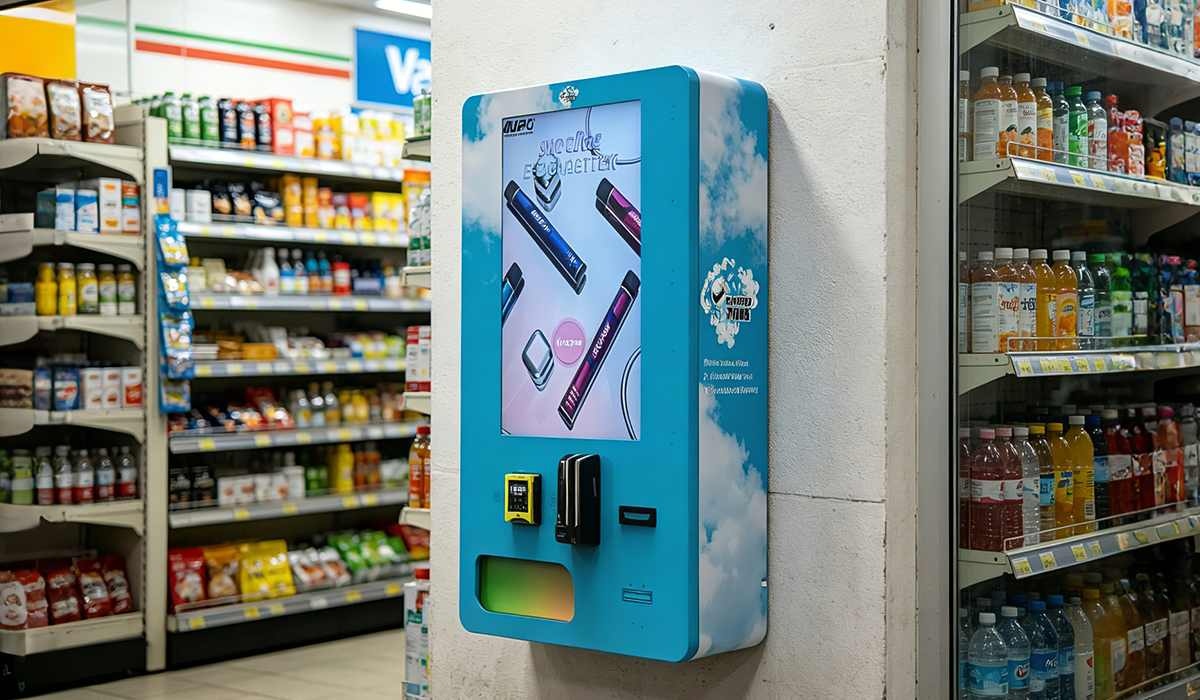
I recommend looking at machines that are built by manufacturers who also operate their own machines. That is a filter that removes a lot of junk. A manufacturer who only builds machines and never runs them does not understand the real problems. At Zhongda Smart, we run our own fleet of machines in several cities. We know exactly what breaks and what does not. That feedback goes directly into our next design iteration. That is why our wall-mounted compact vending machine has a reinforced scanner housing, because we learned the hard way that the original housing cracked after six months in a high-traffic bar.
Also, consider the form factor. A floor-standing machine holds more inventory but takes up space. A wall-mounted machine saves floor space but holds less product. If you are in a small convenience store, a wall-mounted unit is better. If you are in a large lounge, a floor-standing machine gives you more variety. We offer both, and I usually tell operators to start with a wall-mounted unit for their first machine to test the market, then scale up to a larger unit once they know the location works.
Maintenance and Long-Term Costs
The maintenance cost of a verification-enabled machine is higher than a standard machine. The scanner needs cleaning, the software needs updating, and the database needs refreshing. I budget about $400 per year per machine for maintenance, not including parts. Parts are another story. A scanner module can fail after about 50,000 scans. That is roughly two to three years of heavy use. Replacing a scanner costs between $300 and $800 depending on the model. I keep a few spare scanners in stock for our operators so they do not have to wait for shipping.
Another hidden cost is the payment system. If your machine takes credit cards, you are paying processing fees. Those fees eat into your margin. Some operators try to use cash-only machines to avoid fees, but cash machines get broken into more often. I have seen machines that were smashed open for the $200 inside. The repair cost was $1,200. That is a bad trade-off. I recommend using a cashless system with a high-security lock. The processing fees are worth the reduction in theft risk.
One more thing about long-term costs: firmware updates. Some manufacturers charge for updates after the first year. If you skip updates, your machine starts rejecting valid IDs because the state changed the design. I have seen a machine that was rejecting every ID from a certain state because the update was six months overdue. The operator lost a month of sales before he figured out the problem. Always check the update policy before you buy.
Expert Advice from the Factory Floor
I have been in this business since before most people knew what a vape was. I have seen machines that were built like tanks and machines that fell apart in six months. My advice is simple: buy from a manufacturer who has been building machines for at least ten years, who has their own testing facility, and who offers a warranty that covers the scanner and the software. Avoid manufacturers who outsource everything. If they do not build the machine themselves, they cannot fix it when it breaks.
I also recommend visiting the factory if you can. Look at the assembly line. Look at the testing process. Ask to see the failure rate data. A good manufacturer will show you the numbers. A bad manufacturer will give you a sales pitch. We welcome visitors at our facility because we are confident in what we build. You can see our manufacturing history and capabilities here.
One final piece of advice: do not buy a machine that is not designed for your specific product. A machine that works for snacks will not work for vapes. The temperature control is different, the dispensing mechanism is different, and the regulatory requirements are different. Use a machine that is purpose-built. We make a range of machines specifically for the vape market, and they are tested with real products, not just empty boxes.
Frequently Asked Questions
Can a vending machine scan a driver license from any state?
What happens if the scanner cannot read the license?
Does the machine store images of scanned licenses?
How often does the verification database need to be updated?
Can the machine work without an internet connection?
What is the typical failure rate for the scanner module?
Is it legal to use a vending machine that scans driver licenses?
How do I clean the scanner to keep it working?
Sources and References
The following sources were used for data and industry context in this article. They are provided for reference and further reading.