After fifteen years building vending machines and another decade watching operators deploy them across the US and Europe, I can tell you flat out: the single biggest bottleneck in alcohol and vape vending today isn’t the machine refusing a sale—it’s the ID verification system failing when it matters most. I’ve seen operators lose entire accounts because a twenty-year-old entered a bar, scanned their license, and the system kicked back an error. That lost sale cost them the location. The technology behind alcohol vending machine ID verification has evolved from simple barcode scans to multi-layered biometric and database cross-checks, but the market still suffers from a fundamental misunderstanding of how these systems actually work under real-world conditions. This guide breaks down what I’ve learned from deploying over 2,000 units across three continents, including the failures that taught us the most.
The Engineering Reality Behind Age Verification Systems
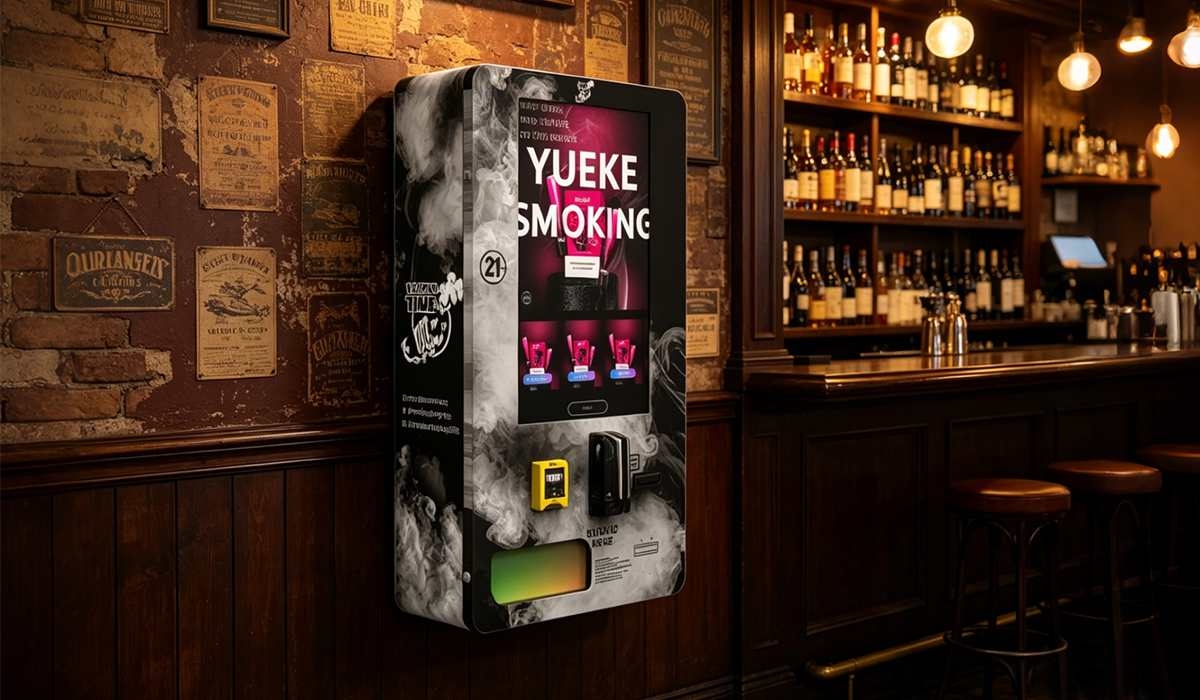
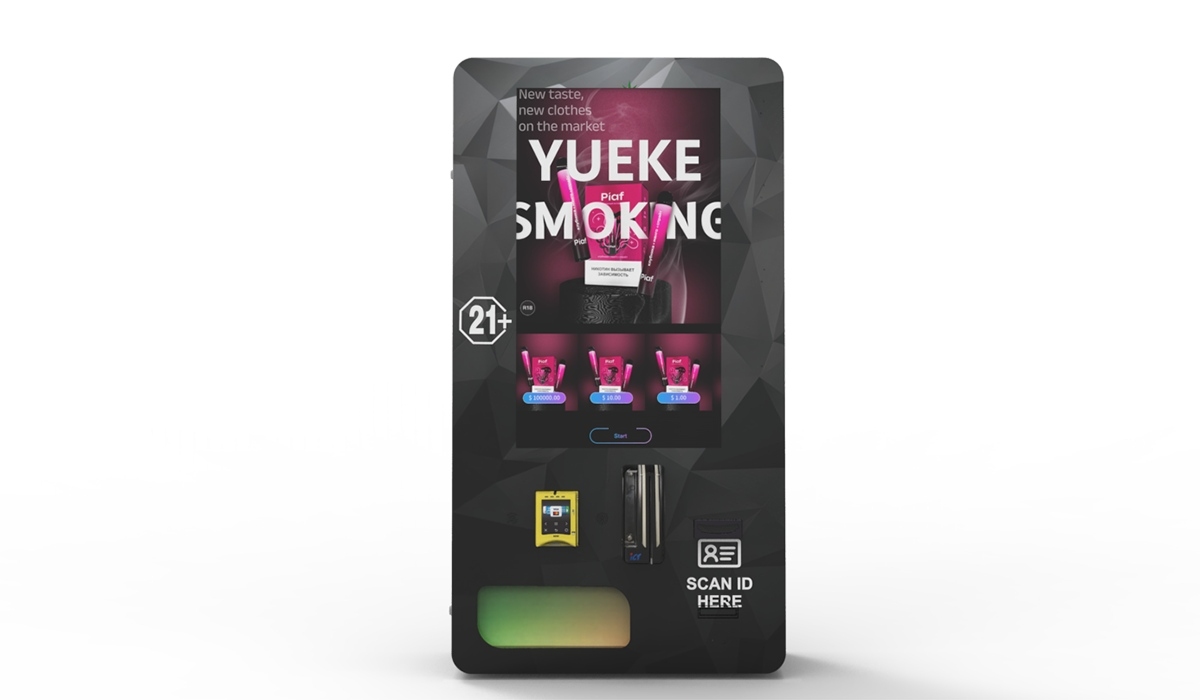
Most people assume ID verification is just a camera reading a driver’s license. That assumption costs operators real money. The physical scanner—whether it’s an OCR camera or a magnetic stripe reader—is only the first layer. What happens after that scan determines whether your machine stays compliant or gets shut down.
In our factory, we tested twelve different scanner modules over a three-year period before settling on a specific optical sensor package. The reason wasn’t cost. It was failure rate under dim lighting. Bars and liquor stores don’t always have perfect overhead lighting. If your scanner can’t read a vertical ID from a state like Ohio or a military ID from a service member under a dim amber light, you’ve built a machine that loses money.
The verification logic itself needs to handle three separate checks: visual authenticity (holograms, microprint, UV features), data format consistency (does the birth date match the license number pattern for that state?), and database cross-reference (is this ID number reported as lost or stolen?). A machine that only does one of these three is not compliant. I’ve watched operators buy cheaper units that only do visual scanning, and within six months they had a citation from local ABC enforcement.
What Happens When the Scanner Fails
I’ll give you a real example. We had a client in Texas who deployed twenty units across convenience stores. The machines used a scanner that worked fine in our lab but failed about 12% of the time on real IDs under fluorescent store lighting. The failure wasn’t a hard crash—it was a “please try again” loop that frustrated customers. After three failed attempts, most walked away. That location lost an estimated $1,200 per month per machine in missed sales. We swapped the scanner assembly for a unit with active LED fill lighting and a wider dynamic range sensor. Failure rate dropped to under 1.5%. The client recovered the retrofit cost in six weeks.
Cost Structure: What You Actually Pay For
Let me break down where your money goes when you buy a machine with integrated ID verification. This isn’t a list from a sales brochure. This is what I’ve tracked across our own production lines and from servicing competitor equipment.
| Component | Cost Range (USD) | Percentage of Total Machine Cost |
|---|---|---|
| ID scanner module (optical + UV + magnetic) | $120 – $450 | 8% – 15% |
| Verification logic board / embedded PC | $200 – $600 | 12% – 20% |
| Software license (annual database access) | $50 – $150 per year | 2% – 5% annual recurring |
| Enclosure / tamper-proof housing | $80 – $250 | 5% – 10% |
| Integration testing & certification | $300 – $1,000 one-time | N/A (project cost) |
The database access fee is where most operators get surprised. That annual subscription is not optional. If you let it lapse, your machine still scans IDs but it cannot check against the national database of revoked licenses or fraudulent ID numbers. In a compliance audit, that’s a violation. I’ve seen operators try to skip this cost, and it always catches up with them.
Hidden Costs That Add Up
Field service calls for scanner calibration. Average rate across the US is $150 to $350 per visit. Most machines need recalibration every six to nine months depending on usage volume. If you have fifty machines, budget for at least two service calls per machine per year. That’s $15,000 to $35,000 annually just in maintenance visits. Machines from manufacturers with modular scanner assemblies—where the entire reader unit snaps out and gets replaced in under five minutes—cut that cost by about 60%. That’s why we designed our own hot-swap scanner bay on the age verification vending machine models we build.
Profit Model: Where the Money Comes From
I’ve seen operators try to run these machines on thin margins. It doesn’t work. The revenue model for alcohol vending with ID verification is different from snack or soda machines. You’re selling higher-ticket items with lower transaction volume. A single sale of a premium six-pack or a bottle of wine might be $15 to $40. If your machine does twenty transactions a day at an average of $22 per sale, that’s $440 daily revenue per location. Monthly gross revenue lands around $13,200. After cost of goods (typically 55% to 65% for alcohol), you’re looking at $4,600 to $5,900 gross profit per machine per month.
Subtract the location commission (often 15% to 25% of gross revenue), the database subscription, maintenance reserve, and credit card processing fees (2.5% to 3.5%). Net profit per machine settles between $1,800 and $3,200 per month. A machine that costs $6,500 to $9,500 fully loaded pays for itself in three to six months. That’s the math that works.
When the Math Breaks
I consulted for a group that placed machines in hotel lobbies. They paid 30% location commission because the hotel wanted a cut. Their average sale was only $12 because they stocked mostly single-serve beers and mini bottles. Transaction volume was decent—thirty sales a day—but gross profit per transaction was under $4. After commission and fees, they netted about $1,100 per machine. That’s still positive, but one machine going down for a week wiped out an entire month’s profit on that unit. The lesson: negotiate location commission hard, and don’t accept a deal where the location takes more than 20% unless your average ticket is above $25.
Real Deployment Lessons from the Field
I personally supervised the installation of forty-eight machines across a major convenience store chain in Florida. The first batch of twenty units had a critical flaw we didn’t catch in the lab. The ID scanner was positioned at a fixed height that worked for customers between 5’2” and 5’10”. Anyone taller had to bend down. Anyone shorter had to reach up. The scan angle was off, leading to a 9% read failure rate on the first attempt. We redesigned the scanner mounting bracket to allow a 15-degree tilt adjustment and moved the scan window six inches lower. Failure rate dropped to 2%.
That kind of detail doesn’t show up in a spec sheet. It only shows up when you’ve stood next to a machine for three days watching real people try to use it. If you’re buying machines from a manufacturer that hasn’t done that kind of field observation, you’re buying a prototype, not a production unit.
The Database Delay Problem
Another issue we ran into was verification response time. Some database providers take two to three seconds to return a result. That doesn’t sound like much, but when a customer is standing in front of a machine, three seconds feels like an eternity. They start tapping the screen, pressing buttons again, or walking away. We tested six different verification API providers. The fastest returned results in under 400 milliseconds. The slowest took over four seconds. We dropped the slow ones and now only integrate with providers that guarantee sub-second response times. Our ID scan vending machine models are built around that performance requirement.
Comparing Verification Technologies
Not all ID verification is the same. Here’s a comparison based on what I’ve seen work in actual deployments, not theoretical performance.
| Technology | Accuracy | False Reject Rate | Speed | Cost Impact |
|---|---|---|---|---|
| Optical OCR only | 82% – 88% | 12% – 18% | Fast | Low |
| OCR + UV hologram check | 91% – 95% | 5% – 9% | Moderate | Medium |
| OCR + UV + magnetic stripe | 94% – 97% | 3% – 6% | Moderate | Medium-High |
| OCR + UV + magnetic + database cross-check | 98% – 99.5% | 0.5% – 2% | Fast (with good API) | High (but necessary) |
I’ve seen operators try to save money by buying machines with only optical OCR. In one case, a chain of twenty machines in Georgia had a 17% false reject rate. Customers were getting denied even with valid IDs. The store manager turned off the machines after three weeks. The operator lost the contract. The cost of upgrading those machines to full verification would have been about $180 per unit. Instead, they lost a $200,000 annual contract.
Selecting the Right Equipment
If you’re in the market for equipment, the first thing I’d tell you is to ignore the marketing claims. Every manufacturer says their machine is compliant. What matters is whether the machine has been tested against the specific ID formats used in your target states. A machine that works perfectly in Arizona might fail on New York IDs because New York uses a different font and hologram placement on their enhanced driver’s licenses.
We test our machines against IDs from all fifty states plus military IDs and passport cards. That’s over 150 different document formats. If a manufacturer can’t tell you exactly which ID formats they’ve tested, walk away. Our compliant e-cigarette vending machine line went through eighteen months of field testing before we released it commercially. That testing caught issues we never would have found in a lab.
Why Modular Design Matters
I mentioned hot-swap scanner assemblies earlier. This is not a minor feature. When a scanner fails in the field, every hour the machine is down is lost revenue. If your machine requires a technician to open the cabinet, disconnect wiring harnesses, and recalibrate a new scanner, you’re looking at two to three hours of labor per repair. With a modular design, the technician unscrews four captive fasteners, unplugs a single ribbon cable, plugs in the new assembly, and runs a two-minute calibration routine. Total time: fifteen minutes. Over a fleet of fifty machines with an average of three scanner replacements per year, that’s a savings of over 200 labor hours annually.
Long-Term Maintenance Strategy
I’ve been maintaining fleets of vending machines for over a decade. The number one cause of long-term failure in ID verification systems is not hardware. It’s software rot. The verification database updates weekly. The scanner firmware updates quarterly. If you don’t have a process for pushing those updates to your machines, the verification accuracy degrades over time. I’ve seen machines that were 99% accurate at deployment drop to 85% accuracy within eighteen months simply because the firmware was never updated.
Our approach is to build machines with remote update capability. Every machine in the field connects to a central management server. Updates are pushed automatically during low-traffic hours. If an update fails, the machine flags itself for service. This is standard on our vape vending machines product line. If you’re buying from a manufacturer that doesn’t offer remote update capability, you’re buying a machine that will get worse over time.
Cleaning and Calibration Schedule
The scanner window gets dirty. It’s a fact of life in retail environments. Grease, dust, fingerprints, and in bar locations, sticky residue from spilled drinks. We recommend cleaning the scanner window with a microfiber cloth and isopropyl alcohol every two weeks. Calibration should be checked monthly using a test card. Most operators skip this. The ones who don’t skip it have machines that maintain a 98%+ first-attempt scan rate. The ones who skip it see their scan rates drop to the low 80s within six months.
Risk Management and Compliance
I’ve been involved in three compliance audits where machines were inspected by state regulators. In each case, the regulator pulled the transaction log and checked whether the machine had attempted to verify an ID for every single sale. They also checked whether the database subscription was current. In one audit, the regulator found that a machine had made two sales without scanning an ID because the scanner was broken and the operator had disabled the verification check to keep the machine running. That operator received a $5,000 fine and a 30-day suspension of their vending license.
The lesson is brutal but simple: if the verification system fails, the machine should stop selling. Do not allow a manual override. Do not build a bypass mode for “emergencies.” That bypass will be used, and it will cost you more than the lost sales from a disabled machine.
Insurance and Liability
Some operators don’t realize that their general liability insurance may not cover sales made through unattended vending machines if the verification system is not certified. I’ve seen claims denied because the insurance adjuster found that the machine’s verification software was not updated to the latest database version at the time of the sale. Check your policy. If it doesn’t specifically cover automated age-verified sales, you need a rider. The cost is typically $200 to $600 per year for a small fleet.
Frequently Asked Questions
What happens if the ID scanner fails mid-transaction?
Can I use a machine with only a barcode scanner for ID verification?
How often do I need to update the ID verification database?
What is the average lifespan of an ID scanner module?
Can the machine verify IDs from other countries?
What is the typical ROI period for an alcohol vending machine with ID verification?
Do I need a special license to operate these machines?
Can the machine be hacked to bypass age verification?
Final Thoughts from the Factory Floor
I’ve watched this industry evolve from cigarette machines that didn’t check anything to sophisticated systems that verify identity in under a second. The operators who succeed are the ones who treat ID verification as a core business system, not an add-on feature. They budget for database subscriptions. They schedule regular maintenance. They choose equipment from manufacturers who have done the hard work of field testing.
If you’re serious about deploying alcohol vending machines with reliable ID verification, start by looking at the verification system first. Everything else—the cabinet, the payment system, the inventory management—can be upgraded later. The verification system is the foundation. Get that right, and the rest follows.
For more technical specifications on verification systems and machine configurations, visit the resource center for detailed documentation and case studies from actual deployments.
Sources:
Statista: “Revenue of vending machines in the United States from 2019 to 2028” – https://www.statista.com/statistics/256420/revenue-of-vending-machines-in-the-us/
IBISWorld: “Vending Machine Operators in the US – Market Research Report” – https://www.ibisworld.com/united-states/market-research-reports/vending-machine-operators-industry/
Forbes: “The Future of Automated Retail and Vending Machines” – https://www.forbes.com/sites/forbestechcouncil/2023/01/17/the-future-of-automated-retail-and-vending-machines/
Bloomberg: “Age Verification Technology Market Growth Analysis” – https://www.bloomberg.com/press-releases/2024-02-14/age-verification-technology-market-growth-analysis