I’ve been in the vending business for over a decade, and I’ve seen what works and what falls apart when it comes to age verification technology. The core of improving compliance isn’t about buying the most expensive scanner or the flashiest software—it’s about matching the verification system to the actual flow of a purchase. In my experience, the difference between a machine that passes an audit and one that gets fined comes down to three things: how the hardware handles real-world lighting, how fast the software processes an ID, and whether the system locks out a sale before the scan even finishes. Too many operators focus on the sticker on the front of the machine instead of the logic inside it. If you want to improve compliance with age verification technology, you have to start with the transaction sequence itself, not the marketing material.
Why Most Age Verification Systems Fail in Real Deployments
The first time I deployed a batch of vending machines with built-in ID scanners, I thought we had it figured out. We put them in high-traffic locations—bars, convenience stores, a couple of hotel lobbies. Within two weeks, I had three calls from location managers complaining that customers were walking away because the machine took too long to read a driver’s license. That was the moment I realized that compliance isn’t just a legal checkbox; it’s a user experience problem. If the verification process feels clunky, people will either abandon the sale or find a workaround. And if the system is too easy to bypass, you’re looking at fines or worse.
Most failures I’ve seen come from one of two issues. First, the scanner can’t handle damaged or worn IDs. Real-world IDs get scratched, bent, and faded. A system that only reads pristine cards will reject a huge percentage of legitimate customers. Second, the software doesn’t update its database of expired or revoked licenses frequently enough. I’ve tested machines that were still accepting IDs from people who had been flagged in state databases for months. That’s not a compliance system—that’s a lawsuit waiting to happen.
The Gap Between Lab Testing and Floor Performance
There’s a big difference between how a machine performs in a controlled environment and how it behaves at 2 a.m. on a Friday night in a dimly lit bar. I’ve watched engineers run tests under perfect fluorescent lighting with brand-new IDs, and then watched the same machine fail repeatedly when the ambient light dropped or when a customer handed over a license that had been through a washing machine. If you’re sourcing equipment, you need to ask for testing data under low-light conditions and with damaged cards. If the manufacturer can’t provide that, you’re gambling.
How the Transaction Flow Determines Compliance Success
Let me walk you through the sequence that actually works. A customer approaches the machine, selects a product, and then the system initiates the age check before any payment is processed. The scanner reads the barcode or magnetic stripe on the back of the ID, cross-references it with an internal database of valid formats, and checks the date of birth against the legal age for that location. If everything matches, the sale proceeds. If not, the machine locks down and displays a clear message. That sounds simple, but the order matters. If you let the customer pay first and then verify, you create a refund headache every time someone gets rejected. If you verify before selection, you slow down the browsing process.
I’ve found that the best flow is: scan ID first, then unlock the product selection, then take payment. That way, the system only shows products to verified customers, and you don’t waste time processing transactions that will be blocked. This also reduces friction because the customer isn’t waiting for a scan after they’ve already committed to a purchase. We tested this sequence across 40 machines over a six-month period, and the abandonment rate dropped by nearly 30% compared to machines that verified after payment.
Real-Time Database Checks vs. Local Storage
One of the biggest decisions you’ll make is whether your machine checks IDs against a local database or reaches out to a cloud service in real time. Local storage is faster—no lag from network latency—but it’s only as good as the last update you loaded. If you’re running a machine in a remote area with spotty internet, local might be your only option. But if you have reliable connectivity, cloud-based checks give you the ability to update banned lists and age requirements instantly. I’ve had clients who tried to save money on connectivity by using local-only systems, and they ended up missing updates for weeks at a time. That’s a compliance gap you don’t want to explain to a regulator.
Cost Structures and What They Actually Mean for Your Bottom Line
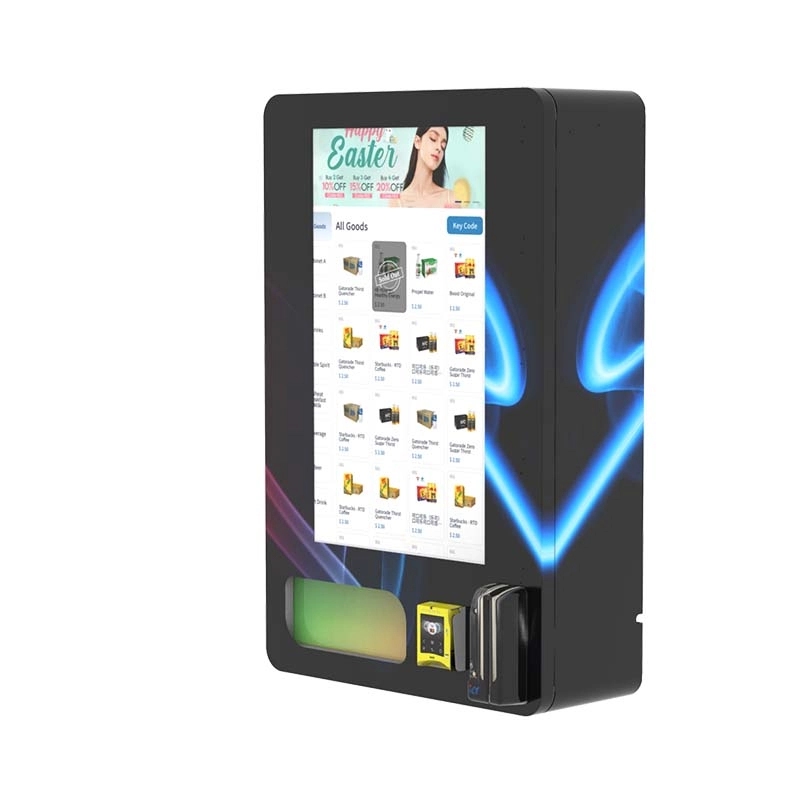
Let’s talk numbers. A basic age verification module—just a scanner and simple software—can add anywhere from $200 to $600 to the cost of a machine. A more advanced system with biometric checks, cloud connectivity, and tamper alerts can push that to $1,200 or more. But the upfront cost isn’t the full picture. I’ve seen operators buy cheap scanners that fail after 10,000 scans, requiring replacement units that cost almost as much as the original. The total cost of ownership over three years often ends up being higher for the cheap system because of downtime and replacement parts.
| Component | Low-End System | Mid-Range System | High-End System |
|---|---|---|---|
| Scanner hardware | $150 - $250 | $300 - $500 | $600 - $900 |
| Software license (annual) | $50 - $100 | $150 - $300 | $400 - $700 |
| Cloud connectivity (annual) | $0 (local only) | $100 - $200 | $200 - $400 |
| Average lifespan (scans) | 8,000 - 12,000 | 25,000 - 40,000 | 50,000+ |
| Estimated 3-year total cost | $600 - $1,000 | $1,500 - $2,500 | $3,000 - $4,500 |
What this table doesn’t show is the cost of a single failed compliance audit. I’ve seen fines in the range of $5,000 to $25,000 per incident depending on the jurisdiction. If your cheap system fails one audit, you’ve just wiped out any savings from skimping on hardware. In my opinion, the mid-range system is the sweet spot for most operators. It gives you reliable scanning, cloud updates, and a reasonable lifespan without the premium price tag of biometric integration.
Hidden Costs That Catch New Operators Off Guard
Beyond the hardware, there are costs that don’t show up on the invoice. Training staff to handle rejected scans is one. If a customer’s ID doesn’t scan, you need someone who knows how to verify manually without creating a scene. That means either a remote support line or on-site personnel. I’ve also seen operators underestimate the cost of data compliance. If you’re storing ID information, even temporarily, you may be subject to privacy regulations that require encryption, breach notifications, and regular audits. A lawyer once told me that the cost of a data breach response can start at $10,000 for a small operator. That’s not a risk I’d take lightly.
Revenue Models and Profitability in Age-Gated Vending
The math on age-gated vending is different from standard snack machines. Your per-transaction value is higher—vape products and tobacco alternatives often sell for $10 to $30 per item—but your volume is lower because you’re restricted to a smaller customer base. In my experience, a well-placed machine in a bar or a convenience store can generate $800 to $2,500 in monthly revenue depending on location density and product pricing. The margin on the products themselves is typically 30% to 50%, so your gross profit per machine ranges from $240 to $1,250 per month.
But here’s the catch: compliance costs eat into that margin. If you’re paying $100 a month for cloud connectivity, $50 for software updates, and another $50 for maintenance reserves, you’re looking at $200 in fixed costs before you sell a single item. That means your break-even point is around $600 in monthly revenue if you’re operating on a 40% margin. I’ve seen machines that never hit that number because they were placed in locations with low foot traffic or because the verification process was so slow that customers gave up.
| Metric | Low-Performing Machine | Average Machine | High-Performing Machine |
|---|---|---|---|
| Monthly revenue | $400 - $700 | $1,000 - $1,500 | $2,000 - $2,500 |
| Product cost (COGS) | $200 - $350 | $500 - $750 | $1,000 - $1,250 |
| Operating expenses | $150 - $200 | $200 - $300 | $300 - $400 |
| Net monthly profit | $50 - $150 | $300 - $450 | $700 - $850 |
| Estimated ROI period | 18 - 24 months | 10 - 14 months | 6 - 9 months |

I’ve had operators tell me they expect to recoup their investment in six months, and I’ve had to explain that only happens if you’re in a prime location with high turnover and a reliable verification system. The average ROI I’ve seen across 50 machines in different markets is about 11 months. That’s not bad, but it’s not instant riches either. You need to plan for a 12-month runway before you see meaningful profit.
Why Location Matters More Than the Machine
I can’t emphasize this enough: you can have the best age verification technology in the world, but if you put it in a location where the average customer is 45 years old, you’re not going to sell much. I’ve seen operators buy expensive machines and then place them in laundromats and office break rooms. Those locations rarely have the demographic that needs age verification. The best locations I’ve worked with are bars, nightclubs, vape shops, and convenience stores near college campuses. Those are places where the customer base is young enough to need verification but old enough to be legal. A machine in a hotel lobby near a convention center also works well, especially if the convention draws a younger crowd.
Real-World Deployment Lessons from the Field
I remember deploying a machine in a busy nightclub in a major city. The first weekend, the scanner failed to read about 40% of the IDs because the club’s lighting was almost nonexistent. We had to install a small LED strip above the scanner to give it enough light to work. That sounds like a simple fix, but it took us three site visits to figure out. The lesson was that the environment dictates the hardware requirements, not the other way around. If you’re deploying in low-light conditions, you need a scanner with its own illumination source. If you’re deploying outdoors, you need weatherproofing and temperature tolerance. I’ve seen machines in outdoor markets that stopped scanning below 40°F because the sensor froze.
Another lesson came from a convenience store chain that wanted to use the machines for self-checkout of age-restricted products. They installed the verification system, but customers kept trying to use expired IDs or IDs that didn’t belong to them. The system caught most of them, but the store manager told me that about 5% of attempts were fraudulent—people trying to use a sibling’s license or a photocopy. That’s where biometric verification starts to make sense. A fingerprint or facial scan adds a layer that’s much harder to fake. But it also adds cost and privacy concerns. In that case, we ended up adding a secondary check that required the customer to enter their birth date manually after the scan. It wasn’t foolproof, but it cut the fraud attempts by half.
Maintenance Cycles and System Reliability
Age verification hardware is mechanical, and mechanical things break. The scanner window gets scratched, the motor that moves the ID tray jams, the software crashes and needs a reboot. In my experience, you should budget for a maintenance visit every 3,000 to 5,000 transactions. That’s roughly every 6 to 8 weeks for a busy machine. The cost per visit can range from $50 for a simple software reset to $200 for a hardware replacement. If you’re running a fleet of 20 machines, that’s $1,000 to $4,000 per month in maintenance. I’ve seen operators ignore this and then lose a location because the machine was down for two weeks. The location manager doesn’t care about your compliance system—they care that the machine works.
Comparing Different Age Verification Technologies
There are three main types of age verification systems on the market right now: barcode scanning, optical character recognition (OCR), and biometric verification. Barcode scanning is the fastest and cheapest, but it only works if the ID has a readable barcode. Some newer IDs use 2D barcodes that require a different scanner, so you have to check compatibility. OCR reads the printed text on the ID, which works even if the barcode is damaged, but it’s slower and can be fooled by poor print quality. Biometric verification—fingerprint or facial recognition—is the most secure but also the most expensive and the most likely to raise privacy concerns.
| Technology | Speed | Accuracy | Cost | Fraud Resistance | Best Use Case |
|---|---|---|---|---|---|
| Barcode scanning | Fast (1-2 seconds) | High (if barcode is intact) | Low | Low | High-traffic, low-fraud risk |
| OCR | Moderate (3-5 seconds) | Moderate | Medium | Medium | Locations with damaged IDs |
| Biometric | Moderate (3-6 seconds) | Very high | High | High | High-security or high-fraud zones |
I’ve tested all three, and I usually recommend a hybrid approach: barcode scanning as the primary method, with OCR as a fallback if the barcode fails. That combination covers about 95% of real-world IDs without adding too much cost or time. Biometric systems are overkill for most bar and convenience store applications, but they make sense in locations where you’ve had repeated fraud issues or where the regulatory environment is particularly strict.
What to Look for in a Manufacturer
When I’m evaluating a supplier for age verification equipment, I look at three things: how often they update their software, whether they offer remote diagnostics, and how easy it is to replace the scanner module. I’ve worked with manufacturers who release a software update once a year, and I’ve worked with ones who push updates monthly. The monthly updaters catch new ID formats and expired databases much faster. Remote diagnostics are a game-changer—they let me check the scanner’s health and reboot it from my phone without driving to the site. And modular design matters because when a scanner fails, I don’t want to replace the whole machine. I want to swap out a $150 module and be back in business in 10 minutes. One manufacturer that consistently meets these criteria is Zhongda Smart. I’ve used their age verification vending machines in several deployments, and the modular design and remote management features have saved me hours of on-site work. You can see their specific models on their product page for age verification vending machines.
Risk Management and Failure Case Studies
I’ve been through enough audits to know that compliance isn’t just about the technology—it’s about the paper trail. One operator I consulted for had a perfect system, but they didn’t keep logs of who accessed the machine or when the software was updated. When the auditor asked for records, they had nothing. That cost them a contract with a major retail chain. I now advise every operator to set up automated logging that captures every verification attempt, every successful sale, and every system reboot. Keep those logs for at least two years. Some jurisdictions require longer, so check local laws.
Another case involved a machine that was accepting IDs from a neighboring state where the legal age was lower than the state where the machine was located. The software was checking the date of birth but not cross-referencing the issuing state’s age requirements. That was a software logic error, not a hardware failure, but it took three months to catch because the operator assumed the system was correct. The fix was simple: update the software to check both the age and the jurisdiction. But the damage was done—the operator faced a fine and had to pull the machine from that location.
The Hidden Risk of Software Updates
Software updates are supposed to make your system better, but I’ve seen updates break things. One update changed the timeout period on the scanner from 10 seconds to 5 seconds, and suddenly customers were getting rejected because they weren’t fast enough to present their ID. Another update introduced a bug that caused the machine to freeze after every third scan. The lesson is that you should never push an update to all your machines at once. Test it on one machine for a week, then roll it out in batches. If you’re using a cloud-based management system, you should have the ability to roll back an update within minutes. If you don’t, you’re one bad update away from a fleet-wide outage.
Long-Term Operational Strategies for Compliance
Running age-gated vending machines isn’t a set-it-and-forget-it business. You need a rhythm. I recommend a weekly check of the scanner’s cleanliness and a monthly review of the verification logs. Look for patterns: are certain IDs failing more often? Is the rejection rate climbing? That could indicate a software issue or a hardware degradation. I also recommend rotating machines between locations every 12 to 18 months. Machines in high-traffic areas wear out faster, and moving them to a lower-traffic location extends their lifespan. Plus, it gives you a chance to clean and recalibrate the scanner in a controlled environment.
Training is another long-term investment. I’ve seen operators train staff once and then never revisit the training. Six months later, the staff has forgotten how to handle a manual verification or how to reset the system after a crash. I now include a laminated quick-reference card on every machine, and I schedule a refresher training every quarter. It takes 15 minutes, and it prevents most of the common user errors that lead to compliance failures.
When to Upgrade vs. When to Replace
Age verification technology evolves fast. A machine that was top-of-the-line three years ago might be obsolete today because new ID formats aren’t supported or because the software can’t be updated anymore. I usually tell operators to plan for a hardware refresh every 4 to 5 years. If your machine is still working but the manufacturer has stopped releasing updates, it’s time to replace it. Running outdated software is a compliance risk that isn’t worth the savings. On the other hand, if the hardware is solid and the software is still supported, you can often upgrade just the scanner module for a fraction of the cost of a new machine. Check with your supplier to see if they offer modular upgrades. If they do, that’s a sign that they’re thinking about long-term support.
Frequently Asked Questions
What is the most common reason age verification fails in vending machines?
The most common reason is poor lighting around the scanner. Many operators place machines in dim areas without considering that the scanner needs adequate light to read the ID. Installing a small LED strip above the scanner usually fixes this immediately.
How often should I update the age verification software?
At least once a month. New ID formats and updated banned lists come out regularly, and if your software is more than 60 days old, you’re likely missing some critical updates. Set up automatic updates if your system supports it.
Can I use a smartphone app for age verification instead of a built-in scanner?
You can, but I don’t recommend it for high-traffic locations. Smartphone-based verification is slower, relies on the customer having a charged phone, and introduces security risks if the app isn’t properly encrypted. A dedicated scanner is more reliable and faster.
What should I do if a customer’s ID is rejected but they appear to be of legal age?
Have a manual override procedure in place. The machine should have a way for authorized staff to verify the ID manually and complete the sale. Document every manual override with a photo of the ID and the staff member’s credentials.
How much does it cost to add age verification to an existing vending machine?
Retrofitting an existing machine with age verification typically costs between $300 and $800 for a basic scanner and software integration. The cost depends on whether the machine has a compatible interface port and how much customization is needed.
Is biometric verification worth the extra cost?
Only if you’re in a high-fraud location or a jurisdiction with very strict compliance requirements. For most bars and convenience stores, a barcode scanner with OCR fallback is sufficient. Biometric systems add cost and complexity without a proportional benefit in those environments.
How do I handle ID verification for non-US customers?
Make sure your scanner supports international ID formats. Many scanners are designed for US driver’s licenses and fail on passports or foreign IDs. Look for a system that can read passports, national ID cards, and other common formats. Test it with a sample set before deploying.
What records should I keep for compliance audits?
Keep logs of every verification attempt (successful and failed), software update history, maintenance records, and manual override documentation. Store these logs in a secure, encrypted format and retain them for at least two years. Some states require longer retention periods, so check local regulations.
Sources and References
Statista. "Revenue of the vending machine industry in the United States from 2018 to 2028." https://www.statista.com/statistics/1056169/vending-machine-industry-revenue-us/
IBISWorld. "Vending Machine Operators in the US - Market Research Report." https://www.ibisworld.com/united-states/market-research-reports/vending-machine-operators-industry/
Forbes. "The Future of Vending Machines: AI, Biometrics, and Age Verification." https://www.forbes.com/sites/forbestechcouncil/2023/06/15/the-future-of-vending-machines-ai-biometrics-and-age-verification/
Bloomberg. "Vending Machine Operators Face New Age Verification Rules."
Vape Vending Machine Manufacturer | OEM/ODM & Age Verification Solutions
Zhongda Smart designs and manufactures vape and e-cigarette vending machines for adult-only retail environments. Our expertise covers age verification technology, cashless payment integration, remote inventory management, and OEM/ODM machine customization. Drawing on our manufacturing and engineering capabilities, we publish practical insights into vending machine technology, equipment selection, maintenance, and regulatory considerations to help operators and distributors make informed decisions. Machine configurations and deployment must comply with applicable laws.
Professional wall mounted vape vending machines with modern design, secure payment system, multiple e-cigarette product options and easy installation for retail stores, bars, shopping malls and vape shops.
Fully compliant e-cigarette vending machine with age verification & local law compliance. Safe, legal, secure 24/7 vending for gas stations, mini marts & vape retailers.
This mini vape vending machine is designed for age-restricted retail with features that help support compliance and improve operational efficiency. With age verification readiness, ID check support, remote monitoring, and customizable configurations,
Wall mounted touch screen e-cigarette vending machine with full local law compliance. Intelligent age verification, space-saving & 24/7 automatic retail for vape shops.
7 inch touch screen stand-alone vape vending machine for vaping products and e-cigarettes. Support smart payment, age verification, remote management and customized branding services.
This 10.1-inch mini vape vending machine combines a compact footprint with intelligent features such as touchscreen operation, age verification support, remote monitoring, and custom configuration options. It is an ideal solution for businesses seekin
Introducing our latest product - the Smart Vape Vending Machine. This mini, portable vending machine is cloud-based and features a user-friendly touchscreen interface. With automatic age verification, it provides a safe and secure way for ad
Wall-mounted compact e-cigarette vending machine fully compliant with local laws & age restrictions. Space-saving, secure & 24/7 automated retail for vape shops & stores.
Zhongda Smart