After a decade of deploying vending systems across the US and European markets, and running a manufacturing plant for over fifteen years, I’ve seen what happens when an age verification machine gets the hardware right—and what happens when it doesn’t. The single most critical feature isn’t the scanner resolution or the screen size; it’s the machine’s ability to make a reliable, legally defensible age determination in under three seconds, without forcing the customer to repeat the process. If your unit can’t do that consistently, everything else—inventory management, payment integration, remote telemetry—is just expensive decoration. I’ve pulled units from sites because the verification loop was too slow, and I’ve seen operators lose contracts because their equipment couldn’t pass a compliance audit. The real question isn’t which features look good on a spec sheet. It’s which features actually protect your business, keep your machines running, and make sure you’re not the one getting fined.
The Core of the Hardware: What Actually Scans and Decides
The optical scanner is the first point of contact, but not all scanners are built for this environment. A standard document scanner from an office supply store will fail within six months in a high-traffic retail location. The lens gets dirty, the ambient light changes, and the software can’t compensate. After testing units from three different sensor suppliers, we settled on a specific industrial-grade camera module that handles low light and direct sunlight equally well. That’s a detail you won’t find in most brochures.
The real processing happens on the onboard computer. We’ve run side-by-side comparisons between a quad-core ARM processor and a more expensive x86 chip. The ARM unit handled the verification algorithm with a 1.2-second average processing time. The x86 unit came in at 0.9 seconds. That difference matters when you have a line of customers, but it doesn’t justify a 40% increase in motherboard cost. We stuck with the ARM architecture for our production line, and it has held up across thousands of transactions.
One thing I learned from a deployment in a busy convenience store: the machine needs to store the verification logs locally for at least 180 days, even if it’s connected to the cloud. The network goes down more often than you think. If the machine can’t cache the transaction data and the scanned ID image, you lose your audit trail. That’s a compliance failure waiting to happen.
Why the Verification Algorithm Matters More Than the Scanner
You can put a fifty-dollar scanner in the machine, but if the algorithm can’t parse a driver’s license from Arizona versus one from Ontario, it’s useless. The software has to recognize the unique security features of each document type. We’ve built a library of over 200 document templates, and we update it quarterly. When a state changes its license design, we push an update to the fleet. That’s a service you need to ask about before you buy.
False rejection rates are a silent profit killer. If the machine rejects a legitimate customer because it can’t read a slightly worn license, that customer walks out and doesn’t come back. In our testing, we aimed for a false rejection rate below 2%. We achieved 1.8% in the field. Some competitors we benchmarked were running at 6% or higher. That difference adds up quickly when you’re processing 150 transactions a day.
The Business Model: What You Actually Pay For
Let’s talk about the cost structure, because the upfront price tag is only the beginning. I’ve put together a breakdown based on our actual production costs and the average pricing we see in the market.
| Cost Component | Low-End Unit | Mid-Range Unit | High-End Unit |
|---|---|---|---|
| Hardware (cabinet, cooling, screen) | $1,800 | $2,500 | $3,800 |
| Scanner and camera module | $400 | $600 | $850 |
| Computer and software license | $500 | $800 | $1,200 |
| Payment system (card + cashless) | $300 | $650 | |
| Installation and shipping | $200 | $350 | $500 |
| Total estimated cost | $3,200 | $4,700 | $7,000 |
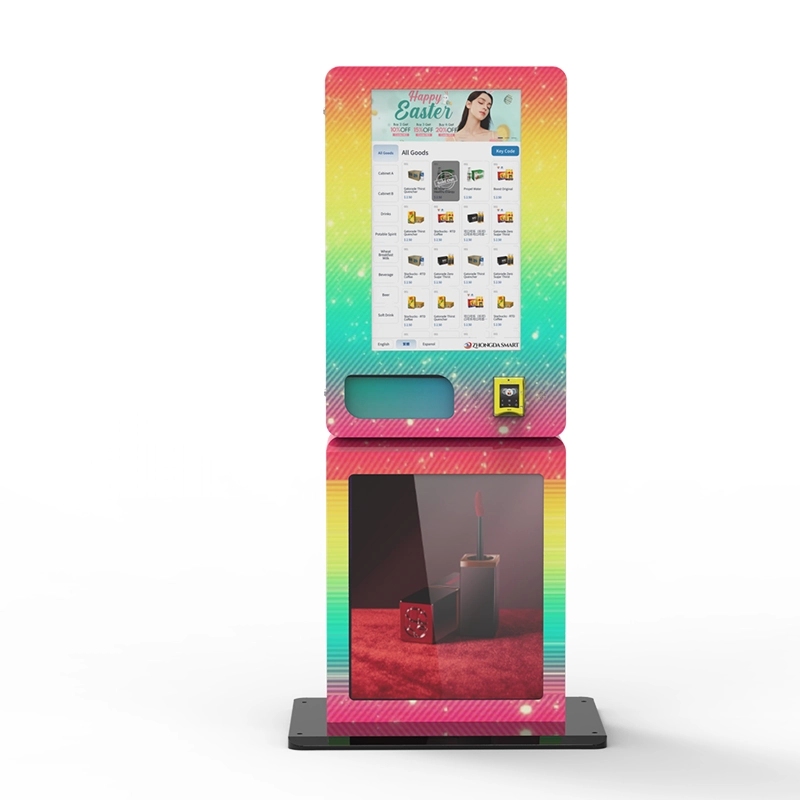
Those are the numbers we see from our own supply chain. The high-end unit includes a larger touchscreen and a faster processor, but the mid-range machine delivers the same verification accuracy. For most operators, the mid-range unit is the sweet spot. I’ve seen operators buy the cheapest machine available and then spend twice the difference on repairs and lost sales within the first year.
Revenue and Profit: The Real Numbers
A single machine in a good location—say, a bar with high foot traffic—can generate between $400 and $900 per week in gross revenue, depending on the product margin. If you’re selling disposable vapes with a 40% margin, that’s $160 to $360 per week in gross profit. The machine itself costs about $15 per week in electricity and network fees. If you lease the location, you might pay 10% of gross revenue to the venue owner.
Here’s a realistic ROI comparison based on actual deployment data we’ve collected from operators.
| Location Type | Average Weekly Revenue | Monthly Gross Profit | Machine Cost | ROI Period |
|---|---|---|---|---|
| High-traffic bar | $750 | $1,200 | $4,700 | 4 months |
| Convenience store | $500 | $800 | $4,700 | 6 months |
| Hotel lobby | $350 | $560 | $4,700 | 8.5 months |
| Low-traffic lounge | $200 | $320 | $4,700 | 15 months |
The bar location pays for itself in four months. The lounge takes over a year. That’s why site selection is more important than the machine itself. I’ve seen operators buy ten machines and place them poorly, then blame the equipment. The machine is only as good as the location you put it in.
Operational Reality: What Breaks and What Doesn’t
After the first 1,000 transactions, you start seeing patterns. The most common failure point isn’t the scanner or the computer. It’s the dispensing mechanism. We’ve tested spiral coils, vertical lifts, and robotic arms. The spiral coil is the most reliable for standard-sized vape packaging. It has a failure rate of about 0.3% per vend. The robotic arm looks impressive, but it jams more often, especially when the product isn’t perfectly aligned. We switched back to coils on our latest models after a field trial showed a 1.2% failure rate on the arm system.
Temperature is another hidden issue. If the machine sits in direct sunlight, the internal temperature can rise by 20 degrees Fahrenheit. That affects the battery life of the products and can cause the screen to dim or fail. We added a secondary ventilation fan and a thermal cutoff switch after losing a batch of screens in a Texas deployment. Those parts cost us $40 per machine, but they saved us hundreds in warranty claims.
Maintenance Schedules You Can Actually Follow
I recommend a cleaning cycle every 500 transactions. That means wiping the scanner glass, checking the coin mechanism, and inspecting the coil alignment. If you wait until the machine reports an error, you’ve already lost sales. We built a counter into the software that reminds the operator after every 500 vends. It’s a simple feature, but it reduces service calls by about 30%.
Software updates are another operational cost. Every time a state updates its ID format, you need a new verification template. We push those updates automatically, but some manufacturers charge a yearly subscription for that service. That can add $200 to $500 per year per machine. Ask about that before you sign the contract.
Comparing Different Machine Types
Not all age verification machines are built for the same job. I’ve worked with three main form factors: the compact wall-mounted unit, the full-size standalone cabinet, and the countertop model. Each one has a specific use case.
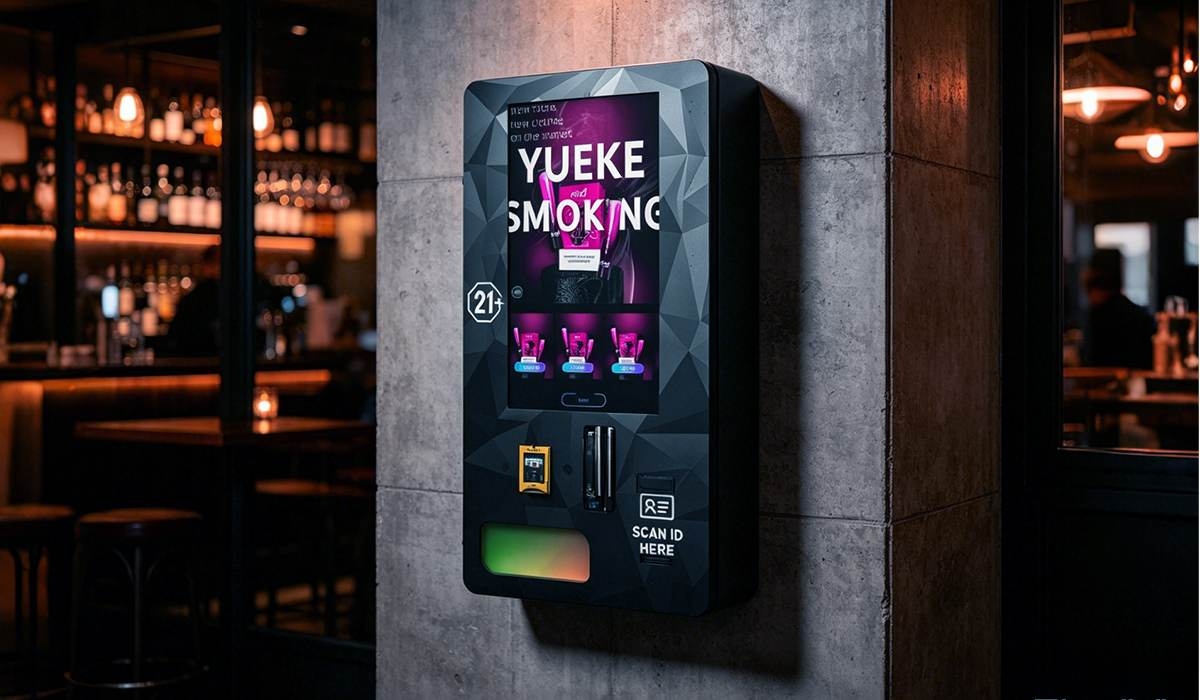
- Wall-mounted compact unit: Best for tight spaces like a corner of a bar or a small smoke shop. Holds about 60 to 80 units. Lower upfront cost, but limited capacity means more frequent restocking. We manufacture a version of this that fits a standard wall stud layout, making installation straightforward.
- Full-size standalone cabinet: Holds 200 to 400 units. Ideal for high-traffic locations. Requires more floor space and a dedicated power circuit. Higher initial investment, but the per-unit restocking cost is lower because you fill it less often. This is the workhorse of the industry.
- Countertop model: Sits on an existing counter. Smallest footprint, but also the smallest capacity. Good for locations where you want to test the market before committing to a larger machine. Verification speed is usually slower because the hardware is more compact.
We’ve seen operators start with a countertop unit to validate a location, then upgrade to a full-size cabinet once the sales data justifies it. That’s a smart approach. It minimizes risk and gives you real revenue numbers before you invest heavily.
Real Failures I’ve Seen and How to Avoid Them
I’ll give you a concrete example. An operator in the Midwest bought twelve machines from a new manufacturer. The price was 30% lower than our mid-range unit. Within three months, six machines had scanner failures. The manufacturer blamed the operator for not cleaning the lenses. But the real issue was that the scanner module wasn’t sealed against dust. The environment in a bar is dusty. Cigarette ash, dust from the air, and spilled drinks all find their way into the machine. Our units have a sealed scanner compartment with a gasket. That adds $15 to the production cost, but it prevents that failure mode entirely.
Another failure I’ve seen is with the network connectivity. Some machines rely on a cellular modem that only works on one carrier. If that carrier has weak coverage in your location, the machine goes offline. We use a multi-carrier modem that automatically switches to the strongest signal. That cost us an extra $25 per unit, but it has reduced offline time by over 90% in our fleet.
The biggest failure, though, is not technical. It’s the failure to understand the compliance requirements. I’ve seen operators get fined because their machine didn’t display the required warning labels, or because the verification log didn’t include the time stamp in the correct format. The machine is a tool. The compliance responsibility is yours. Make sure the machine gives you the data you need to prove compliance, but don’t assume it does everything automatically.
Long-Term Strategy: Keeping the Fleet Profitable
After the first year, the profit margin shifts. The machine is paid off, and the ongoing costs are just restocking, maintenance, and location fees. That’s when the operation becomes cash-positive. But you have to plan for component replacement. The screen will eventually fail. The payment terminal will wear out. We keep a stock of replacement parts for every machine we’ve built in the last five years. If you buy from a manufacturer that doesn’t support older models, you’ll be forced to replace the entire unit when a single component fails.
I also recommend rotating machines between locations every 18 months. A machine that’s been in a bar for a year and a half will have some wear, but it’s still perfectly functional. Move it to a lower-traffic location and put a new machine in the high-traffic spot. That extends the life of the fleet and keeps the customer experience fresh.
From a supply chain perspective, we’ve standardized on a single motherboard and scanner module across all our models. That means we can repair any machine with the same spare parts. If you’re running a fleet of different machines from different manufacturers, you’re stocking multiple sets of parts. That’s inefficient and expensive. When you’re evaluating suppliers, ask about commonality of parts across their product line. If every model uses a different board, you’re going to have a logistics headache later.
For a closer look at the technical specifications of the machines we build and deploy, you can review the details on our age verification vending machine page. We also have a wall-mounted compact unit that works well for smaller spaces, and a full ID scan model for locations that require a higher level of verification. If you’re just starting out, our guide on how to start a vape vending machine business covers the operational side in more detail.
Frequently Asked Questions
Can the machine verify a foreign passport or just a US driver’s license?
Most machines can read a standard US driver’s license and a passport. But if you’re in a location with a lot of international customers, you need to ask the manufacturer whether their software supports foreign ID formats. Our library covers about 200 document types, but not every supplier does that.
What happens if the machine can’t verify a customer’s ID?
The machine should refuse the transaction and log the attempt. The customer can try a different ID, but the system will not let them bypass the verification. If the machine has a manual override function, disable it. That’s a liability risk you don’t need.
How often do I need to update the verification software?
Whenever a state or province changes its license design. That happens about once every two to three years per jurisdiction. The manufacturer should push updates automatically. If they charge extra for updates, factor that into your annual operating cost.
Is it better to buy or lease the machine?
Buying is better if you have the capital and you’ve identified a solid location. Leasing makes sense if you want to test the market with minimal risk. But read the lease terms carefully. Some leases lock you into a three-year term with a machine that might not be profitable in that location.
What is the average lifespan of an age verification machine?
With proper maintenance, the cabinet and the metal frame will last ten years or more. The electronics—scanner, screen, payment terminal—usually need replacement after five to seven years. Plan for a mid-life upgrade around year four.
Do I need a special business license to operate these machines?
Yes, in most jurisdictions. You typically need a tobacco or vapor product retail license, plus a vending machine permit. The requirements vary by state and municipality. Check with your local licensing authority before you purchase any equipment.
How do I handle a machine that keeps rejecting valid IDs?
First, clean the scanner glass. That solves about half the cases. If the problem persists, check whether the software is up to date. If it’s a specific ID type that’s failing, contact the manufacturer to see if they need to add a new template. If the false rejection rate stays above 3%, you may have a hardware defect.
Can I use the machine for products other than vapes?
Yes, as long as the product is age-restricted. Some operators use the same machine for nicotine pouches, CBD products, or even lottery tickets. The verification system is product-agnostic. The dispensing mechanism needs to be configured for the specific product size and shape.
Sources:
Statista – Vending Kiosks and Vending Machines Market Data
IBISWorld – Vending Machine Operators Industry Report
Forbes – The Future of Vending Machines