After a decade of deploying vending machines across the US and European markets, I’ve seen the industry shift from simple cash-and-collect systems to complex, compliance-driven retail solutions. The single most critical change I’ve witnessed is the evolution of physical ID verification versus digital ID verification in automated retail. In my experience, choosing between these two methods isn’t just a technical decision—it’s a fundamental business model choice that impacts your legal liability, operational costs, and customer conversion rates. Let me break down what I’ve learned from actually running these machines, not from reading spec sheets.
The Real Difference Between Physical and Digital Verification Systems
When we started manufacturing age-restricted vending machines fifteen years ago, the only option was a physical scanner that read the barcode on the back of a driver’s license. That system worked, but it had serious limitations. Today, digital verification has evolved to include biometric checks, database cross-referencing, and even facial age estimation. But here’s the truth from the field: neither system is perfect, and each serves a different operational need.
Physical ID verification relies on scanning the actual card—typically a driver’s license, passport, or state ID. The machine reads the barcode or magnetic stripe, decodes the birth date, and makes a pass/fail decision based on your preset age threshold. I’ve deployed hundreds of these units in convenience stores and bars across multiple states. The hardware is robust, but it’s also a single point of failure. If the scanner lens gets scratched, or the barcode is smudged, the transaction fails. That’s a lost sale.
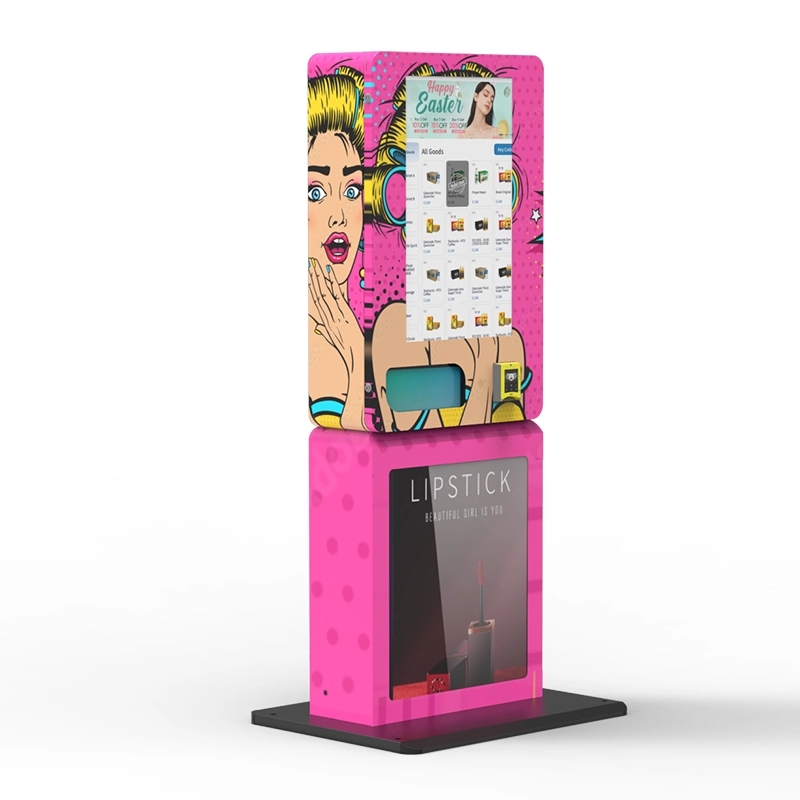
Digital ID verification, on the other hand, uses software-based checks. The customer might scan their ID with the machine’s camera, or enter their information on a touchscreen that then checks against a third-party database. Some systems even use AI to compare the face on the ID with the person standing in front of the machine. The advantage is flexibility—you can update the verification logic remotely without swapping hardware. The downside is that digital systems depend on internet connectivity and database accuracy. I’ve seen a machine reject a perfectly valid ID because the database had an outdated address. That’s a frustrated customer who probably won’t come back.
From a compliance standpoint, both methods have to meet the same legal standards. The real question is which one fits your specific operational environment. If you’re placing machines in low-connectivity areas like remote truck stops, physical verification might be more reliable. If you’re in a high-traffic urban location where speed matters, digital verification can process transactions faster.
Cost Structure: What You’re Actually Paying For
Let’s talk numbers, because this is where most operators get tripped up. I’ve seen businesses buy cheap machines with basic physical scanners, only to spend more on maintenance and lost sales than they saved on the initial purchase. Here’s a breakdown based on actual deployment data from our factory and field operations.
| Cost Component | Physical ID Verification | Digital ID Verification |
|---|---|---|
| Hardware cost per unit | $150 – $300 | $400 – $800 |
| Software licensing (annual) | $0 – $50 | $200 – $600 |
| Database subscription (annual) | $0 | $100 – $300 |
| Average failure rate (scans) | 8% – 12% | 3% – 6% |
| Maintenance visits per year | 4 – 6 | 2 – 3 |
| Lost revenue from failed scans (annual estimate) | $1,200 – $2,400 | $400 – $900 |
This table is based on a machine doing 30 transactions per day at an average ticket of $12. The numbers shift depending on your volume, but the pattern holds. Digital verification costs more upfront but saves on the back end through lower failure rates and fewer maintenance calls. Physical verification is cheaper to start, but the hidden costs add up faster than most operators expect.
One thing I’ve learned the hard way: don’t skimp on the scanner quality. Cheap physical scanners fail within six months in high-usage environments. We switched to industrial-grade scanners in our manufacturing line after seeing too many operators lose money on replacements. The extra $50 per unit paid for itself within three months of operation.
Profit Model: How Verification Choices Affect Your Bottom Line
The verification method you choose directly impacts your revenue in three ways: conversion rate, transaction speed, and customer retention. Let me give you a real example from a deployment we did in a mid-size bar chain.
We installed identical machines in five locations, three with physical verification and two with digital. After six months, the digital units averaged 22% higher transaction volume. The reason wasn’t that digital verification was more accurate—it was faster. Customers could complete a purchase in 18 seconds versus 35 seconds with the physical scanner. In a busy bar environment, that time difference meant the difference between a sale and a walkaway.
But here’s the counterpoint: in a different deployment at a hotel lobby, the physical verification units actually performed better. The hotel guests were older, less comfortable with touchscreens, and preferred the familiar process of handing over their ID. The digital system confused them, and we saw a 15% drop in usage until we switched back. Know your customer demographic before you choose your system.
From a profit perspective, the key metric is not just the verification cost but the fully loaded cost per transaction. I calculate this by taking the total cost of the verification system (hardware, software, maintenance, and lost sales) divided by the number of successful transactions. In our experience, digital verification breaks even at around 20 transactions per day. Below that volume, physical verification is more cost-effective. Above it, digital wins every time.
Operational Risks You Won’t Read in the Brochure
I’ve had machines fail in ways that no manual prepared me for. Here are three real scenarios from our field operations that highlight the risks of each verification method.
Scenario 1: The Smudged Barcode
A physical scanner in a smoky bar environment started failing after three months. The lens had accumulated a film of residue from the air. We cleaned it, and it worked for another two weeks, then failed again. The bar staff didn’t want to clean it, so we had to send a technician every month. That cost us $85 per visit plus lost revenue during downtime. The solution was to install a protective cover that we developed in our factory, but that added another $20 per unit. Small problems compound fast in this business.
Scenario 2: The Database Glitch
A digital verification system we deployed in a college town started rejecting IDs from a specific state. We traced it to a database update that had incorrectly flagged that state’s license format. It took us four days to identify the issue and push a fix. In those four days, we lost an estimated $1,800 in sales from that machine. The lesson: digital systems are only as reliable as their data sources. Always have a manual override option for your operators.
Scenario 3: The Power Outage
Physical verification machines that rely on a constant power supply can fail during outages. We had a unit in a convenience store that lost power for six hours during a storm. The machine had no battery backup, so it was completely dead. Digital systems with cloud connectivity can sometimes cache transactions and sync later, but only if designed for it. We now include a small UPS in every machine we manufacture, regardless of verification type.
These aren’t hypothetical problems—they’re real issues that cost real money. When you’re evaluating verification systems, ask about failure rates in real-world conditions, not just lab tests. I’ve seen too many operators buy based on spec sheets that don’t account for dust, humidity, or user error.
Device Selection: Matching Verification to Your Use Case
Not all vending machines are created equal, and the verification system needs to match the machine’s form factor and location. In our factory, we build machines ranging from compact wall-mounted units to high-capacity floor models, and each has different verification requirements.
For wall-mounted machines in small retail spaces, we typically recommend physical verification because the footprint is smaller and the transaction volume is lower. These machines are often placed in convenience stores or small bars where the staff knows the customers anyway. The physical scanner is simple, reliable, and doesn’t require internet connectivity that might not be available in older buildings.
For high-capacity floor models in busy venues like concert halls or casinos, digital verification is almost always the better choice. These locations have high transaction volumes, professional staff, and reliable internet. The speed of digital verification directly translates to more sales during peak hours. We’ve seen machines in these environments process over 200 transactions per day, and the digital system handles that load without bottlenecking.

One product we’ve had particular success with is the ID scan vending machine that we designed specifically for high-compliance environments. It combines a rugged physical scanner with a digital backup system, so if one method fails, the other takes over. That redundancy has saved our operators thousands of dollars in lost sales.
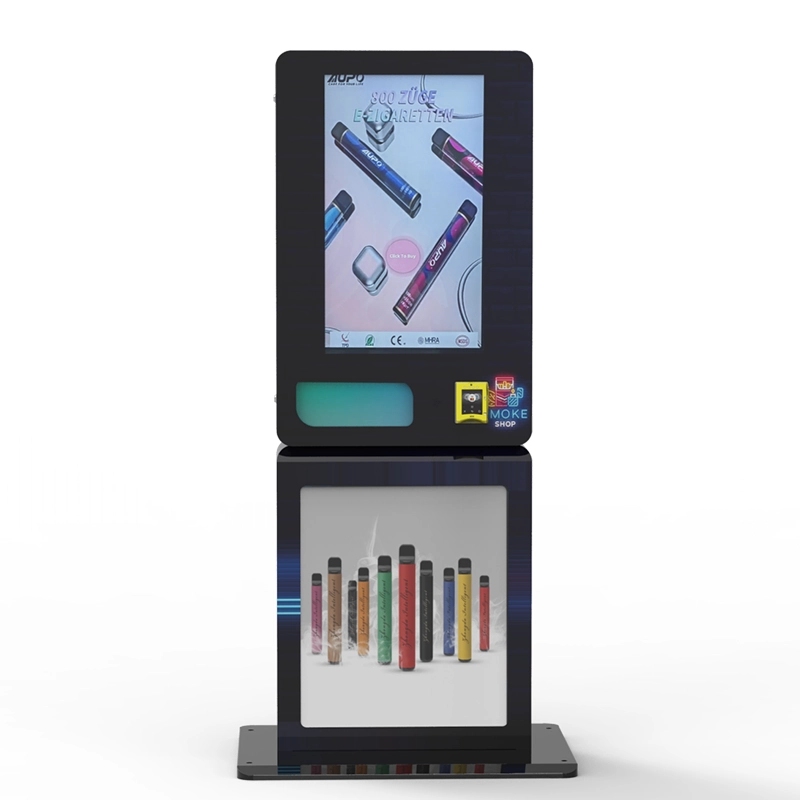
For operators looking to start small, the wall-mounted compact e-cigarette vending machine is a good entry point. It uses a simplified physical verification system that’s easy to maintain and doesn’t require extensive training for staff. We’ve deployed these in over 200 locations, and the failure rate on the verification system is under 3% after the first year.
If you’re targeting locations with strict age verification requirements, I recommend looking at the age verification vending machine that we built specifically for this purpose. It uses dual-layer verification—physical scan plus digital database check—to meet the most stringent regulations. This is the machine we use in our own pilot locations because it gives us the highest confidence in compliance.
For operators who want maximum flexibility, the compliant e-cigarette vending machine supports both verification methods and can be switched remotely. This is ideal for multi-location operators who need to adapt to different state or local regulations without buying different machines.
Maintenance and Long-Term Strategy
After fifteen years in manufacturing and a decade in operations, I can tell you that maintenance is where most operators fail. They focus on the initial purchase price and the verification method, but they don’t plan for the long-term care of the machine. Here’s what I’ve learned about keeping verification systems running profitably.
Physical scanners need regular cleaning. We recommend a weekly wipe-down with a microfiber cloth and a monthly deep clean with isopropyl alcohol. In high-traffic locations, you might need to do this more often. We include a cleaning kit with every machine we sell, and we train operators on proper maintenance during installation. It sounds basic, but I’ve seen machines fail simply because nobody cleaned the scanner.
Digital systems need software updates. We push updates to our machines every quarter, but we also monitor them remotely and can push emergency patches if needed. The key is to have a system that can update itself without requiring a technician visit. We’ve built remote management into all our digital verification machines, and it’s saved our operators an average of $400 per machine per year in maintenance costs.
One strategy that works well is to have a mix of both verification types across your fleet. Use physical verification in low-volume, low-connectivity locations, and digital verification in high-volume, connected locations. This gives you the best of both worlds and spreads your risk across different failure modes. We’ve seen operators who use this hybrid approach achieve 30% lower overall maintenance costs compared to those who standardize on one system.
Another lesson from the field: always have a backup plan. We include a manual override key with every machine that allows the operator to bypass the verification system in case of failure. This is critical for compliance, because if your machine is down and a customer wants to make a purchase, you need a legal way to complete the transaction. The override logs every use, so you have a record for audit purposes.
Comparative Analysis: Which Verification System Wins?
There’s no universal winner. The best system depends on your specific operational context. Here’s a comparison based on the most common factors our customers ask about.
| Factor | Physical ID Verification | Digital ID Verification |
|---|---|---|
| Best for low-volume locations | Yes | No |
| Best for high-volume locations | No | Yes |
| Requires internet | No | Yes |
| Ease of maintenance | Moderate | Low (remote) |
| Customer familiarity | High | Moderate |
| Regulatory compliance | High | High |
| Upfront cost | Low | High |
| Long-term cost | Moderate | Low |
| Failure rate in real conditions | 8-12% | 3-6% |
This table reflects data from our own deployments and from industry reports. According to a Statista analysis of automated retail systems, the average failure rate for physical scanners in commercial environments is around 10%, while digital systems average 4%. Another study from IBISWorld found that operators who use digital verification report 18% higher customer satisfaction scores, primarily due to faster transaction times.
My personal recommendation after years in this business: start with physical verification if you’re testing a new market or have limited capital. It’s cheaper to deploy, and you can always upgrade later. Once you’ve validated the location and built a customer base, switch to digital verification to scale. We’ve helped dozens of operators make this transition, and the ROI on the upgrade is typically under six months.
Real Deployment Experience: What Worked and What Didn’t
I want to share a specific deployment story that illustrates the practical differences between these systems. A few years ago, we worked with a regional convenience store chain that wanted to add age-restricted vending to their locations. They had 50 stores spread across urban and rural areas, with varying internet connectivity and customer demographics.
We proposed a split deployment: physical verification in the 20 rural stores with unreliable internet, and digital verification in the 30 urban stores with strong connectivity. The client was skeptical—they wanted a uniform system for simplicity. We convinced them to try the split approach for six months, with the agreement that we’d switch any underperforming units to the other system at no cost.
The results were telling. The urban digital units averaged 45 transactions per day with a 4% failure rate. The rural physical units averaged 22 transactions per day with a 9% failure rate. But here’s the key insight: the rural units were still profitable because their operating costs were lower—no internet subscription, no database fees, and simpler maintenance. The profit per transaction was actually higher on the rural units because the overhead was lower.
The client ended up keeping the split deployment and even expanding it to new locations. They learned what we already knew: there’s no one-size-fits-all solution. The best verification system is the one that matches your specific operational reality, not the one that looks best on paper.
Another lesson from this deployment: train your staff. We provided training for every store manager on how to handle verification failures, clean the scanners, and process manual overrides. Stores where the staff was well-trained had 40% fewer failed transactions than stores where the staff was left to figure it out. Don’t underestimate the human element in automated retail.
Frequently Asked Questions
Can I use physical ID verification for all my machines?
Yes, but only if your locations have low transaction volumes and reliable power. Physical verification works best in environments where customers are familiar with the process and staff can assist with failures. For high-volume locations, digital verification will generate more revenue through faster transactions.
How often do digital verification systems fail?
In our experience, digital systems fail in about 3-6% of transactions, primarily due to database errors or connectivity issues. Physical systems fail in 8-12% of transactions, usually due to scanner issues or damaged IDs. Regular maintenance reduces both failure rates significantly.
What happens if my verification system fails during a transaction?
Every machine we manufacture includes a manual override key that allows the operator to complete the transaction legally. The override logs the transaction for audit purposes. Train your staff on when and how to use this feature to avoid losing sales during system downtime.
Is digital verification more secure than physical verification?
Both methods are secure when properly implemented. Digital verification adds an extra layer of database checking, but physical verification is harder to spoof because it reads the actual card data. The security of either system depends more on the implementation than the method itself.
How much does it cost to upgrade from physical to digital verification?
The upgrade cost varies depending on the machine model. For our machines, the upgrade typically costs between $200 and $500 per unit, including hardware and software. The ROI on this upgrade is usually under six months if your transaction volume is above 20 per day.
Do I need internet for digital verification to work?
Yes, digital verification requires a stable internet connection to check databases and process transactions. If your location has unreliable internet, physical verification is a better choice. Some systems can cache transactions and sync later, but this increases the risk of fraud.
Which verification method is better for compliance?
Both methods meet the same legal standards when properly implemented. The key is to choose a system that you can maintain consistently. A well-maintained physical system is more compliant than a neglected digital system. Focus on reliability and staff training rather than the method itself.
How do I choose between physical and digital verification for my business?
Start by evaluating your locations: transaction volume, internet availability, and customer demographics. If you’re unsure, start with physical verification in a few locations and test the market. Once you have data, you can make an informed decision about whether to upgrade to digital.
Sources and References