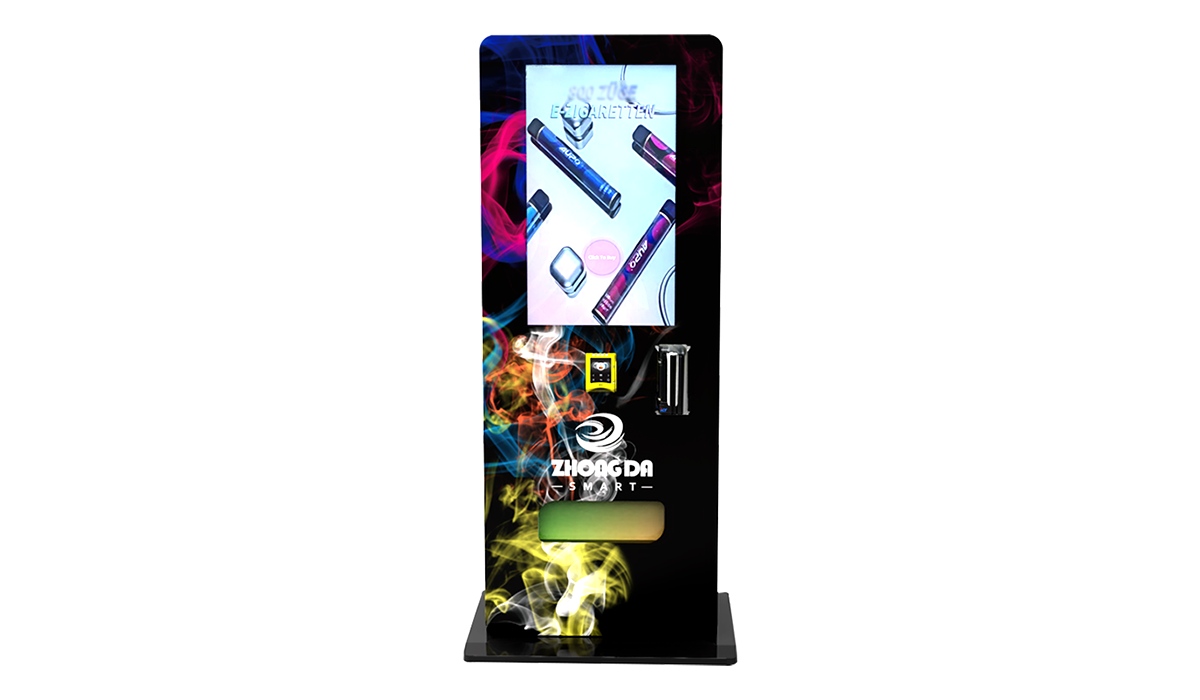
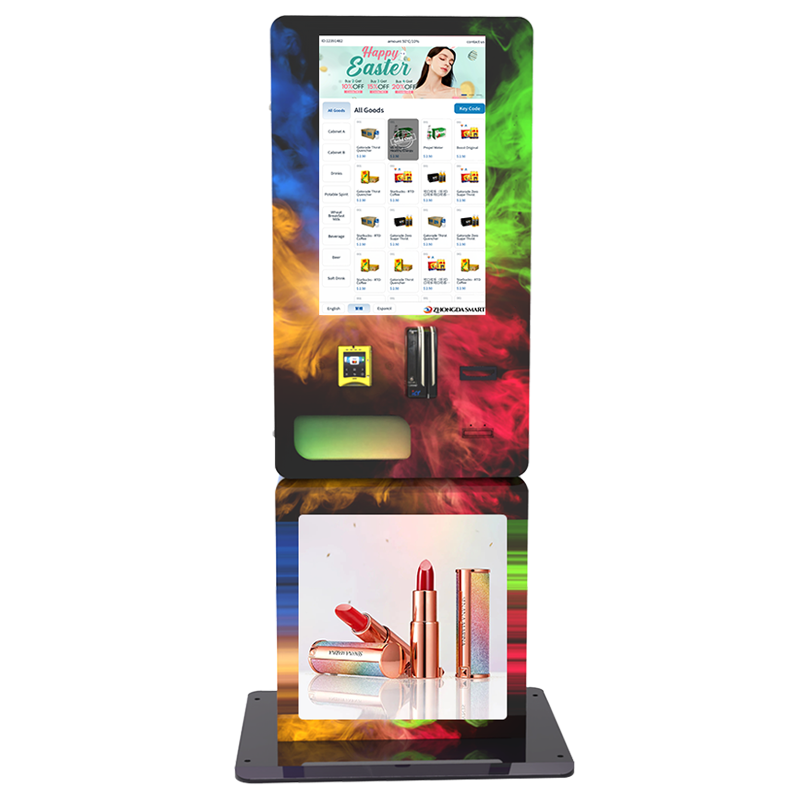
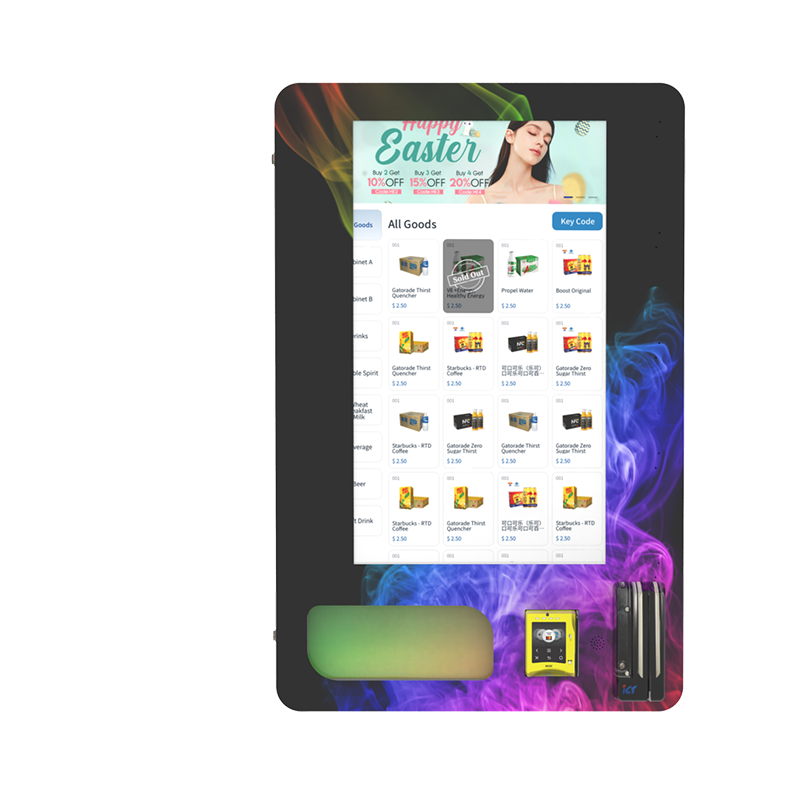
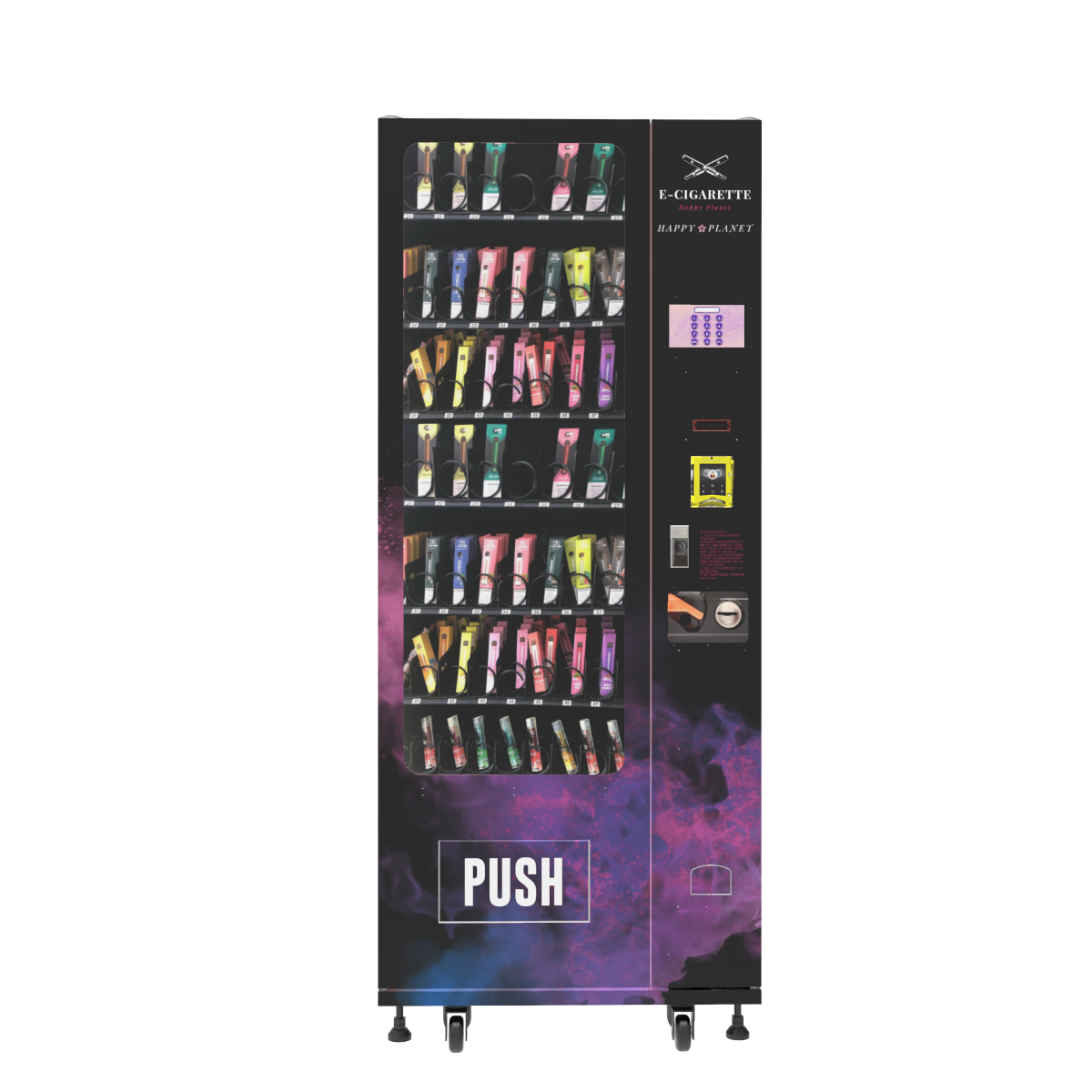
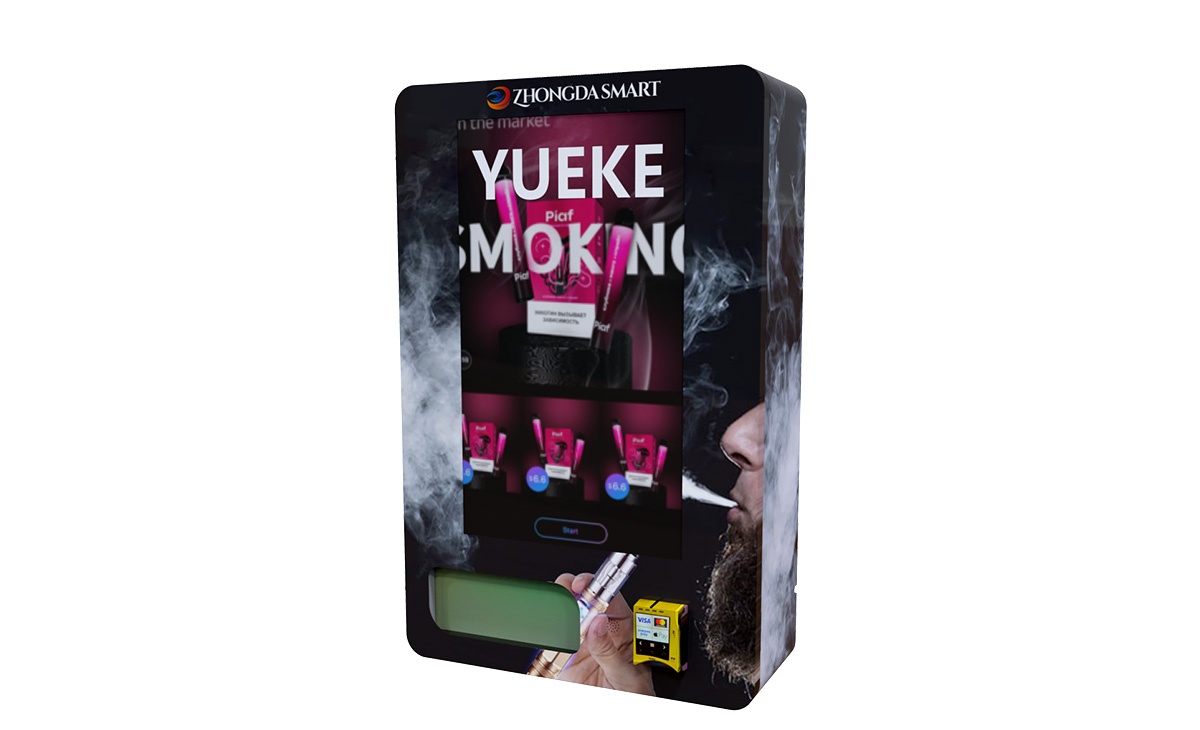
An Age Verification Vending Machine works by checking a buyer’s ID before the machine allows payment and dispensing. In a proper setup, the vending system scans the document, confirms the date of birth, checks whether the ID is readable and valid, then unlocks the selected restricted product only after approval. Some machines also add facial matching to reduce borrowed-ID use. From the customer’s side, it feels like a normal self-service purchase. From the operator’s side, it is a controlled retail system that connects ID verification, payment, inventory, dispensing, and transaction records in one machine.
Quick answer: An age verification vending machine works in six steps: the customer selects a product, scans an ID, the system validates age and document status, optional facial matching confirms the buyer, payment is authorized, and the machine dispenses the product while saving a transaction record for the operator.
The Basic Working Logic
A normal vending machine only needs to accept payment and release a product. An age-gated vending machine has one more job: it must decide whether the customer is allowed to buy the product before the sale continues. That decision controls the screen, payment, product selection, and dispensing command.
The best setup verifies the buyer before payment. This prevents customers from being charged for products the machine cannot release. It also reduces refund requests and keeps the customer flow cleaner.
In real vending projects, the scanner is rarely the only issue. Most failed transactions come from poor screen instructions, weak lighting around the scanner, confusing payment order, or a product tray that was never tested with the real package size.
A serious Age Verification Vending Machine should not feel like a regular vending machine with a scanner attached. It should work as one connected retail system.
Age Verification Vending Machine Workflow
The workflow below shows what happens inside the machine during a typical purchase. The customer sees only a few simple steps, but the system is checking several things at the same time.
| Step | Customer Action | Machine Action | Sale Result |
|---|---|---|---|
| 1 | Selects a product or product category | Checks whether the selected SKU is restricted | Age gate starts when needed |
| 2 | Scans an ID document | Reads date of birth, document status, and readable data fields | Pass or fail decision begins |
| 3 | Looks at the camera if required | Optional facial matching compares the live buyer with the ID photo | Reduces borrowed-ID risk |
| 4 | Confirms purchase | Machine unlocks the restricted SKU after approval | Product becomes available for payment |
| 5 | Pays by card, contactless, mobile wallet, or QR payment | Payment terminal authorizes the transaction | Sale is approved |
| 6 | Collects the product | Motor, coil, conveyor, locker, or elevator system dispenses the item | Transaction is completed |
| 7 | Leaves the machine | Backend records sale time, SKU, machine number, payment status, and verification result | Operator can review the transaction later |
This flow is important because it keeps the machine from making a dangerous mistake: accepting money first and checking age later. In restricted-product vending, that order should be reversed. Verify first, pay second, dispense last.
What Parts Are Inside the Machine?
The outside of the cabinet may look simple, but the machine depends on several connected parts. If one part is weak, the whole buying experience can break down.
| Part | Job | What Operators Should Check |
|---|---|---|
| ID scanner | Reads the customer’s document | Document support, reading speed, scanner angle, retry prompts |
| Verification software | Checks age, document status, and transaction rules | Fail-safe logic, product-level rules, backend records |
| Camera module | Supports optional facial matching | Lighting, privacy notice, image quality, clear customer instructions |
| Touchscreen | Guides product selection, ID scan, and payment | Screen size, language, user flow, error messages |
| Payment terminal | Accepts cashless payment | Processor compatibility, contactless support, refund handling |
| Dispensing system | Releases the product after approval | Coil pitch, shelf layout, product testing, drop sensor |
| Control board | Connects software approval to physical dispensing | Stable communication between scanner, payment, and motor control |
| Remote backend | Tracks sales, inventory, alerts, and machine status | Real-time dashboard, low-stock alerts, service logs |
| Cabinet and locks | Protect products and hardware | Door sensor, anti-tamper design, secure payment area |
When operators compare machines, they often focus on cabinet size first. Capacity matters, but integration matters more. A smart vending machine with age verification should connect the ID scanner, payment terminal, touchscreen, vending control board, and backend without forcing the operator to manage separate systems.
How ID Scanning Works in Real Use
ID scanning starts when the customer presents a supported document. Depending on the hardware, the machine may read printed information, a barcode, a magnetic stripe, an MRZ line, or other supported document data. The system extracts the birth date and checks whether the buyer meets the required age rule for the selected product.
Pulling a birth date is only the first layer. A serious machine also checks whether the document is readable, expired, damaged, or inconsistent enough to block the sale. If the scan result is not clear, the machine should ask for a retry instead of guessing.
For operators comparing hardware layouts, Zhongda Smart’s age verification vending machine page shows how ID checks, smart payment, and remote control can be built into one cabinet instead of added as separate devices later.
In daily operation, the most common scanning issues are not always caused by the scanner itself. They often come from customer behavior and machine layout. If the scan window is too low, too reflective, poorly lit, or not clearly marked, customers will make mistakes.
For better first-time scan success, the machine should include:
Clear screen instructions before the customer scans the ID
A scanner position that works for most adults without bending or guessing
Lighting that reduces glare on glossy cards
Fast retry prompts when the scan fails
A clean pass or fail message that does not confuse the customer
One practical factory test is simple: give the machine to someone who has never seen it before. If that person cannot complete the ID scan without staff help, the interface still needs work.
Facial Matching and Liveness Checks
Some age-gated vending machines use ID scanning only. Others add facial matching. In that setup, the customer scans an ID and the camera captures a live image. The software compares the live image with the photo on the document.
This feature is useful when the operator wants stronger protection against borrowed IDs. It can be valuable in higher-risk locations, higher-value product categories, or unattended spaces where staff cannot support the transaction.
Facial matching should be used carefully. The screen needs to explain what the camera is doing. Lighting should be stable. The privacy notice should be clear. Backend access should be limited to authorized users. The system should avoid collecting or storing more personal data than the transaction requires.
Digital identity guidance from Digital Identity Guidelines treats identity proofing, authentication, privacy, security, and usability as connected requirements. That principle fits age-gated vending well. A machine that is secure but confusing will lose sales. A machine that is easy but weak creates business risk.
Liveness checks can add another layer. They help confirm that a real person is in front of the machine instead of a printed photo, replayed screen image, or static picture. The exact method depends on the verification provider and hardware setup.
For most operators, the decision should be practical. Do not add facial matching because it sounds advanced. Add it when your product category, site conditions, or compliance plan truly needs it.
How the Machine Approves or Rejects a Sale
The approval logic should be strict and predictable. If the customer passes the age rule, document check, and optional facial match, the machine allows the sale to continue. If the customer fails, the restricted product should remain locked.
A good Age Verification Vending Machine should follow a fail-safe rule: when the system cannot confirm approval, it should not dispense the restricted item. A network timeout, unreadable ID, scanner error, or backend problem should not turn into an automatic approval.
| Condition | Correct Machine Response | Reason |
|---|---|---|
| ID is readable and age requirement is met | Continue to payment | Customer is approved for the restricted SKU |
| ID is expired | Reject sale | Expired documents should not be treated as valid approval |
| Customer does not meet the age rule | Block restricted products | Machine prevents underage purchase |
| ID cannot be read | Ask customer to rescan or cancel | The machine should not guess |
| Facial match fails | Reject sale or route to manual review if configured | Reduces borrowed-ID use |
| Network or backend is unavailable | Block restricted sale or follow a pre-approved offline rule | Protects the operator during service interruption |
In a mixed-product machine, product-level rules are essential. Unrestricted accessories can remain available, while restricted SKUs stay locked behind the verification process. That keeps sales flexible without weakening control.
Why Payment Should Come After ID Approval
Payment order is one of the most important details in age-gated vending. The best flow is simple: verify first, authorize payment second, dispense third.
If the machine takes payment before verification, failed customers may need refunds. That creates customer frustration and extra work for the operator. It can also make the checkout feel broken even when the machine is doing the right thing.
Cashless payment has become a major part of modern vending. A retail vending report from Grand View Research reported that the cashless segment held a 74.86% revenue share in 2024 in the covered retail vending market, driven by mobile payments, contactless cards, and app-based transactions.
For age-gated vending, cashless payment also helps with recordkeeping. Operators can connect the sale time, SKU, machine number, payment status, and verification result. That does not replace legal review, but it gives the business cleaner operating records.
Common payment options include:
Credit and debit cards
Contactless cards
Mobile wallet payments
QR payment
Member card or app-based wallet systems
Before ordering a machine, operators should confirm payment compatibility. The payment terminal must work with the selected processor, currency, settlement method, and network conditions. A beautiful machine with the wrong payment setup will still lose sales.
How Product Dispensing Works After Approval
Once the customer passes verification and payment is approved, the machine sends a command to the dispensing system. Depending on the cabinet design, the machine may use coils, belts, conveyors, lockers, elevator trays, or customized product channels.
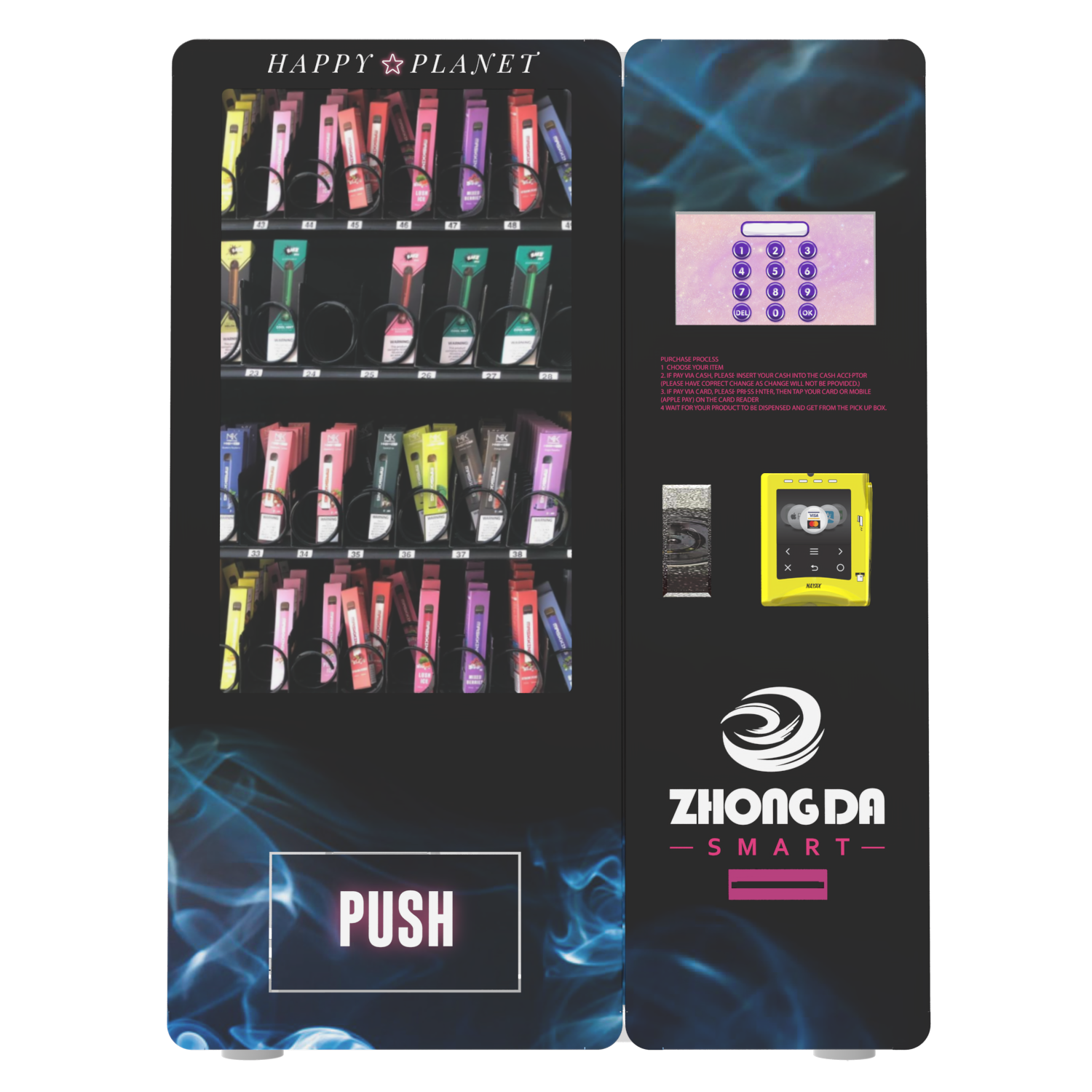
Restricted products often come in small, light, or high-value packages. That makes dispensing more sensitive than snacks or bottled drinks. If the shelf layout is wrong, the product may jam, double-vend, fall poorly, or fail to drop.
This is where factory testing matters. Operators should send actual product samples or exact product dimensions before production. A package that looks easy in a photo may behave differently inside the machine.
For vape and similar compact products, the shelf layout should be tested for:
Package width
Package depth
Package height
Package weight
Surface material
Whether the item must stay upright
Risk of two products dropping at once
Risk of the product getting stuck between shelf and glass
Zhongda Smart’s ID scan vending machine is designed for age-restricted product sales, with ID check support, smart payment, and remote control features that help operators manage the full purchase flow from verification to dispensing.
Remote Monitoring: The Feature Operators Appreciate Later
Many buyers get excited about the touchscreen and scanner. Experienced operators ask about the backend. That is because the backend affects daily profit more than most people expect.
A connected smart vending machine with age verification can show sales, inventory, product status, payment records, door openings, error alerts, and machine health. This reduces blind spots. Operators do not need to visit every machine just to know whether shelves are empty.
Useful backend features include:
Real-time sales dashboard
Inventory tracking by SKU
Low-stock alerts
Remote price updates
Machine online or offline status
Door-open alerts
Payment success and failure records
Dispensing error reports
Verification pass and fail records
Operator account permission control
In one route review, a vending operator reduced unnecessary refill visits by switching from fixed weekly restocking to inventory-triggered restocking. The machine did not suddenly create more demand. The profit improvement came from fewer wasted trips, fewer empty shelves, and better product planning.
For one machine, backend monitoring is helpful. For ten machines, it becomes essential.
Standard Vending Machine vs. Age-Gated Vending Machine
An age-gated vending machine is not just a normal machine with an extra scanner. It changes the entire checkout logic. Product access, payment timing, data records, and customer instructions all need to support age control.
| Feature | Standard Vending Machine | Age-Gated Vending Machine |
|---|---|---|
| Customer access | Open to all customers | Restricted by age rules |
| Product selection | Available immediately | Restricted SKUs stay locked until approval |
| ID scanner | Usually not included | Core part of the machine |
| Payment flow | Payment usually starts right after selection | Verification should happen before payment |
| Transaction records | Basic sales data | Sales, SKU, machine, payment, and verification records |
| Backend importance | Helpful | Critical for multi-machine operation |
| Risk control | Mainly product and payment risk | Product, payment, verification, privacy, and compliance risk |
The machine should be treated as a retail system, not a metal box with a scanner attached. That mindset helps buyers avoid poor retrofits and weak integrations.
What Products Can Be Sold Through This Type of Machine?
The product mix depends on the business model, site approval, product category, payment provider, and legal review. Common categories include vape products, e-cigarettes, nicotine pouches, smoking accessories, controlled retail items, and other products that require customer age control.
A self-service age verification kiosk can be configured with different shelves, lockers, coils, belts, and product channels. This flexibility matters because restricted products vary widely in size, value, and packaging style.
Before requesting a quote, prepare this product information:
Product name and category
Package width, depth, and height
Package weight
Number of SKUs
Expected sales volume
Retail price range
Whether the product is fragile
Whether the product must stay upright
Whether the product needs temperature control
Photos are useful, but samples are better. In factory testing, even a few millimeters can change how a product moves through a coil or shelf channel.
Who Should Buy This Type of Machine?
This type of machine is a better fit for operators who already understand their product margin, refill route, and location profile. It is not a good first purchase for someone who only wants a passive-income machine without checking product demand, site approval, and stocking work.
Good buyers usually include:
Vending route operators expanding into restricted-product retail
Vape shop owners who want after-hours self-service sales
Venue suppliers serving adult-only spaces
Retail chains that want controlled self-service product access
Distributors who need branded vending solutions
Product brands looking for a direct unattended retail channel
The best operators do not ask only, “How much is the machine?” They ask, “Where will it be placed, how often will it be refilled, what products will move fastest, and how will failed transactions be handled?” Those questions decide whether the project makes money.
Cost Factors That Affect the Final Price
The cost of an age-gated vending machine depends on cabinet size, verification hardware, camera option, payment terminal, backend software, customization, branding, order quantity, and shipping requirements.
An Age Verification Vending Machine should be judged by operating value, not only purchase price. A cheaper machine can become expensive if it causes failed scans, payment issues, product jams, weak reporting, or repeated service calls.
| Cost Factor | Impact on Price | Operator Note |
|---|---|---|
| Cabinet size | Medium to high | Larger capacity reduces refill frequency but increases freight and placement needs |
| ID scanner | Medium | Document support and reading speed affect customer experience |
| Camera and facial matching | Medium to high | Useful when stronger identity confirmation is needed |
| Payment terminal | Medium | Must match the operator’s payment setup |
| Touchscreen | Low to medium | Larger screens improve navigation and brand display |
| Backend software | Medium | Remote inventory and sales data save labor over time |
| Custom branding | Low to high | Useful for distributors, chains, and product brands |
| Dispensing customization | Medium | Needed when product packaging is unusual |
Operators should also budget for shipping, installation, payment setup, product inventory, network connection, spare parts, signage, site fees, and refill labor. The machine is the center of the project, but it is not the only cost.
Can an Age Verification Vending Machine Make Money?
Yes, it can, but profit depends on location, product margin, machine uptime, refill planning, payment reliability, and product demand. Age verification does not create profit by itself. It allows the operator to sell restricted products through a controlled self-service channel.
The retail vending machine market was valued at USD 75.02 billion in 2025 and is projected to reach USD 99.23 billion by 2033, according to Grand View Research. Another report estimated the intelligent vending machine market at USD 20.51 billion in 2022, projected to reach USD 55.52 billion by 2030, with a 14.0% compound annual growth rate from 2023 to 2030, according to Grand View Research intelligent vending data.
Those numbers show strong demand for unattended retail, but they do not guarantee success for one machine. The operator still needs good placement, fast restocking, strong products, clear pricing, and reliable hardware.
Simple Monthly Revenue Example
The table below is only a planning example. Real results depend on product cost, site terms, payment fees, tax, refill labor, downtime, and customer traffic.
| Item | Conservative Case | Moderate Case | Strong Case |
|---|---|---|---|
| Average daily sales | 12 units | 25 units | 45 units |
| Average selling price | $12 | $15 | $18 |
| Monthly gross revenue | $4,320 | $11,250 | $24,300 |
| Estimated gross margin | 35% | 40% | 45% |
| Estimated gross profit | $1,512 | $4,500 | $10,935 |
| Main risk | Low traffic | Stock planning | Frequent refill demand |
The best locations are not always the busiest. The best locations are where the right customers already want the product, the machine is easy to see, the site owner supports the concept, and the operator can restock without wasting hours on the route.
Best Locations for Age-Gated Vending
A machine for restricted products needs qualified traffic, not random traffic. A busy place with the wrong audience may bring attention but few sales. A controlled venue with the right customer profile can perform better with fewer total visitors.
Strong locations usually have these traits:
Customers already ask for the product category
The machine can be placed in a visible but controlled area
Power and network access are stable
The site owner understands the verification process
One on-site contact knows how to report service issues
The operator can refill the machine efficiently
The location has enough supervision to discourage tampering
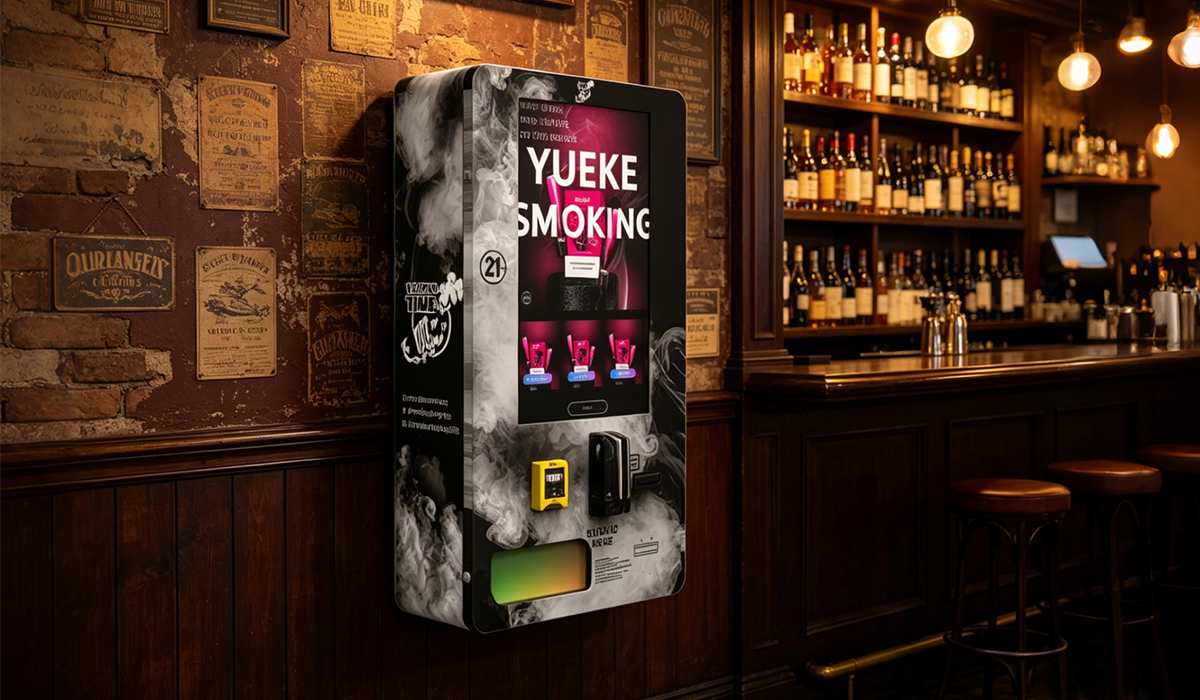
For vape vending projects, Zhongda Smart provides venue-based examples such as vape vending machines for bars, clubs, and lounges. These use cases help buyers think through cabinet size, screen flow, product capacity, and placement before ordering.
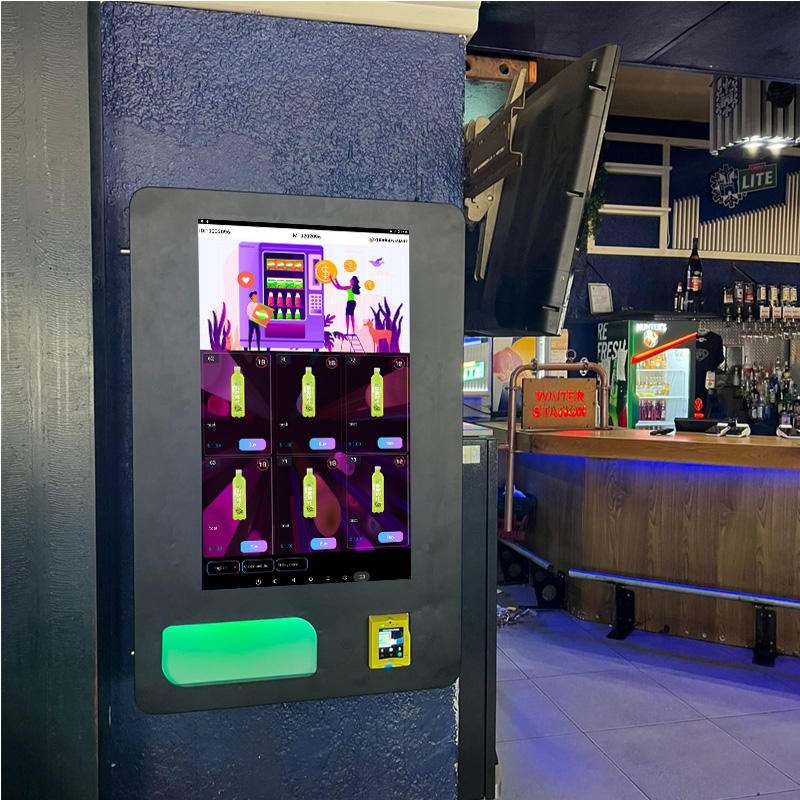
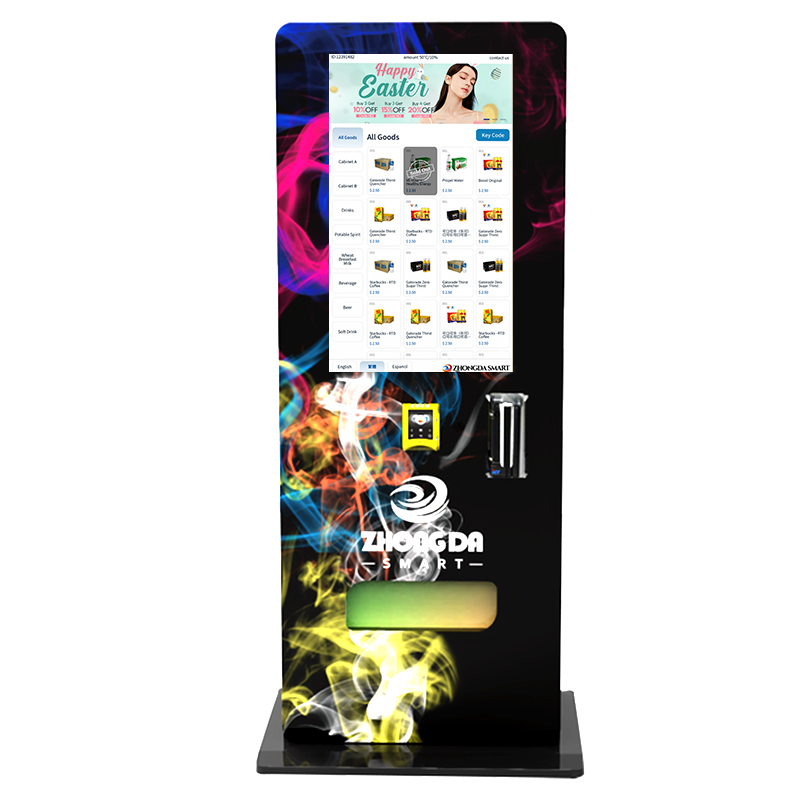
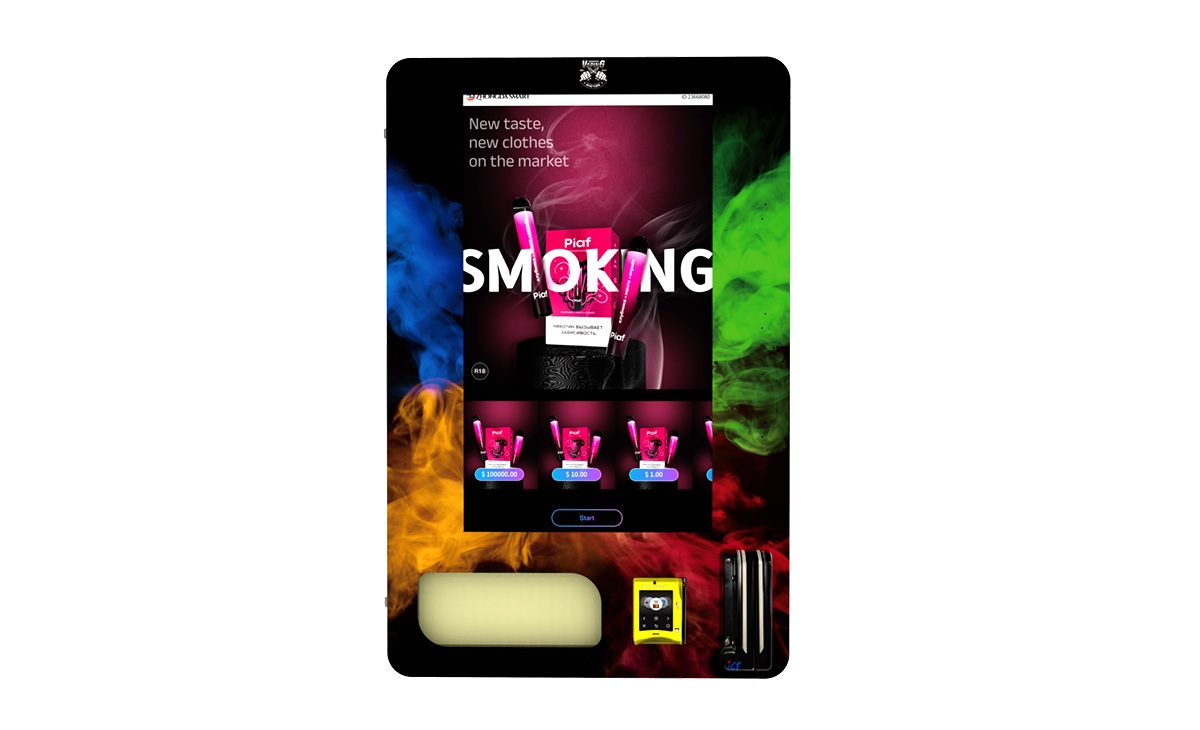
A wall-mounted unit may work well in a compact space. A floor-standing cabinet may be better when the operator needs larger inventory and stronger visual presence. The best machine is the one that fits the location and the refill plan.
Common Problems and How to Fix Them
The problems below are common in real projects. Most can be avoided before shipment if the buyer and manufacturer test the right details early.
| Problem | Likely Cause | Practical Fix |
|---|---|---|
| ID scan fails too often | Glare, poor scanner angle, weak lighting, unclear screen prompt | Adjust scanner height, improve lighting, simplify on-screen instructions |
| Customers abandon checkout | Too many steps or verification happens too late | Move ID verification before payment and shorten the screen flow |
| Payment succeeds but item does not drop | Motor issue, product jam, or weak drop detection | Use product testing, drop sensors, and clear refund rules |
| Products jam inside the shelf | Wrong coil pitch or shelf layout | Test real product samples before final production |
| Two products drop at once | Product is too thin, too light, or packed too tightly | Change coil spacing, channel width, or product loading method |
| Backend inventory does not match real stock | Manual loading error or missing dispense confirmation | Use loading procedures, SKU mapping, and sensor-based checks where needed |
| Machine goes offline often | Weak network signal or unstable router placement | Test connectivity before installation and use a stronger network module |
Most service problems are not random. They come from rushed planning. Product samples, payment testing, network testing, and a clear customer flow can prevent many failures before the machine reaches the site.
Compliance, Privacy, and Customer Trust
Age verification is not only a technical feature. It also affects customer trust. The machine may process ID data, transaction records, camera images, and verification results. Operators should know what is collected, what is stored, who can access it, and how long it is kept.
A biometric information policy statement from a consumer protection regulator warns that businesses using biometric technologies should avoid misleading claims and should apply reasonable privacy and data security measures. The original statement is available here: Biometric Information Policy Statement.
Practical steps for operators include:
Show clear instructions before ID scanning begins
Explain whether the camera is used and why
Collect only the information needed for the transaction
Use password-protected backend accounts
Limit backend access by user role
Review data retention settings before launch
Keep transaction records organized
Ask qualified counsel to review restricted-product sales rules before deployment
This guide explains business and machine operation. It is not legal advice. Restricted-product vending rules can change, and requirements may depend on product type, venue, license, payment method, and sales model.
What to Ask Before Buying
Before buying an Age Verification Vending Machine, operators should look beyond the cabinet photo. The right questions reveal whether the supplier understands real operation or only sells hardware.
Verification flow: Does the machine block restricted products before payment and dispensing?
ID support: Which document types can the scanner read?
Facial matching: Is it optional, and can it be turned on only when needed?
Payment setup: Which payment terminals and processors can be supported?
Product testing: Will the factory test the buyer’s real product samples?
Backend: Can the operator see inventory, sales, alerts, and machine status remotely?
Customization: Can the cabinet, screen language, branding, shelf layout, and payment setup be customized?
Spare parts: Are scanners, screens, motors, boards, locks, and payment brackets available after purchase?
Support: Who helps when the machine has a scanner, payment, software, or dispensing issue?
Zhongda Smart supports age-gated vending machine configurations, ID scan vending systems, payment options, cabinet customization, branding, shelf layout adjustment, and OEM/ODM project needs. Buyers can review the company profile through Zhongda Smart’s factory and support page or send project requirements through the contact page.
What Information to Send Before Requesting a Quote
A good quote needs more than “How much is the machine?” The manufacturer needs to understand the product, payment method, placement, and customization requirements.
Before asking for a quote, prepare:
Product category
Product package dimensions
Product weight
Number of SKUs
Expected capacity per machine
Preferred cabinet size
Wall-mounted or floor-standing design
Payment method requirements
Whether ID scanning only or facial matching is needed
Screen language requirements
Logo, color, and branding needs
Target order quantity
Expected installation environment
The more details the buyer provides early, the fewer changes are needed later. This saves time in production, testing, shipping, and installation.
Factory Advice From Real Projects
After working with vending operators and distributors, one pattern is clear: most problems start before the machine ships. The buyer picks the wrong capacity, skips product sample testing, forgets payment compatibility, or assumes the location will explain the machine to customers.
Here is the advice I would give before any age-gated vending project:
Test real product samples. Do not approve the shelf layout from photos alone.
Keep the first product menu focused. Start with proven SKUs before expanding.
Put age verification before payment. This prevents refund problems and failed customer experiences.
Use clear screen instructions. Customers should not need staff help to scan an ID.
Check scanner placement. A good scanner in the wrong position still creates failed transactions.
Review backend reports weekly. Sales data is only useful when the operator acts on it.
Plan refill routes before scaling. A profitable machine can become inefficient if it is hard to restock.
One operator wanted maximum SKU count in a compact cabinet. On paper, the layout looked efficient. During sample testing, several packages were too narrow and too light for the chosen coil spacing. We changed the shelf plan, reduced the SKU count slightly, and improved dispensing reliability. The operator lost a few product slots but gained a machine that could run without constant service calls. That tradeoff was worth it.
Why Work With a Source Manufacturer
For restricted-product vending, customization is often necessary. Product packages vary. Payment methods vary. Screen language, branding, cabinet size, and backend needs vary. A source manufacturer can adjust these details before production instead of forcing the operator to accept a one-size-fits-all design.
Zhongda Smart builds smart vending machines for age-gated retail, including vape vending machines, ID scan vending machines, and customized self-service kiosk solutions. For operators, distributors, and product brands, the main advantage is integrated design: verification, payment, dispensing, and remote management are planned together.
That integrated approach is especially important when the buyer needs:
Custom cabinet appearance
Custom logo and brand design
Different screen language
Specific payment terminal support
Product shelf adjustment
Remote backend access
Age verification and optional facial matching
Bulk order production
A good supplier should not only sell the machine. The supplier should help the buyer avoid the mistakes that cause failed scans, product jams, weak payment flow, and poor customer use.
Final Takeaway
An Age Verification Vending Machine works by connecting ID verification, optional facial matching, payment authorization, product dispensing, and backend reporting into one self-service retail system. The customer sees a quick checkout. The operator gets controlled access, better records, and a practical way to sell restricted products without placing staff at every transaction.
The strongest machines are built around the full flow: scan, validate, approve, pay, dispense, record, monitor, and service. When these steps are designed correctly, age-gated vending can become a scalable retail channel. When they are patched together poorly, the machine becomes confusing for customers and expensive for operators.
For serious buyers, the decision should come down to three questions: Can the machine verify customers reliably? Can it dispense your real products without jams? Can you manage it remotely without wasting labor? If the answer is yes, the project has a strong foundation.
Frequently Asked Questions
What is an Age Verification Vending Machine?
An Age Verification Vending Machine is a smart vending machine that checks a customer’s age before allowing the purchase of restricted products. It usually combines ID scanning, optional facial matching, payment processing, product dispensing, and backend reporting.
How does the machine check age?
The customer scans a supported ID document. The machine reads the date of birth and document data, checks whether the buyer meets the age rule, and then allows or blocks the restricted product purchase.
Can the machine block payment if ID verification fails?
Yes. The best setup verifies age before payment, so the machine does not charge a customer for a product it cannot dispense.
Does the machine need facial recognition?
Not always. Some operators use ID scanning only. Facial matching is optional in many configurations and is usually added when stronger identity confirmation is needed.
What happens if the ID scan fails?
The machine should ask the customer to scan again or cancel the transaction. It should not approve the sale when the ID is unreadable or the result is uncertain.
Can unrestricted products be sold in the same machine?
Yes. If the software supports product-level rules, unrestricted items can remain available while restricted SKUs stay locked behind the age verification process.
How much does an age-gated vending machine cost?
The price depends on cabinet size, ID scanner type, camera option, payment terminal, backend software, customization, order quantity, and shipping requirements.
Can I customize the cabinet, screen language, and payment system?
Yes. A source manufacturer such as Zhongda Smart can customize the cabinet design, screen interface, shelf layout, payment module, branding, and backend functions based on the project.
What information should I send before requesting a quote?
Send product dimensions, package photos, expected SKU count, payment method, machine location type, branding requirements, screen language, and whether facial matching is needed.
Is an Age Verification Vending Machine profitable?
It can be profitable when placed in the right location with the right product mix, margin, refill plan, and machine uptime. Profit depends more on execution than on the machine alone.
What should I ask a manufacturer before buying?
Ask about ID document support, payment compatibility, backend features, product sample testing, spare parts, warranty, customization, and technical support.
Can Zhongda Smart customize machines for different projects?
Yes. Zhongda Smart supports age verification vending machine configurations, ID scan vending machines, payment options, cabinet design, branding, shelf layout, and OEM/ODM project needs for operators and distributors.