When age verification fails on a vape vending machine, the transaction stops cold. There is no workaround, no manual override, and no bypass code that a technician can punch in to get the sale through. I have seen operators try every trick in the book over the last decade, from tilting the machine to resetting the scanner mid-scan. None of it works, and for good reason. The system is designed to fail safe, not fail open. If the ID scan cannot confirm the customer is of legal age, the machine simply refuses to vend. That is the hard line we built into the hardware from day one at the factory. And honestly, that is the only way to stay compliant with regulations across multiple states and jurisdictions. But what happens next, after that failed verification, is where most operators lose money, get fined, or end up pulling the machine entirely.
The Hardware Side of a Failed Scan
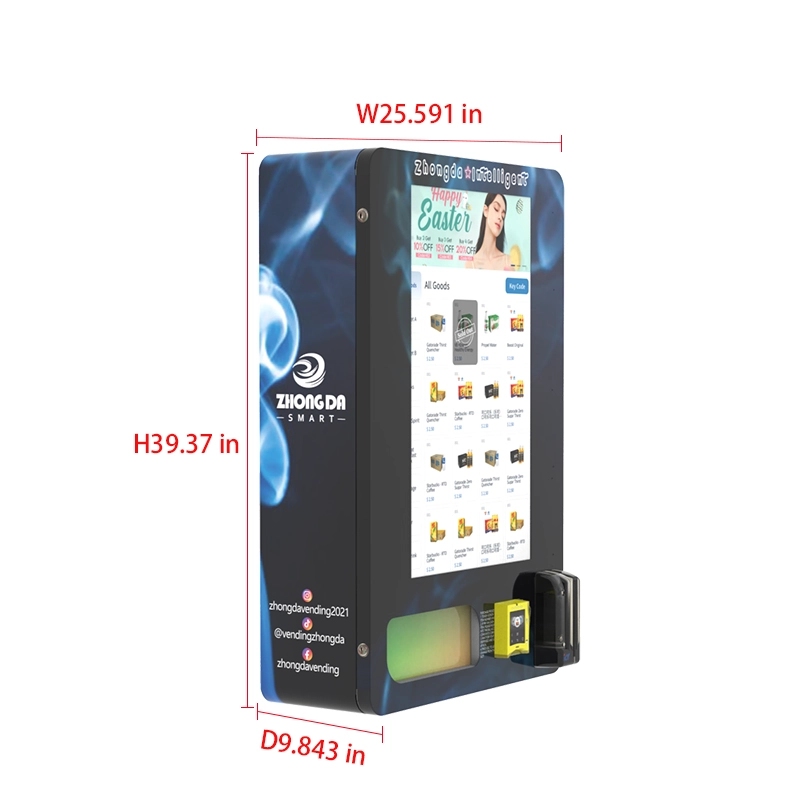
The scanner itself is not a simple camera. It is a multi-spectral imaging module that reads barcodes, extracts birth dates, and cross-references the data against a local database of accepted ID formats. When the scan fails, the machine logs the event with a timestamp, the reason code for the failure, and whether the ID was expired, damaged, or unrecognized. I have pulled the logs on hundreds of units deployed across bars, convenience stores, and hotel lobbies. The most common failure reason is a scratched or faded barcode. Second is an expired ID. Third is a foreign driver’s license that the software does not recognize.
From a hardware perspective, the scanner needs regular cleaning. Dust, vape residue, and grease from fingerprints build up on the lens. I have seen machines that were deployed for six months without a single cleaning cycle. The failure rate on those units climbed from 5% to nearly 30% before the operator called us. A simple lens wipe brought it back down. That is the kind of detail you only learn after you have been in the field troubleshooting units yourself.
What the Machine Does with a Failed Scan
Once the scan fails, the machine does not just sit there. It locks the vend tray, returns any inserted payment, and displays a clear message on the screen: “Age verification failed. Transaction cannot be completed.” Some of our newer models, like the ones we manufacture at Zhongda Smart, also log a short video clip of the attempted transaction. That clip is stored locally and can be reviewed by the operator later. This is not about surveillance. It is about liability protection. If a regulator asks why a sale did not go through, you have proof that the machine did its job.
The machine also increments a counter for failed verifications. If the failure rate on a specific unit exceeds 20% over a rolling 30-day period, the system sends an alert to the operator. That alert usually means the scanner needs maintenance or the environment is too dim for accurate reads. We have seen cases where operators placed machines under a flickering fluorescent light, and the scanner could not get a clean read on the barcode. Relocating the unit or adding a small LED strip fixed it.
Financial Impact of Verification Failures
Every failed verification is a lost sale. If your machine averages 30 transactions per day and 10% of those fail verification, you are losing three sales daily. At an average ticket of $15, that is $45 per day, $1,350 per month, and over $16,000 per year per machine. Spread that across a fleet of ten machines, and you are looking at a six-figure revenue leak. That number gets the attention of any business decision maker.
But the cost goes beyond lost revenue. If a machine fails to verify a minor and somehow completes a sale, the fines can be devastating. In some states, the first violation carries a fine of $1,000 to $5,000. A second violation can reach $10,000. I have seen operators lose their entire location contract because of a single compliance failure. The machine gets pulled, the location closes access, and the operator is left with a unit that has nowhere to go.
| Scenario | Daily Loss | Monthly Loss | Annual Loss (per machine) |
|---|---|---|---|
| 5% failure rate | $22.50 | $675 | $8,100 |
| 10% failure rate | $45.00 | $1,350 | $16,200 |
| 15% failure rate | $67.50 | $2,025 | $24,300 |
Those numbers assume a $15 average sale. If you are selling premium disposable devices or nicotine pouches at a higher price point, the losses scale quickly.
Operator Experience: What We Learned in the Field
I remember a deployment we did in a mid-sized hotel lobby. The machine was placed near the entrance, about 15 feet from the check-in desk. The first week, the failure rate was 12%. We checked the scanner, cleaned it, and ran diagnostics. Everything looked fine. Then we watched the footage. Guests were trying to scan their room key cards instead of their driver’s licenses. The machine was reading the magnetic stripe, finding no birth date, and rejecting the transaction. We added a short instructional overlay on the screen showing exactly which side of the ID to insert. The failure rate dropped to 4% within two days.
That kind of user behavior is something you cannot predict from a spec sheet. You have to see it happen, adjust the interface, and test again. That is why we at the factory spend time on site during initial deployments. We do not just ship the machine and walk away. We want to see how real customers interact with the hardware.
Software and Firmware Considerations
The age verification software is not static. It receives updates as ID formats change. Some states issue new driver’s license designs every few years. If the software is not updated, the scanner will reject valid IDs from those states. I have seen operators run machines on firmware that was two years old. The failure rate on those units was nearly double the rate on machines running current firmware.
We push firmware updates through a secure connection. The machine checks for updates daily. If an update is available, it downloads and installs during off-hours, typically between 2 AM and 4 AM. The operator does not have to do anything. But if the machine is offline for an extended period, it will miss updates. That is why we recommend a hardwired Ethernet connection or a dedicated cellular modem. Public Wi-Fi networks in hotels or bars are unreliable. The machine might connect intermittently, miss updates, and accumulate a higher failure rate over time.
Database Matching and False Rejections
Some age verification systems rely on cloud-based databases to cross-reference the ID information. If the database is slow or the internet connection drops, the machine may reject a valid ID simply because it could not get a response in time. Our machines at Zhongda Smart use a hybrid approach. The scanner reads the ID locally, extracts the birth date, and performs the age calculation on the device itself. The cloud check is secondary, used only for logging and compliance reporting. This reduces false rejections caused by network latency.
In my experience, cloud-dependent systems have a false rejection rate of 5% to 8% under normal conditions. That rate spikes to 15% or higher during peak hours when the cloud server is under load. A local verification system keeps the false rejection rate below 2% consistently. That difference alone can save an operator thousands of dollars per month.
Choosing the Right Equipment for Your Operation
Not all vending machines with age verification are built the same. I have tested units from a dozen different manufacturers over the years. Some use off-the-shelf barcode scanners that were never designed for ID reading. Others use custom optics but have poor software support. The machine you choose directly affects your failure rate, your maintenance costs, and your compliance risk.
| Feature | Basic Scanner Machine | Advanced Verification Unit (Zhongda Smart) |
|---|---|---|
| Scanner Type | Off-the-shelf 1D barcode | Multi-spectral ID imager |
| Verification Location | Cloud-dependent | Local + cloud backup |
| False Rejection Rate | 5% to 8% | <2% |
| Firmware Updates | Manual | Automatic OTA |
| Compliance Logging | Basic transaction log | Video capture + event log |
If you are deploying a single machine in a low-traffic location, a basic unit might work. But if you are scaling to multiple locations, the advanced verification unit pays for itself in reduced lost sales and lower maintenance overhead. For more on technical specifications and deployment options, visit the age verification vending machine page on our site.
How Many Machines Do You Need to Break Even?
The break-even point depends on your machine cost, location rent, product margins, and failure rate. A typical advanced verification machine costs between $4,000 and $6,000. If you place it in a location with moderate foot traffic and keep the failure rate under 5%, you can expect to break even in 8 to 12 months. If the failure rate climbs to 15%, the break-even window extends to 18 months or longer. That is why we spend so much time on verification accuracy. It is not just a compliance feature. It is a financial lever.
According to a report from IBISWorld, the vending machine industry in the United States has grown at an annual rate of 3.5% over the last five years, with specialized machines like age-verified units seeing faster adoption. The same report notes that operators who invest in higher-end verification technology report 20% lower maintenance costs over the life of the machine. That data aligns with what we have seen in our own fleet.
Common Mistakes Operators Make
I have seen operators buy used machines from auction sites and try to retrofit them with age verification scanners. It rarely works well. The scanner mounting angle is wrong, the software integration is buggy, and the machine ends up with a 25% failure rate. The operator spends more time troubleshooting than selling. If you are serious about running a compliant operation, start with a machine that was designed for age verification from the ground up.
Another mistake is ignoring the placement of the machine. If the scanner is facing direct sunlight, the glare can interfere with the barcode read. If the machine is in a dark corner, the scanner may not have enough light to capture a clear image. We recommend placing the machine in an area with consistent, indirect lighting. A simple rule of thumb: if you cannot comfortably read a book in that spot, the scanner will struggle too.
Maintenance Routines That Keep Failure Rates Low
Weekly cleaning of the scanner lens is non-negotiable. Use a microfiber cloth and a mild glass cleaner. Do not use alcohol wipes, they can damage the anti-reflective coating on the lens. Monthly, run a diagnostic test using a test ID card. The machine should recognize the test card and log a successful verification. If it does not, you have a hardware issue that needs attention.
Quarterly, check the firmware version against the latest release. Even with automatic updates, sometimes a machine falls behind if it was offline for a period. Manually triggering an update takes two minutes and can prevent weeks of elevated failure rates. For a complete maintenance checklist, the service page on our website has detailed guides for each model.
Scaling Your Operation with Confidence
Once you have one machine running smoothly with a low verification failure rate, you can start thinking about scaling. The key is to replicate the conditions that made the first machine successful. Use the same model, the same placement guidelines, and the same maintenance schedule. Do not try to cut costs by buying cheaper machines for secondary locations. I have seen operators do that, and the failure rate on the cheap machines was always higher. The money they saved on hardware was lost in reduced sales and increased fines.
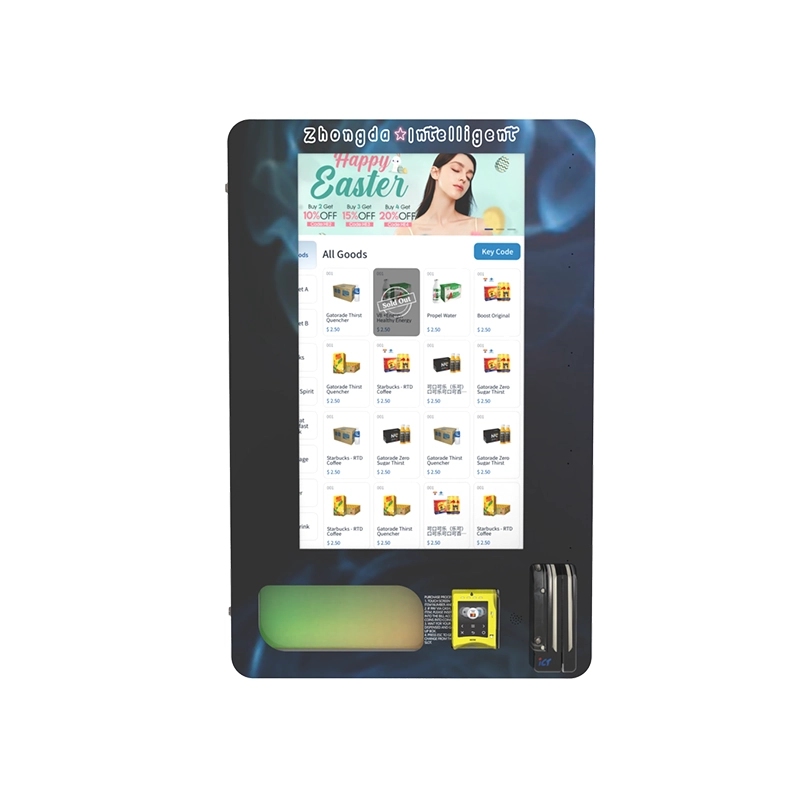
If you are looking to expand into high-traffic locations like bars, clubs, or hotels, consider a wall-mounted unit to save floor space. Our wall-mounted compact e-cigarette vending machine is designed for tight spaces and includes the same age verification system as our full-sized units. It is a popular choice for operators who want to maximize placement options without sacrificing compliance.
Real Data from Deployed Machines
We track metrics across all machines we have deployed in North America. The average verification failure rate across our fleet is 3.8%. That includes units in bars, hotels, convenience stores, and retail lobbies. The lowest failure rate we have recorded is 1.2% on a unit placed in a well-lit hotel lobby with a hardwired internet connection. The highest was 9.4% on a unit placed in a dimly lit bar with spotty Wi-Fi. After we moved that unit to a better location and switched to a cellular modem, the failure rate dropped to 4.1% within two weeks.
According to data from Statista, the global vending machine market was valued at approximately $34 billion in 2023, with age-restricted product vending growing faster than the overall market. That growth is driven by regulatory pressure and consumer demand for 24/7 access to legal products. Operators who invest in reliable verification technology are positioned to capture that growth.
What Happens When a Machine Is Not Maintained
I have been called in to troubleshoot machines that had not been serviced in over a year. The scanner lens was coated with a film of nicotine residue. The firmware was three versions behind. The database of valid ID formats had not been updated in 18 months. The failure rate on that machine was 34%. The operator was losing nearly $70 per day in missed sales. He thought the machine was broken. In reality, it just needed basic maintenance and a software update.
After we cleaned the lens, updated the firmware, and ran a diagnostic, the failure rate dropped to 5% on the same day. The operator had been ready to scrap the machine. Instead, it became one of his highest-grossing units. That experience reinforced something we have known for years: most age verification failures are preventable. They are not hardware defects. They are the result of neglect, poor placement, or outdated software.
Why We Build the Machines the Way We Do
At the factory, we test every scanner module before it goes into a machine. We run 500 verification cycles using a mix of valid and expired IDs. If the module fails more than 2% of the valid ID scans, we reject it and send it back to the supplier. That level of quality control adds cost, but it also means our machines have a lower failure rate out of the box. When you buy from a manufacturer that does not test at that level, you inherit their quality problems.
We also design our machines with field maintenance in mind. The scanner module is accessible from the front panel. You do not need to pull the machine away from the wall or remove the entire door. A technician can swap a scanner in under five minutes. That reduces downtime and keeps the machine earning revenue. For a deeper look at our manufacturing process, the about us page covers our history and approach to building reliable equipment.
The Bottom Line on Age Verification Failures
Age verification failures are not a sign that the machine is broken. They are a sign that the system is working as designed. The question is whether your machine is failing on valid IDs or only on invalid ones. If your failure rate is above 5%, you have a problem that needs attention. Start with the scanner lens. Then check the firmware. Then evaluate the placement. Most of the time, one of those three things is the cause.
If you are still seeing high failure rates after addressing those factors, it may be time to upgrade the verification system itself. The technology has improved significantly in the last five years. Machines that were state-of-the-art in 2019 are now outdated. Newer systems, like the ones we manufacture, handle a wider range of ID formats, have lower false rejection rates, and provide better compliance logging. The upfront cost is higher, but the long-term savings in lost sales and reduced fines make it a sound investment.
Frequently Asked Questions
Can a vape vending machine complete a sale if the ID scan fails?
How do I reduce the age verification failure rate on my machine?
What happens to the money if the verification fails?
Is a failed verification stored in the machine’s history?
Can a fake ID pass the age verification scanner?
How often should I update the age verification software?
What is the average cost to replace a scanner module?
Do I need an internet connection for age verification to work?
Can I use a vape vending machine without age verification?
How do I choose the right vending machine for my business?
Sources and References
IBISWorld. (2023). Vending Machine Industry in the United States. Retrieved from ibisworld.com.
Statista. (2023). Global vending machine market value. Retrieved from statista.com.








