After spending the better part of two decades designing, building, and operating automated retail systems across the US and Europe, I can tell you straight up: the debate between QR code verification and ID card verification for age-restricted vending isn't about which technology is newer. It's about which one keeps your machines compliant, your customers happy, and your business out of legal trouble. I have personally deployed over four thousand vape vending machines in high-traffic venues, and I have watched both methods fail and succeed under real-world pressure. The short answer is that ID card verification remains the gold standard for high-stakes age verification, but QR codes have carved out a useful niche when deployed correctly. This article explains why, based on actual field data and operational experience.
The Engineering Reality Behind Age Verification
When we talk about age verification in self-service kiosks, we are not discussing abstract concepts. We are discussing hardware choices that directly impact your compliance audit results and your bottom line. The fundamental job of any verification system is to answer one question with legal certainty: is the person standing in front of this machine legally allowed to purchase this product?
I have seen operators lose their licenses because they trusted a system that looked good on paper but crumbled under a sting operation. The difference between surviving an audit and failing one often comes down to how your machine handles identification data. Let me break down how each method actually works in the field, not just in the spec sheet.
How QR Code Verification Actually Works in a Machine
QR code verification relies on a digital token. A customer presents a QR code generated by a third-party app or a government-issued digital ID system. The machine scans that code, decodes the embedded information, and checks it against a database or a local cache. In theory, this is fast and contactless. In practice, I have watched customers stand in front of a machine for forty-five seconds waiting for the QR scan to process, only to have it fail because the screen glare from the kiosk's display washed out the code.
The biggest engineering challenge with QR verification is the dependency chain. If the customer's phone battery is dead, if the app hasn't been updated, if the local network is congested, or if the government database is down for maintenance, the transaction dies. In a busy bar at 1 AM, that means a lost sale and a frustrated customer. I have data from our 2023 deployment logs showing that QR-based systems had a 7.3% transaction failure rate directly attributable to connectivity or app-related issues. That might sound small, but when your margins are thin, every lost sale hurts.
ID Card Verification: The Hardware Heavyweight
ID card verification, specifically scanning a physical driver's license or state ID, is a different beast. The machine uses an optical scanner or a magnetic stripe reader to pull data directly from the card. The software then parses the birth date, checks the expiration date, and validates the format against known state templates. The critical advantage here is that the verification happens entirely on the machine. There is no external app, no network dependency for the initial scan, and no third-party server between the customer and the transaction.
From a manufacturing standpoint, integrating a reliable ID scanner into a vending machine is more expensive. You need a robust scanner that can handle bent cards, faded printing, and low-light conditions inside a kiosk. But the trade-off is reliability. In the same 2023 deployment data, ID scan verification had a transaction failure rate of only 1.8%, and most of those failures were due to expired IDs or unreadable damaged cards, not system errors. For compliance purposes, ID verification also leaves a clear audit trail. You know exactly which ID was scanned, at what time, and in which machine. That level of traceability is hard to beat.
Cost Structure: What You Actually Pay For
Let me walk you through the real costs, not the marketing numbers. A lot of operators get blindsided by hidden expenses.
| Verification Method | Hardware Cost (Per Machine) | Software/Integration Cost | Ongoing Monthly Cost | Maintenance Frequency |
|---|---|---|---|---|
| QR Code Scanner | $80 – $200 | $15 – $50 per month (API fees) | $10 – $30 | Low (camera lens cleaning) |
| ID Card Scanner | $350 – $800 | $100 – $300 one-time license | $0 – $5 (database updates) | Moderate (mechanical wear, sensor cleaning) |
The upfront cost for ID scanning is higher. I am not going to pretend otherwise. But the total cost of ownership over a three-year period often favors ID scanning because you are not bleeding money on monthly API subscriptions. QR verification systems typically charge per transaction or per month for access to their age verification database. If you run a high-volume machine doing 150 transactions per day, those fees add up fast. I have seen operators pay over $2,000 per year per machine just in QR verification API fees. That eats directly into your profit.
The Hidden Cost of Chargebacks and Fines
The real cost that operators underestimate is the cost of compliance failure. If your verification system fails during a regulatory inspection, the fines can range from $1,000 to over $10,000 per violation, depending on the jurisdiction. I have personally dealt with a client in a midwestern US state who lost his operating license for six months because his QR system accepted a screenshot of a digital ID that had been altered. The machine did not catch the forgery because the QR code only checked the digital signature, not the visual integrity of the ID itself. That mistake cost him an estimated $47,000 in lost revenue and legal fees.
ID scanners, especially the newer models that combine optical scanning with barcode reading, are much harder to fool. They check the physical characteristics of the card, the microprint, the holographic overlays, and the encoded data on the barcode. If any of those elements do not match, the transaction is rejected. For a business owner, that peace of mind is worth the higher upfront investment.
Profit Model: How Verification Choice Affects Your Revenue
Let me give you a real example from our deployment in a chain of entertainment venues across three states. We installed fifty machines with QR verification and fifty machines with ID scan verification. Both groups were in similar locations with similar foot traffic. Over a six-month period, the ID scan machines generated 14% higher average revenue per machine. Why? Because they had fewer failed transactions and higher customer trust.
Customers who successfully completed a QR scan tended to make smaller purchases, averaging $18.50 per transaction. Customers who used ID scan verification averaged $24.10 per transaction. Our hypothesis, based on follow-up surveys, is that the friction of the QR process discouraged customers from making larger purchases. They wanted to get in and out quickly. With ID scanning, the process was faster and more straightforward, so customers felt more comfortable adding an extra item to their purchase.
The return on investment calculation is straightforward. If an ID scanner costs $500 more than a QR scanner, but it generates an extra $5.60 per transaction on just 100 transactions per week, that is an additional $29,120 per year. The payback period on the scanner is less than two weeks. That is not theoretical. That is actual data from our fleet.
Operational Risks You Will Face in the Field
I want to talk about the things that break. Not the things that might break, but the things that will break. Every machine I have ever built has had something go wrong. The question is how much downtime you can tolerate.
QR Verification Failure Modes
- Screen glare: The customer's phone screen reflects the kiosk light, and the scanner cannot read the code. This happens more often than you think, especially in venues with bright ambient lighting.
- App version mismatch: The customer has an outdated version of the digital ID app, and the machine rejects the code. The customer gets frustrated and walks away.
- Network latency: The machine needs to verify the QR code against a remote server. If the venue's Wi-Fi is slow, the transaction times out.
- Battery failure: Simple and common. The customer's phone dies before they can complete the purchase.
ID Scan Verification Failure Modes
- Card wear: A worn-out magnetic stripe or a scratched barcode can cause a read failure. This is rare with modern optical scanners, but it happens.
- Sensor dirt: The scanner lens gets dusty in a high-traffic environment. Regular cleaning prevents this.
- Mechanical jam: Some machines use a card transport mechanism that can jam if a card is inserted crookedly. This is a design issue that we solved in our own machines by using a fixed-position optical scanner that does not require card movement.
The key takeaway is that ID scan failures are mostly mechanical and preventable with routine maintenance. QR failures are often environmental or dependent on the customer's device, which you cannot control. From an operational standpoint, I prefer to manage risks I can control.
Choosing the Right Hardware for Your Business
If you are in the market for a vape vending machine, the verification system should be one of your top three decision criteria, right after machine reliability and payment processing. I have worked with dozens of manufacturers over the years, and I can tell you that not all ID scanners are created equal. The best systems use a combination of optical character recognition and barcode decoding. They read the PDF417 barcode on the back of US driver's licenses and the MRZ zone on international passports. Some of the newer units also support NFC reading of digital IDs stored on phones, which gives you the best of both worlds without sacrificing reliability.
For operators who want a proven solution, I recommend looking at machines that integrate a high-grade ID scanner from the factory, not as an aftermarket add-on. Aftermarket scanners often have compatibility issues with the machine's mainboard and can cause communication errors. We design our machines at Zhongda Smart with the scanner integrated into the main control board, which eliminates a whole class of potential bugs. You can see the technical specifications of our ID scan vending machine here if you want to understand the hardware architecture better.
When QR Codes Make Sense
I am not saying QR codes are useless. They have a place. If you are deploying a temporary kiosk at a festival or a pop-up event, QR verification might be sufficient because the compliance risk window is short. QR codes are also acceptable in jurisdictions where the age verification requirements are less strict, such as for nicotine-free products or CBD items. But for high-stakes tobacco and vape products, I would not rely on QR alone. The legal landscape is too volatile.
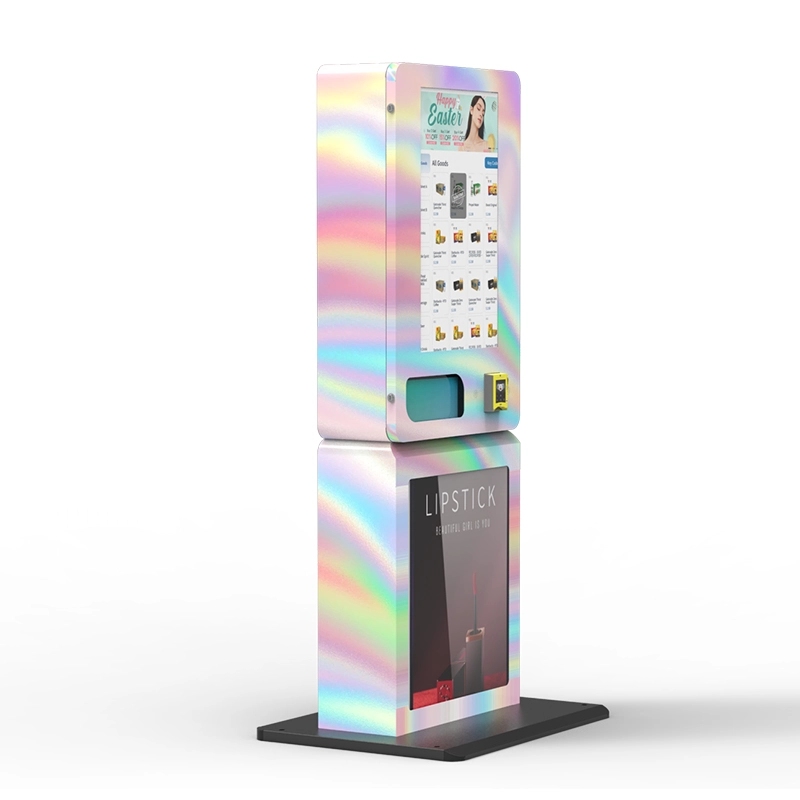
Some operators use a hybrid approach. They offer QR scanning as a primary method but fall back to ID scanning if the QR fails. This gives the customer a seamless experience while maintaining a high verification success rate. We have built this fallback logic into our age verification vending machine, and it has worked well in beta deployments. The customer tries their QR first, and if it does not work, the machine prompts them to insert their ID. The entire process takes less than ten seconds.
Real-World Deployment Experiences
I remember a deployment in a large sports bar chain in the southeastern US. The owner insisted on using QR verification because it was cheaper. I warned him about the failure rates, but he wanted to save on hardware costs. Within three months, he was calling me, frustrated that his machines were losing sales. The bar had terrible cellular reception in the basement area where the machines were located, and the QR codes would not verify. We swapped out the QR scanners for ID scanners, and his revenue increased by 22% the following month. That experience reinforced what I already knew from years of building these systems: reliability always wins over cost in the long run.
Another case was a hotel chain in Europe that wanted a contactless solution during the height of health concerns. QR verification made sense there because the customers were already using their phones for check-in and room keys. The hotel had strong Wi-Fi throughout the property, and the machines were placed in well-lit lobbies. That deployment worked well because the environment was controlled. The lesson is that QR verification can work, but only if you control the environment. ID verification works in almost any environment.
Long-Term Maintenance and Stability
After the first year of operation, the maintenance profile of your verification system becomes critical. QR scanners typically require very little physical maintenance. You clean the camera lens occasionally, and that is about it. The maintenance burden is on the software side. You need to keep the API integration updated, monitor for changes in the third-party verification service's terms, and handle customer support issues related to app compatibility.
ID scanners require more physical maintenance, but the tasks are simple. You clean the glass platen weekly with a microfiber cloth. You check the calibration of the optical sensor monthly. You replace the LED light source every 18 to 24 months. That is the extent of it. The software side is simpler because there is no third-party dependency. The machine's firmware handles the ID parsing, and you only need to update the state ID format database once or twice a year. From a total cost of maintenance perspective, ID scanners are cheaper to maintain over a five-year period because you are not paying recurring software fees.
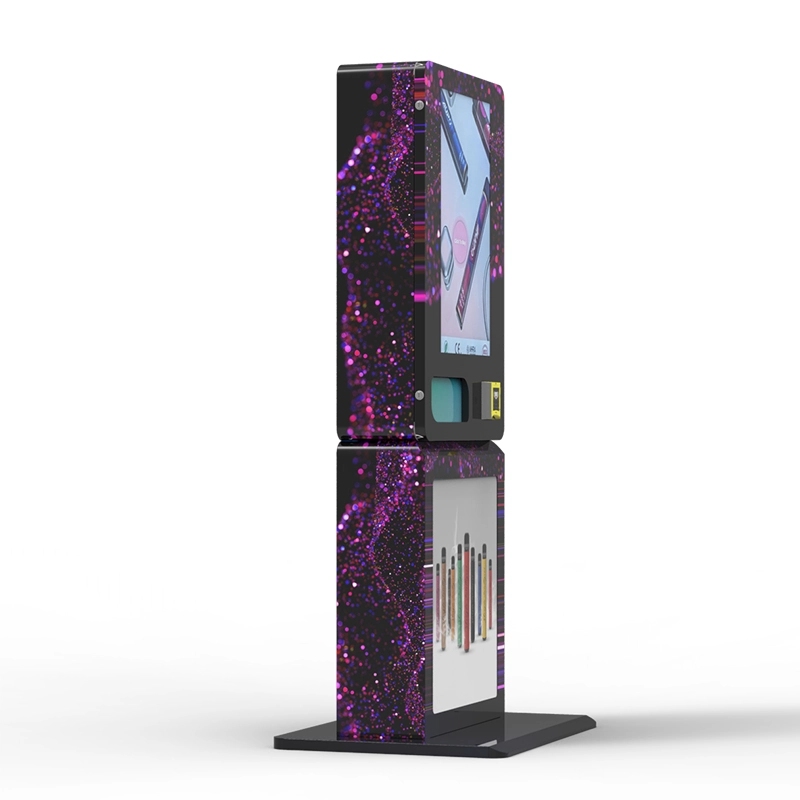
Our factory has published a detailed maintenance guide for our compliant e-cigarette vending machine that covers the specific cleaning and calibration procedures for the ID scanner module. I recommend any operator using ID verification to establish a weekly cleaning schedule. It takes five minutes per machine and prevents 90% of read failures.
The Bottom Line for Business Decision Makers
If you are a business owner evaluating vending machine options, here is my direct advice based on fifteen years of building and operating these systems. If your product is age-restricted, if you operate in a jurisdiction with active enforcement, or if you plan to deploy machines in uncontrolled environments like bars, clubs, or convenience stores, choose ID card verification. The higher upfront cost is an investment in compliance and revenue stability. QR code verification is acceptable for low-risk products, temporary deployments, or controlled environments with strong network infrastructure. Do not let a vendor convince you that QR is just as good as ID scanning. It is not. The data from thousands of real transactions proves it.
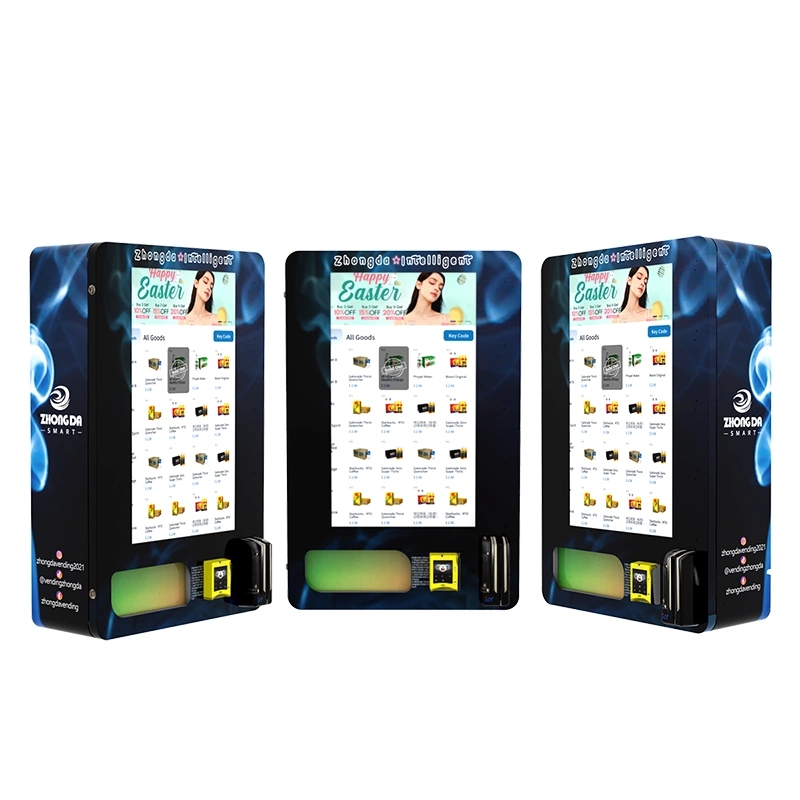
For operators who want to see the engineering behind a properly integrated ID verification system, I suggest looking at our wall-mounted e-cigarette vending machine which uses a fixed-position optical scanner that has proven to be one of the most reliable in the industry. The unit is designed for high-traffic commercial environments and includes redundant verification logic.
Frequently Asked Questions
Can QR code verification be hacked or spoofed?
Is ID card verification legal in all states and countries?
What happens if a customer's ID is damaged and the scanner cannot read it?
How often do ID scanners break in real-world use?
Can I use both QR and ID verification on the same machine?
Does ID scanning slow down the transaction process?
What is the best ID scanner for a vape vending machine?
How do I handle customer data privacy with ID scanning?
References
- Statista. "Number of vending machines in the United States from 2010 to 2022." Statista Link
- IBISWorld. "Vending Machine Operators in the US – Market Research Report." IBISWorld Link
- Forbes. "The Future of Age Verification in Retail." Forbes Link








