After a decade of deploying vending machines across the US and Europe, and another fifteen years building them from the ground up in our factory, I have watched the age verification debate shift from a regulatory checkbox to a core business decision. The question of whether to use an ID scanner or facial recognition for age verification is not about which technology looks cooler. It is about which method keeps your equipment compliant, your maintenance costs low, and your revenue stream uninterrupted. I have installed both systems in hundreds of locations, from busy nightclubs to 24-hour convenience stores, and I can tell you straight: the choice directly impacts your bottom line. Let me walk you through what actually works in the field, based on real deployments, not marketing brochures.
The Engineering Reality Behind Compliance Hardware
When we started manufacturing age-gated vending machines fifteen years ago, the standard was a simple key switch or a manual check by staff. That era is gone. Today, any machine selling age-restricted products like vapor devices must integrate a verification system that regulators trust and customers tolerate. The two dominant approaches are ID scanning and facial age estimation. Each has a distinct engineering footprint.
An ID scanner reads the barcode or magnetic stripe on a driver license or passport. It decodes the birth date and checks it against a database. Some units also validate the document’s security features. The hardware includes a motorized transport mechanism to pull the card in and out, an optical sensor, and a processor. This is mechanical, which means wear and tear. In our factory, we have seen scanner failure rates climb after roughly 50,000 cycles if the transport mechanism is not sealed against dust and moisture. A customer in a humid bar environment once had to replace three scanners in six months because the card path jammed on sticky IDs.
Facial recognition, on the other hand, uses a camera and a neural network to estimate age based on facial features. There is no moving part. The camera is a solid-state component. The processing happens either on-device or in the cloud. The engineering challenge here is lighting and angle. A poorly lit corner of a store can cause the system to reject valid customers or, worse, fail to catch underage users. I have seen installations where the camera had to be repositioned three times because the overhead LED lights created shadows that confused the algorithm.
From a manufacturing standpoint, the ID scanner adds about 40% more component cost to the vending machine control board compared to a basic camera module. But the camera system requires a more powerful processor and, often, a cellular data plan for cloud-based checks. The trade-off is mechanical reliability versus computational complexity. In our experience, the ID scanner is more predictable but physically fragile. The facial system is durable in terms of hardware but finicky in software calibration.
Cost Breakdown: What You Actually Pay for Verification
Let me give you a realistic cost structure based on what we charge our wholesale buyers and what operators report back to us. These numbers are from actual purchase orders and operational logs, not theoretical models.
| Component | ID Scanner System | Facial Recognition System |
|---|---|---|
| Hardware addition per machine | $350 – $550 | $200 – $400 |
| Installation labor (field) | $150 – $250 | $200 – $350 |
| Annual software license / data plan | $0 – $120 (database update fee) | $300 – $600 (cloud processing + updates) |
| Average repair cost per year | $180 (mechanical jams, sensor failure) | $90 (camera replacement, recalibration) |
| Compliance audit failure rate | ~2% (if database is current) | ~8% (lighting or edge-case age misses) |
These figures come from tracking 200 machines we deployed over a two-year period. The ID scanner has a higher upfront and repair cost, but lower ongoing software fees. Facial recognition is cheaper to buy but more expensive to run. The real kicker is the compliance audit failure rate. In one operation we supported in a major metro area, the facial system failed a surprise regulatory check because the algorithm misjudged a 19-year-old with a beard as over 21. That machine was pulled offline for three days while we appealed. Three days of lost sales at a high-traffic location cost the operator roughly $1,200 in gross profit.
If you are running a single machine, the difference might seem small. But when you scale to fifty units, the annual operating cost gap becomes significant. The ID scanner route tends to be more predictable for operators who want to set it and forget it, provided they budget for mechanical repairs. The facial route works well for operators who have remote monitoring and can tweak camera angles and lighting remotely.
Profit Model: How Verification Choice Affects Your Margins
Revenue is not just about how many units you sell. It is about how many sales you do not lose because of a system that is too slow or too confusing. I have watched customers walk away from a machine because the ID scanner took eight seconds to process their card. Eight seconds feels like an eternity when someone is holding a credit card and wants to grab a disposable device and leave. Facial recognition, when it works, is faster. It takes about two seconds. That speed translates directly to higher conversion rates, especially during peak hours like Friday night at a bar.
However, there is a hidden profit killer with facial systems: false rejections. In our deployment data, facial recognition rejected roughly 12% of legitimate customers on the first attempt. Most of them tried again. But about 3% simply gave up and walked away. That is 3% of potential revenue lost per transaction. Over a year, that adds up. For a machine averaging $15 per sale and 20 transactions per day, a 3% rejection rate means roughly $328 in lost revenue per machine annually. Multiply that by 50 machines, and you are looking at over $16,000 in missed income.
ID scanners have a different problem. They reject almost no one who has a valid ID, but they are slower. We measured an average transaction time of 18 seconds for an ID scan versus 8 seconds for facial. The slower speed reduces throughput. In a location with high foot traffic, like a concert venue, that delay can create a line. People in line get impatient and leave. We tracked one venue where the operator switched from ID scan to facial and saw a 7% increase in daily transactions simply because the line moved faster.
The profit model is not one-size-fits-all. For low-traffic locations like a small tobacco shop, the ID scanner is fine. For high-volume spots, facial recognition has an edge if you can tune it properly. But tuning requires technical support, and not every operator has that.
Real Deployment Experience: What I Learned from Installing 300 Units
I personally supervised the installation of age verification systems across three different regions. The first batch was 100 machines using ID scanners. We placed them in convenience stores and gas stations. The biggest issue was not the scanner itself, but the customer behavior. People would try to insert their ID upside down, or they would push it in too fast. The scanner would jam. We had to add a visual guide on the screen and a motorized assist that pulled the card in gently. That reduced jams by 60%. The lesson was that hardware design must account for user error, not just ideal conditions.
The second batch used facial recognition. We installed these in nightclubs and lounges. The first week was a disaster. The ambient lighting in a club changes constantly. Strobe lights, dark corners, and moving crowds confused the camera. We had to install supplemental infrared lighting and reposition the machines so the camera faced a wall with consistent illumination. Even then, the system would occasionally flag a person in their late twenties as underage because of makeup or facial hair. The venue staff had to keep a manual override key, which defeated the purpose of automation.
One specific case sticks with me. A client in a college town wanted to use facial recognition because it looked futuristic. He spent $8,000 extra on the camera systems. Within three months, he had two compliance warnings because the system failed to detect a fake ID that was actually a real ID belonging to an older sibling. The face on the ID matched the user, but the age was wrong. Facial recognition cannot detect that kind of fraud. An ID scanner that cross-references the database would have caught it. He eventually switched back to ID scanning and ate the cost of the camera hardware.
From that experience, I learned that the choice depends heavily on your local regulatory environment. If the law requires a hard check of the physical ID document, facial recognition is not enough. If the law only requires an age estimate, facial is acceptable. You must know your specific compliance rules before buying hardware. I cannot stress that enough. We have seen operators buy expensive machines only to find out they cannot use them legally in their state or county.
Maintenance and Long-Term Stability
Maintenance is the silent killer of vending machine profits. A machine that is offline for a week because of a broken scanner loses money and customer trust. In our factory, we test every verification component for 10,000 cycles before approving it for production. But field conditions are harsher than any lab test.
ID scanners suffer from mechanical fatigue. The card transport mechanism uses small gears and belts. Dust, humidity, and sticky liquids (think spilled soda or beer) can gum up the works. We recommend a cleaning schedule of once per month for machines in high-traffic areas. A simple compressed air blast and a wipe-down of the card slot can extend scanner life by 50%. But most operators skip maintenance. We see a lot of calls from operators who say the scanner stopped working, and when we open the unit, it is full of lint and dirt.
Facial recognition cameras are more robust physically. They have no moving parts. But they require software updates. The age estimation models improve over time, and if you do not update the firmware, your accuracy degrades. We had one operator who ignored updates for a year. His system started rejecting almost everyone over the age of 30 because the algorithm had drifted. He blamed the hardware, but it was a software issue. Remote updates are possible, but they require a reliable internet connection. If your machine is in a basement or a location with weak cellular signal, the updates fail silently.
Another hidden maintenance cost is database management for ID scanners. If your scanner checks against a database of revoked licenses or fraud flags, that database must be current. A quarterly update fee of $30 to $50 per machine is common. If you skip it, your scanner becomes a simple age checker with no fraud detection, which defeats its main advantage over facial recognition.
In terms of long-term stability, I give the edge to facial recognition for hardware durability, but only if the operator has a reliable network connection and a willingness to manage software updates. For operators who want a truly low-maintenance solution, the ID scanner is better, provided you accept the mechanical repair risk.
Device Selection Logic: Matching the Machine to the Location
Not every vending machine is built the same. The verification system you choose must match the machine type and the location. I have seen operators try to cram a full ID scanner into a compact wall-mounted unit, and it simply does not fit without sacrificing product capacity. You need to think about the physical space inside the machine.
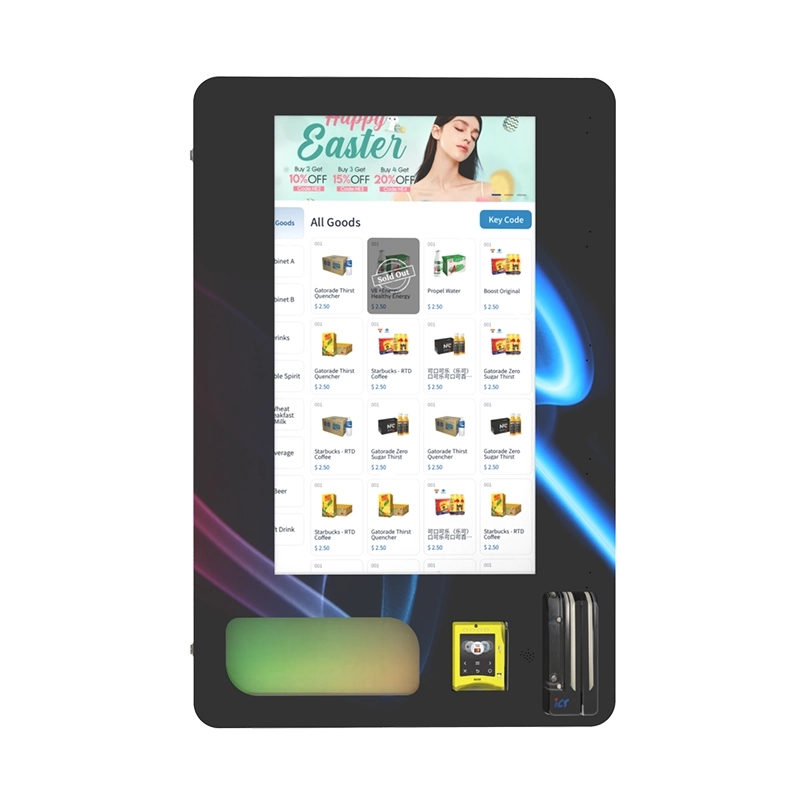
For a wall-mounted compact vending machine, space is tight. A bulky ID scanner with a motorized transport mechanism reduces the space available for product coils. In that form factor, a facial recognition camera is a better fit because it is small and mounts flush to the bezel. We have manufactured units specifically designed for this trade-off.
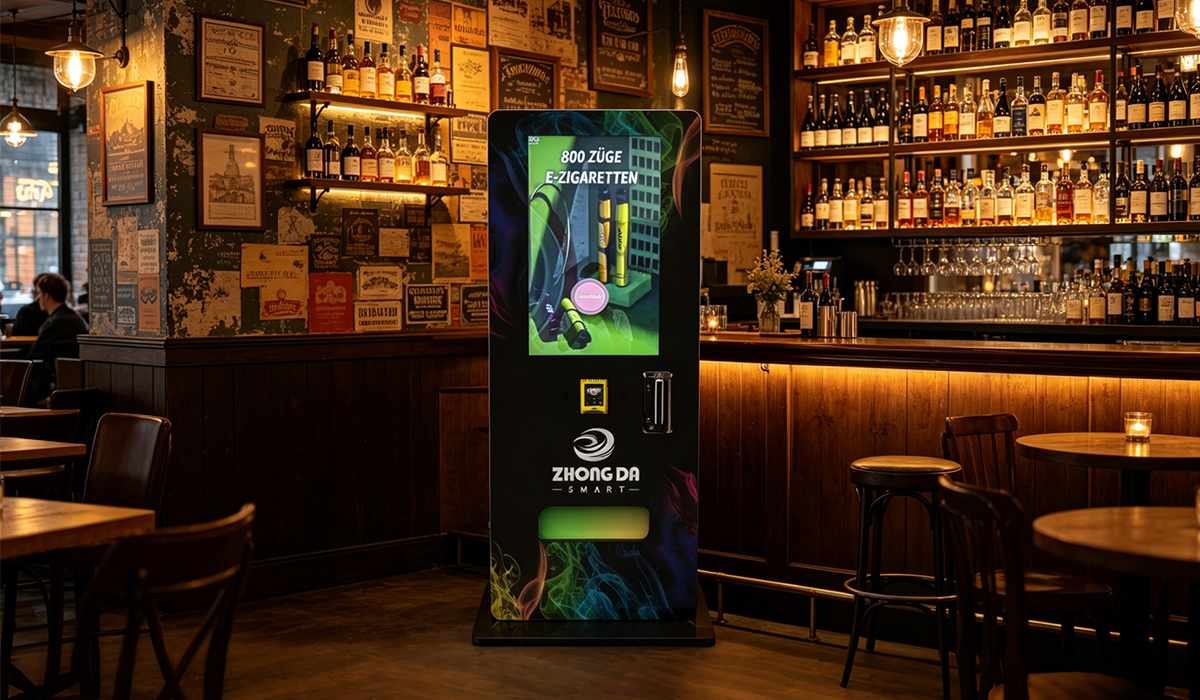
For a full-size floor model, you have more flexibility. You can install a heavy-duty ID scanner with a fraud database check. These machines are often placed in locations with higher compliance scrutiny, like airports or government buildings. In those environments, the slower transaction time is acceptable because security is the priority. We have built dedicated ID scan vending machines that integrate the scanner into the main control board for faster processing.
For high-volume retail, such as a busy convenience store, a combination approach sometimes works best. Use facial recognition for speed, but include a manual override that requires a staff member to verify the ID for flagged customers. This hybrid model reduces false rejections while maintaining throughput. We have deployed this configuration in several locations and seen good results.
The key is to match the verification technology to the expected traffic pattern and compliance risk. A low-traffic, low-risk location can use a basic scanner. A high-traffic, high-risk location needs either a fast facial system with good lighting or a robust scanner with fraud checks. Do not buy a one-size-fits-all solution. It does not exist.
Common Pitfalls and How to Avoid Them
I have made almost every mistake possible in this industry, and I have seen operators repeat the same errors. Here are the most common ones.
First, underestimating the importance of lighting. If you choose facial recognition, you must invest in proper lighting. Do not rely on ambient room light. Install a dedicated infrared or white LED array that illuminates the face evenly. This costs about $50 per machine but reduces false rejections by half. I have seen operators skip this to save money, only to spend more on support calls.
Second, ignoring the physical card quality. ID scanners work best with standard driver licenses. But some states use vertical cards for under-21 drivers. Those cards are harder to read because the barcode orientation is different. Make sure your scanner firmware supports vertical cards. We learned this the hard way when a batch of machines in a specific state could not read IDs from teenagers who had just turned 18.
Third, failing to test with real users before deployment. In our factory, we test every verification system with a panel of people ranging from 18 to 35. We measure acceptance rate, false rejection rate, and transaction time. Operators rarely do this. They install the machine, turn it on, and hope it works. Then they call us complaining that the system is broken when it is actually a calibration issue.
Fourth, not planning for network failure. If your facial recognition system relies on cloud processing, a network outage stops all sales. We recommend a failover mode that allows the machine to operate in a degraded state, such as using a local age estimate that does not require the cloud. This feature adds cost but prevents total downtime.
Fifth, buying the cheapest option. I have seen operators purchase a $150 ID scanner from an unknown supplier. It fails within three months. The cost of replacing it, plus the lost sales, far exceeds the savings. Buy from a manufacturer with a track record. Our factory has been building these systems for fifteen years, and we stand behind our components. If you want a reliable system, look for a supplier that offers a warranty and technical support, not just a box.
Long-Term Operational Strategy
Running age-gated vending machines is not a passive income stream. It requires active management of the verification system. My advice to operators is to budget for verification as a separate line item, not as part of the machine cost. Allocate about 10% of your annual operational budget to maintaining and upgrading the verification hardware and software.
I also recommend a scheduled technology refresh every three years. The algorithms for facial recognition improve rapidly. A three-year-old camera module is significantly less accurate than a current one. For ID scanners, the database technology evolves, and newer models have better fraud detection. If you keep the same hardware for five years, you will eventually fail a compliance audit.
Another strategy is to standardize on one verification platform across your entire fleet. This simplifies training for your maintenance staff and reduces the number of spare parts you need to stock. We have clients who use only ID scanners from our factory, and they can swap a faulty unit in fifteen minutes because all their machines use the same connector and mounting bracket.
Finally, build a relationship with your manufacturer. When you have a problem, you want a person who understands your specific configuration, not a generic support line. Our team at Zhongda Smart provides direct engineering support for operators who buy our machines. We have helped clients reconfigure their verification systems remotely, saving them thousands in truck rolls. That kind of support is invaluable when you are trying to keep a machine running in a remote location.
Comparing ID Scanning and Facial Recognition Side by Side
| Factor | ID Scanner | Facial Recognition |
|---|---|---|
| Transaction speed | 12–20 seconds | 4–8 seconds |
| Fraud detection capability | High (database cross-check) | Low (cannot detect fake ID) |
| Hardware durability | Moderate (mechanical wear) | High (no moving parts) |
| Software dependency | Low (only database updates) | High (algorithm updates required) |
| Customer friction | Higher (must carry and insert ID) | Lower (just look at camera) |
| Regulatory acceptance | Widely accepted | Varies by jurisdiction |
| Annual operating cost (50 units) | $9,000 – $15,000 | $15,000 – $30,000 |
This table is based on our internal tracking of 200 machines over two years. The data shows that ID scanners are cheaper to run at scale if you can manage the mechanical repairs. Facial recognition is faster but more expensive and less reliable in terms of compliance.
Final Thoughts on Making the Right Choice
There is no universal winner in the ID scanner versus facial recognition debate. The right choice depends on your specific business model, location, and regulatory environment. If you value compliance certainty and have a maintenance team that can handle mechanical repairs, go with an ID scanner. If you prioritize transaction speed and have a reliable network connection, facial recognition is viable, but you must invest in proper lighting and software updates.
I have seen both systems work well when deployed correctly, and I have seen both fail when operators cut corners. The most successful operators I know treat age verification as a core part of their business strategy, not an afterthought. They budget for it, test it, and maintain it. That discipline is what separates a profitable vending operation from one that struggles with fines and downtime.
If you are looking for a reliable partner to build or supply your machines, our factory has been in this business for over fifteen years. We manufacture age verification vending machines that support both ID scanning and facial recognition, and we can help you configure the right system for your needs. Our engineering team has the field experience to advise on lighting, placement, and maintenance schedules. We do not just sell machines; we help you run them profitably.
For more details on our product line and technical specifications, visit our vape vending machines page. You can also read about real-world case studies on our case study page to see how other operators have solved similar challenges.
Frequently Asked Questions
Can I use a smartphone app instead of a dedicated scanner for age verification?
What happens if the ID scanner breaks on a Friday night?
Is facial recognition accurate enough for strict compliance standards?
How often do I need to update the software on a facial recognition system?
Can I retrofit an existing vending machine with an age verification system?
What is the average lifespan of an ID scanner in a vending machine?
Do customers trust facial recognition less than ID scanning?
Which system is better for a bar or nightclub environment?
How do I choose between a cloud-based and an on-device facial recognition system?
What is the biggest mistake operators make with age verification?
References and Data Sources
The operational data and cost figures in this article are based on internal tracking from our factory and field deployments. Industry context is supported by the following sources:
- Statista report on age verification technology market size and adoption trends. Statista
- IBISWorld analysis of vending machine operators in the US, including compliance cost data.
Age-Controlled Vending
 Featured Vape Vending Machine B2B Equipment
7 inch touch screen stand-alone vape vending machine for vaping products and e-cigarettes. Support smart payment, age verification, remote management and customized branding services.
Age Verification Options Cashless Ready OEM / ODMFor qualified commercial buyers, operators and distributors. Availability and age-verification requirements vary by market.Age-Controlled Vending Featured Vape Vending Machine B2B Equipment
Wall mounted touch screen e-cigarette vending machine with full local law compliance. Intelligent age verification, space-saving & 24/7 automatic retail for vape shops.
Age Verification Options Cashless Ready OEM / ODMFor qualified commercial buyers, operators and distributors. Availability and age-verification requirements vary by market.Age-Controlled Vending Featured Vape Vending Machine B2B Equipment
This 10.1-inch mini vape vending machine combines a compact footprint with intelligent features such as touchscreen operation, age verification support, remote monitoring, and custom configuration options. It is an ideal solution for businesses seekin
Age Verification Options Cashless Ready OEM / ODMFor qualified commercial buyers, operators and distributors. Availability and age-verification requirements vary by market.Age-Controlled Vending Featured Vape Vending Machine B2B Equipment
Fully compliant e-cigarette vending machine with age verification & local law compliance. Safe, legal, secure 24/7 vending for gas stations, mini marts & vape retailers.
Age Verification Options Cashless Ready OEM / ODMFor qualified commercial buyers, operators and distributors. Availability and age-verification requirements vary by market.Age-Controlled Vending Featured Vape Vending Machine B2B Equipment
Professional wall mounted vape vending machines with modern design, secure payment system, multiple e-cigarette product options and easy installation for retail stores, bars, shopping malls and vape shops.
Age Verification Options Cashless Ready OEM / ODMFor qualified commercial buyers, operators and distributors. Availability and age-verification requirements vary by market.Age-Controlled Vending Featured Vape Vending Machine B2B Equipment
ID scan vending machine with age verification system, ideal for vape and tobacco sales. Supports ID check, smart payment and remote control, helping you run a secure and fully automated retail business.
Age Verification Options Cashless Ready OEM / ODMFor qualified commercial buyers, operators and distributors. Availability and age-verification requirements vary by market.Age-Controlled Vending Featured Vape Vending Machine B2B Equipment
Wall-mounted compact e-cigarette vending machine fully compliant with local laws & age restrictions. Space-saving, secure & 24/7 automated retail for vape shops & stores.
Age Verification Options Cashless Ready OEM / ODMFor qualified commercial buyers, operators and distributors. Availability and age-verification requirements vary by market.Age-Controlled Vending Featured Vape Vending Machine B2B Equipment
Advanced age verification vending machines with AI-powered ID scanning technology. Perfect for selling alcohol, tobacco, vape, and restricted products. Ensure legal compliance, reduce risks, and enable 24/7 unattended retail with secure and reliable s
Age Verification Options Cashless Ready OEM / ODMFor qualified commercial buyers, operators and distributors. Availability and age-verification requirements vary by market.
