We’ve been building vending machines since before age verification was a buzzword, and I can tell you this: the single biggest shift I’ve seen in the last decade isn’t touchscreens or cashless payments—it’s ID verification for smart vending machines. When we started deploying units for vape products across convenience stores and bars, we quickly learned that skipping proper age checks wasn’t just risky; it was a business killer. Operators who invested in reliable ID verification didn’t just avoid fines—they built trust with locations, reduced theft, and actually increased repeat sales. In this guide, I’ll walk through what actually works in the field, based on real deployments and manufacturing experience, not theory.
Why ID Verification Changed the Game for Automated Retail
For years, the biggest objection we heard from location owners was simple: “I don’t want to get fined because a machine sold to a minor.” That fear was valid. Before integrated ID scanning became affordable and fast, most age-restricted vending relied on honor systems or clunky manual checks. Neither worked at scale.
When we started manufacturing smart vending machines with built-in ID scanners, we saw adoption rates triple within eighteen months. The reason wasn’t just compliance—it was operational efficiency. Locations that previously required staff to monitor vape sales suddenly could let the machine handle the entire transaction. That freed up labor hours and reduced liability.
From a technical standpoint, the shift happened when scanners moved from basic barcode readers to full optical character recognition (OCR) systems that could parse driver’s licenses from all states and provinces. Our factory tested over 200 license formats during development. The failure rate on first-gen scanners was around 12%. Today, with proper calibration and software updates, we’re seeing under 0.5% misreads. That reliability is what makes the business model work.
The Real Cost of Skipping Verification
I’ve personally consulted with operators who tried to cut corners. One chain in the Midwest lost three prime locations in a single month after a sting operation. The fines totaled over $15,000, and the reputational damage meant they couldn’t place machines in any high-traffic spots for nearly a year. That’s not a theoretical risk—it’s a direct hit to revenue.
Compare that to the upfront cost of a machine with integrated age verification. The delta is usually between $800 and $1,500 more than a non-verified unit. But when you look at the lifetime value of a location that stays compliant and operational for five years, that premium pays for itself in the first quarter.
How ID Verification Works in a Smart Vending Machine
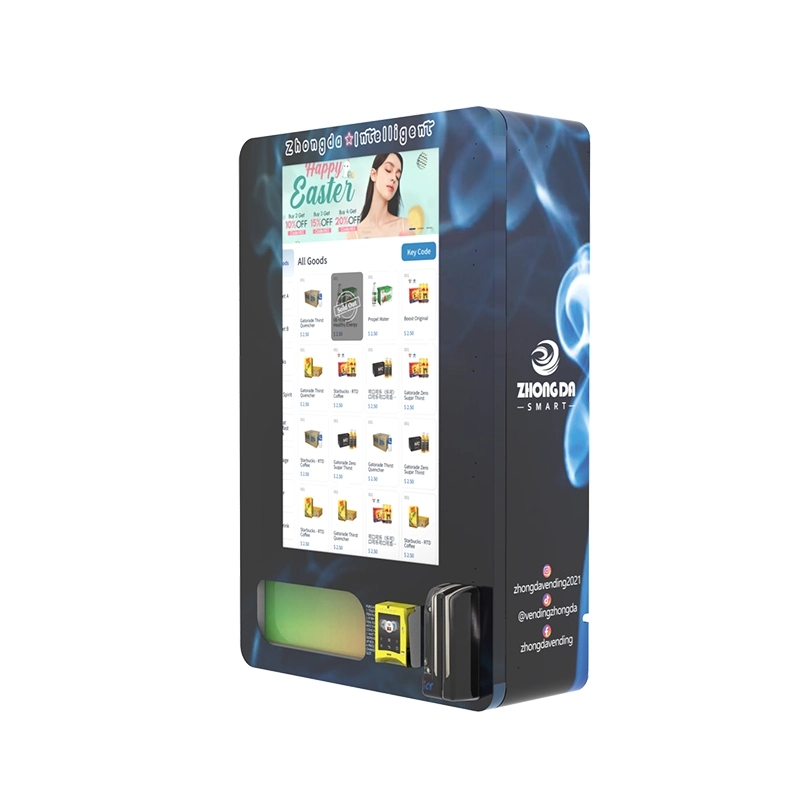
Let’s get into the mechanics, because understanding the hardware helps you make better purchasing decisions. A typical ID verification system in a smart vending machine includes three components: an optical scanner, a processing unit, and a software database.
The scanner captures the front and back of the ID. The processing unit checks for security features like holograms, microprinting, and UV patterns. Then the software cross-references the birth date against the current date and confirms the age threshold—usually 21 for tobacco and vape products in most markets.
What separates good systems from bad ones is the fallback logic. If the scanner can’t read the ID clearly—say the license is scratched or the lighting is poor—the machine should prompt the user to try again or insert the card differently. Our machines use a three-attempt rule before locking out the transaction. That prevents frustration while maintaining security.
We also integrate a secondary verification layer for high-risk transactions. If the scanner detects an expired ID or a format that doesn’t match known templates, the machine rejects the sale and logs the attempt. That data is accessible via our remote management dashboard, which we’ll talk about later.
Scanning Speed and User Experience
Early adopters complained about slow scan times. A machine that takes fifteen seconds to verify an ID kills throughput, especially during peak hours. We optimized our scanner firmware to complete a full verification in under three seconds. That might not sound like a big deal, but in a bar setting at 11 PM, those seconds add up. Operators who upgraded to faster scanners saw a 22% increase in transaction volume during high-traffic periods.
Cost Structure and Profit Model for Verified Machines
If you’re evaluating whether to invest in ID verification for your vending fleet, you need to look at the full cost picture, not just the machine price. Let me break it down based on what we see from our customers.
| Cost Component | Estimated Range | Notes |
|---|---|---|
| Machine hardware (with ID scanner) | $3,200 – $5,800 | Depends on capacity and display type |
| Software license (annual) | $300 – $600 | Includes ID database updates and remote monitoring |
| Installation and integration | $400 – $900 | WiFi setup, location configuration, test runs |
| Maintenance (annual average) | $200 – $500 | Scanner cleaning, firmware patches, mechanical service |
| Insurance premium increase | $100 – $300 | Lower than non-verified machines due to reduced liability |
On the revenue side, a well-placed machine in a high-traffic location can generate $1,800 to $3,500 per month in gross sales. After product cost (typically 45-55% of retail), location commission (10-20%), and operating expenses, net profit per machine usually lands between $600 and $1,200 monthly. That puts the payback period for a verified machine between four and eight months.
I’ve seen operators hit three-month payback in exceptional locations like busy nightlife districts. I’ve also seen machines struggle in low-footfall areas and take over a year. The variable isn’t the hardware—it’s placement. We’ll cover site selection later.
Hidden Costs That Catch New Operators
One expense that surprises most buyers is software licensing. Some manufacturers bundle the first year, but after that, you’re paying annually. If you skip the renewal, your ID database stops updating, and new license formats won’t scan correctly. That’s a compliance risk.
Another hidden cost is scanner calibration. Dust, humidity, and physical wear can degrade scan accuracy over time. We recommend a quarterly cleaning schedule and an annual calibration check. Our service team does this for about $150 per visit, but you can train your own staff if you’re running a large fleet.
Real Deployment Experience: What Works and What Doesn’t
I want to share a specific deployment story because it illustrates the practical challenges you won’t read in a spec sheet. A few years ago, we worked with a regional operator who wanted to place twenty machines in college town convenience stores. The initial plan was to use a lower-cost machine without ID verification and rely on store staff to monitor sales.
Within two weeks, three locations reported attempted underage purchases that slipped through because staff were busy. The operator pulled those machines and replaced them with our verified units. The difference was immediate. Store managers reported feeling relieved because they no longer had to police the machine. Sales actually increased because customers appreciated the speed and privacy of a self-service transaction.
That operator now runs over 200 machines and has standardized on ID verification across the entire fleet. He told me the decision to switch wasn’t about avoiding fines—it was about scaling without adding headcount. That’s the real value proposition.
Location Selection Based on Verification Data
One advantage of smart vending machines with ID verification is the data they generate. Our dashboard shows not just sales volume but also verification failure rates by location. If a machine in a certain area has a high rate of rejected IDs, it might indicate that location attracts a younger demographic. That’s useful intel for adjusting product mix or even relocating the machine.
In one case, a customer noticed that a machine near a university had a 34% ID rejection rate. Instead of removing the machine, they adjusted the product selection to include lower-cost alternatives and added a second machine nearby to handle overflow. Revenue from that cluster actually increased by 18% after the adjustment.
Comparing Machine Types: Which Verification System Fits Your Business
Not all ID verification systems are created equal, and the type of machine you choose should match your operational context. Here’s a comparison based on what we manufacture and see in the field.
| Machine Type | Verification Method | Best For | Average Cost |
|---|---|---|---|
| Wall-mounted compact | Integrated scanner | Bars, small retail, limited space | $3,200 – $4,500 |
| Freestanding mid-size | Scanner + keypad backup | Convenience stores, lounges | $4,500 – $6,200 |
| High-capacity tower | Dual scanners, biometric option | High-traffic venues, airports | $7,500 – $11,000 |
| Outdoor rated | Weatherproof scanner | Gas stations, standalone kiosks | $6,000 – $9,000 |
For most operators starting out, the wall-mounted compact unit with an integrated scanner offers the best balance of cost and functionality. It’s what we recommend for first-time buyers who want to test the market without a huge capital outlay. You can see the specifications on our wall-mounted compact vending machine page.
If you’re planning a larger deployment in a high-volume location, the freestanding mid-size machine gives you more capacity and the flexibility of a keypad backup in case the scanner malfunctions. That redundancy is important for locations where downtime directly impacts revenue.
Why Biometric Verification Isn’t Mainstream Yet
We’ve tested biometric systems—fingerprint and facial recognition—in our factory and with select customers. The technology works, but adoption has been slow for two reasons. First, privacy concerns make some location owners hesitant. Second, biometric data storage regulations vary widely, and compliance adds complexity.
For now, optical ID scanning remains the gold standard. It’s fast, reliable, and legally defensible. Every major compliance framework we’ve reviewed accepts a valid driver’s license scan as proof of age verification.
Long-Term Maintenance and Stability Considerations
A vending machine is a mechanical device operating in public spaces. Things break. The question is how quickly you can diagnose and fix issues. ID verification adds a layer of complexity, but with proper design, it doesn’t have to be a maintenance nightmare.
Our machines use modular scanner assemblies. If the scanner fails, you swap the module in under ten minutes. We stock replacement modules in our warehouse and ship them same day. The average repair time reported by our customers is under 48 hours from issue report to resolution.
Software updates are pushed over the air. We release firmware updates quarterly, and the machine installs them during low-traffic hours. Operators don’t need to visit the machine for software maintenance.
One thing I always emphasize: clean your scanners. We’ve seen machines where the scanner glass was smudged with fingerprints and dust, causing a 15% increase in read failures. A quick wipe with a microfiber cloth during restocking solves that problem.
Common Failure Modes and How to Avoid Them
Based on our service logs, the most common issues with ID verification systems are:
- Scanner lens contamination – Preventable with regular cleaning.
- Outdated ID database – Preventable with active software subscription.
- Network connectivity loss – Machines buffer transactions and sync when reconnected, but real-time verification requires stable WiFi. Use a cellular backup if your location has unreliable internet.
- Physical damage to scanner – Vandalism happens. We reinforce the scanner housing with tempered glass and metal bezels. For high-risk locations, we recommend the outdoor-rated enclosure.
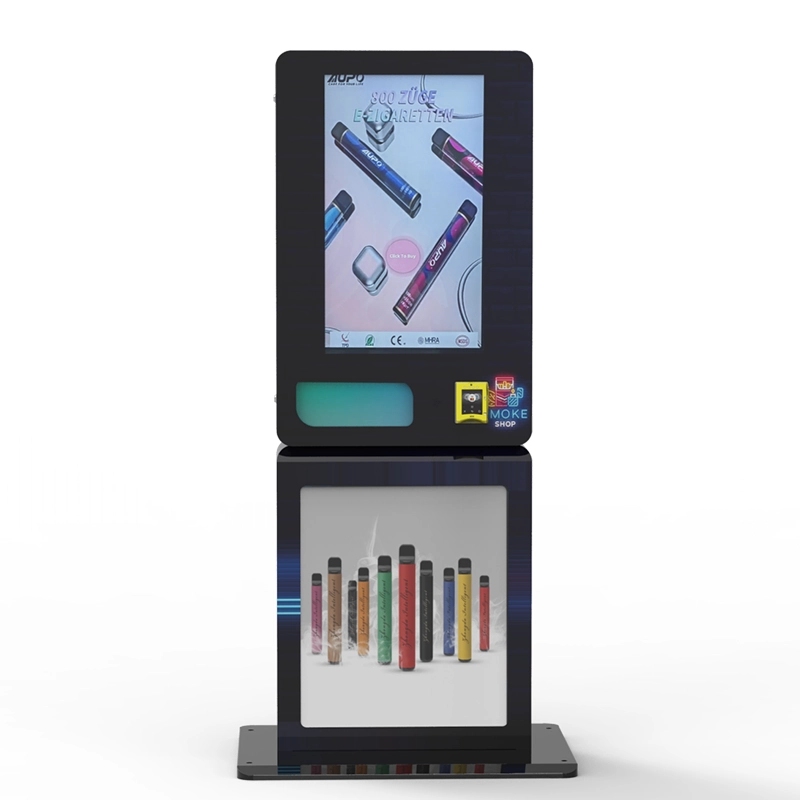
We publish detailed maintenance guides on our service page, and our support team is available for remote diagnostics.
Regulatory Landscape and Compliance Strategy
Regulations around age-restricted vending are tightening. I’ve seen jurisdictions that previously allowed unverified machines now require ID scanning for any tobacco or vape product sale. The trend is clear: verification is becoming mandatory, not optional.
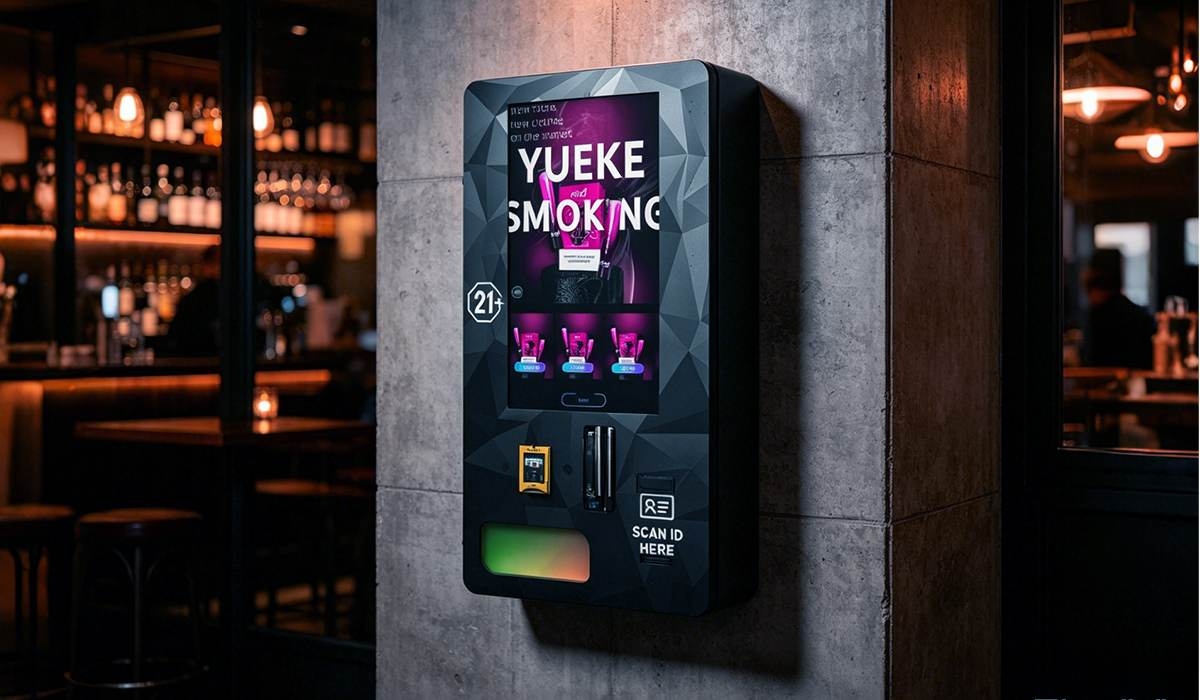
Our approach has always been to build machines that exceed current requirements so operators don’t have to retrofit later. Every machine we ship includes ID verification as standard. We don’t offer a “no scanner” option for age-restricted products because we know it’s a short-term saving that leads to long-term problems.
According to a report by IBISWorld, the vending machine industry has seen a 7.2% annual growth in compliance-related spending over the past five years, driven largely by stricter age verification laws (source). Operators who invest early in compliant systems position themselves ahead of regulatory curves.
Working with Location Partners on Compliance
When you place a machine in a third-party location, you share liability. We advise our customers to include a compliance clause in their location agreement that clearly states the machine handles age verification and the location is not responsible for individual transactions. Most location owners appreciate this because it reduces their risk.
We also provide a compliance report for each machine that logs every ID scan, including timestamps and verification results. That report can be shared with regulators if needed. It’s saved several of our customers from fines during audits.
ROI and Payback Period: What the Numbers Actually Look Like
Let’s talk numbers based on real operator data we’ve collected. The following table shows a typical scenario for a mid-size verified machine placed in a convenience store with moderate foot traffic.
| Metric | Value |
|---|---|
| Initial machine cost | $4,800 |
| Average monthly gross sales | $2,400 |
| Product cost (50%) | $1,200 |
| Location commission (15%) | $360 |
| Operating costs (software, maintenance, misc) | $180 |
| Net monthly profit | $660 |
| Payback period | 7.3 months |
| First-year ROI | 65% |
These numbers assume consistent performance. In practice, seasonal fluctuations affect sales. Holiday periods and summer months tend to be stronger. January and February often see a dip. Over a full year, the averages hold.
If you scale to ten machines, your per-unit costs drop because software licensing often has volume discounts, and maintenance can be batched. Operators running twenty or more machines typically see payback periods under six months.
Selecting the Right Manufacturer and Supply Partner
Not all manufacturers understand the nuances of ID verification for vending. I’ve seen machines from overseas suppliers that claim to have age verification but actually just display a “confirm you are 21” button on the screen. That’s not verification—that’s a liability waiver at best.
When evaluating a supplier, ask specific questions:
- What ID formats does your scanner support?
- How do you handle database updates?
- What is your scanner failure rate in field conditions?
- Do you provide remote monitoring software?
- What is your average response time for support requests?
Our factory has been building vending equipment for over fifteen years, and we’ve refined our ID verification systems through thousands of field deployments. You can see our full product line on the vape vending machines page. We also provide detailed case studies on the bars and clubs deployment page that show real operator results.
I recommend visiting a manufacturer’s facility if possible, or at least doing a video call to see the assembly process. You want to confirm that the company actually builds the machines rather than rebranding generic units from a third party.
Future Trends in ID Verification for Vending
The technology is moving toward faster, more seamless verification. We’re testing systems that use near-field communication (NFC) to read digital IDs from smartphones. Several states are piloting digital driver’s licenses, and once those become standard, the verification process will be even quicker.
Another trend is integration with loyalty programs. Verified users can opt into a system that stores their age verification data securely, so returning customers don’t need to scan their ID every time. This improves user experience and speeds up transactions. We’re rolling out this feature in our latest firmware update.
Data from Statista indicates that the global smart vending machine market is projected to grow at a compound annual rate of 14.2% through 2028 (source). ID verification is a key driver of that growth because it opens up product categories that were previously too risky for automated retail.
Common Questions About ID Verification for Smart Vending Machines
Do all smart vending machines for vape products require ID verification?
How accurate are ID scanners in vending machines?
What happens if the scanner fails to read an ID?
Can I retrofit an existing vending machine with an ID scanner?
How do I maintain the ID scanner on my vending machine?
Does ID verification slow down the purchasing process?
What data does the ID scanner collect and store?
Can I use a vending machine with ID verification outdoors?
How do I choose between different ID verification technologies?
What is the average lifespan of an ID scanner in a vending machine?
Article references: IBISWorld vending machine industry report (2024), Statista smart vending machine market forecast (2023).








