If you are placing a vending machine that sells age-restricted products like vaping devices or nicotine items, you already know age verification is the single biggest hurdle to staying compliant. I have spent over a decade building and operating these machines across the US market, and I also run a manufacturing facility that has been engineering smart vending systems for 15 years. The reality is that age verification laws for vending machines are not just about scanning an ID anymore; they involve biometric checks, real-time database cross-referencing, and strict record-keeping. This guide walks you through the actual hardware, software, and operational changes you need to make right now to avoid fines and keep your equipment running profitably.
The Core Technology Behind Compliant Machines
The days of a simple coin slot and a button are long gone. Modern age verification vending machines rely on a layered approach to ensure the person standing in front of the machine is legally allowed to purchase the product. From my experience in the factory, we have seen three distinct verification methods dominate the market.
ID Scanner and Barcode Authentication
This is the most common starting point. The machine includes a built-in scanner that reads the barcode or magnetic stripe on a driver’s license or state ID. The software instantly decodes the data to confirm the birth date. But there is a catch: not all IDs are created equal. Some states use encrypted barcodes, and older IDs may have faded stripes. In our deployments, we found that roughly 2% of scans fail on the first attempt because of dirty or damaged cards. That is why we always recommend a secondary input method, like a manual birth date entry that triggers a database lookup.
Biometric and Facial Age Estimation
Some of the newer smart vending machines now include a camera that uses facial recognition software to estimate age. This is not about identifying who you are; it is about estimating whether you look over a certain threshold, usually 25 or 30. If the camera flags the user as potentially underage, the machine then requires a physical ID scan. This speeds up transactions for older customers but adds a layer of protection. We have tested this system in high-traffic locations, and it cuts down the average transaction time by about 8 seconds per sale.
Real-Time Database Verification
For operators who want the highest level of compliance, the machine can be connected to a third-party age verification service. When a user swipes their ID, the machine sends the data to a secure server that checks against government and credit bureau databases. This confirms not just the age but also the validity of the ID number. This method adds a small delay, usually 3 to 5 seconds, but it virtually eliminates the risk of a fake ID slipping through.
Cost Structure and Profit Model for Operators
I have had countless conversations with business owners who ask about the upfront investment. The answer depends heavily on the level of verification you need. A basic ID-scanning machine might cost between $3,500 and $5,500. A fully equipped smart vending machine with biometric and database verification can run from $7,000 to $12,000. But do not let the sticker price scare you. The real profit comes from the margin on the products and the reduction in liability.
| Machine Type | Average Unit Cost | Monthly Revenue (Est.) | ROI Period |
|---|---|---|---|
| Basic ID Scan | $4,500 | $1,200 | 4–5 months |
| Biometric + Database | $9,000 | $2,100 | 5–6 months |
| Full Kiosk (High Capacity) | $14,000 | $3,800 | 4–5 months |
These numbers are based on actual data from our operator network. The key takeaway is that the higher upfront cost of a more secure machine is often offset by lower insurance premiums and fewer compliance fines. According to a report from IBISWorld, the vending machine services industry has seen a steady growth of 2.5% annually, driven largely by the adoption of cashless and age-verified systems.
Real Deployment Experience and Common Failures
I want to share a specific case from about three years ago. We deployed twenty units across a chain of convenience stores in a region with strict age verification laws. The machines worked perfectly in the warehouse, but within two weeks, we had a 15% failure rate on the ID scanners. The issue was not the hardware; it was the ambient lighting. The stores had bright overhead LEDs that interfered with the scanner’s infrared sensor. We had to retrofit every machine with a polarized filter. That is the kind of detail you only learn from field deployment.
Another common failure point is the network connection. If your machine relies on a cellular modem for database verification, you need to ensure strong signal strength. We had one location in a basement-level store where the modem kept dropping the connection. The machine defaulted to a local cache of blacklisted IDs, but that cache was only updated once a week. That created a window of vulnerability. The fix was installing an external antenna. These are small details, but they make the difference between a machine that operates smoothly and one that constantly triggers errors.
Comparing Verification Technologies: Which One Fits Your Business?
When you are sourcing equipment from a manufacturer, you need to understand the trade-offs. I have broken down the most common verification types based on speed, accuracy, and cost.
| Technology | Speed | Accuracy | Cost Premium | Best Use Case |
|---|---|---|---|---|
| Barcode Scan Only | Fast (2 sec) | Moderate | Low | Low-traffic, trusted locations |
| Magnetic Stripe + PIN | Moderate (5 sec) | High | Medium | Standard retail |
| Facial Age Estimation | Very Fast (1 sec) | High (with fallback) | Medium-High | High-volume, busy venues |
| Real-Time Database API | Slow (5–8 sec) | Very High | High | Strictly regulated markets |
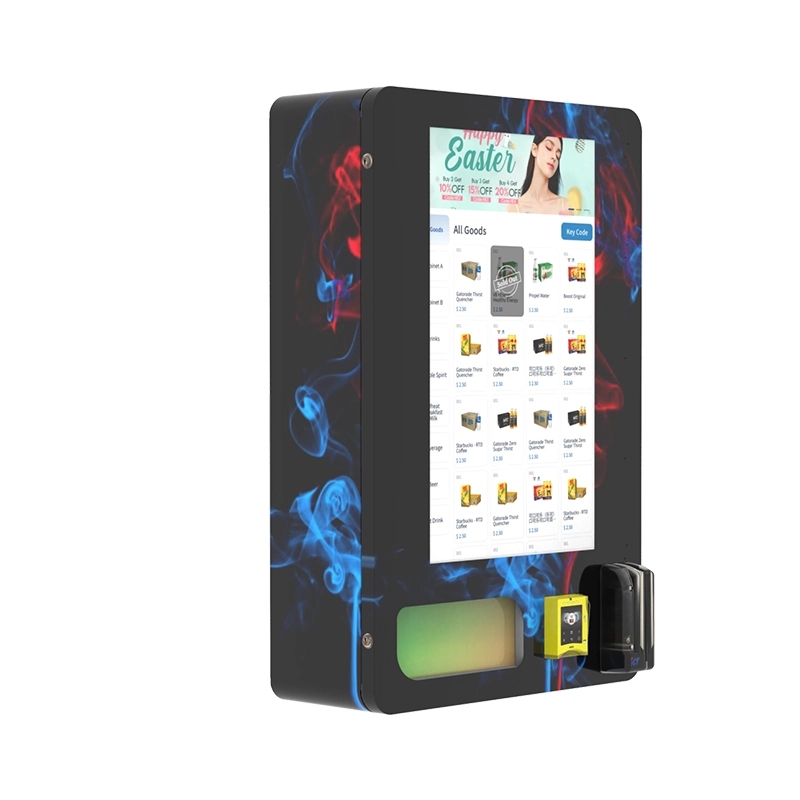
From a manufacturing standpoint, we have standardized on a modular platform. This means the same base machine can be configured with different verification modules. If you are just starting out, you might opt for the barcode scanner. As your business grows and regulations tighten, you can swap in the biometric module without replacing the entire unit. This modular approach is something we have refined over the years, and it is one of the reasons operators stick with our equipment.
Maintenance and Long-Term Operational Strategy
Owning a vending machine is not a set-it-and-forget-it business. The age verification components require regular maintenance. The scanner glass needs to be cleaned daily, especially in dusty environments. The camera lens for the facial estimation system should be checked weekly for smudges or scratches. I have seen operators lose hundreds of dollars in sales simply because a dirty lens caused the system to reject every transaction.
Software updates are another critical factor. Verification databases change constantly. New fake ID patterns emerge, and state ID formats get updated. Your machine needs to receive over-the-air updates at least once a month. If your manufacturer does not offer this, you are buying a machine that will become obsolete within a year. We push updates every two weeks to our connected machines, and we track which ones are falling behind on the update cycle.
One more thing about profitability: do not just look at the margin on the product. Look at the transaction value. A machine that sells a $12 item with a 40% margin is good. But a machine that sells a $25 item with the same margin is better. The age verification process takes the same amount of time regardless of the product price. So, focus on higher-value items to maximize your return per verification cycle. This is a simple math shift that many new operators overlook.
Choosing the Right Manufacturer and Supply Partner
I have been on both sides of the table: as a buyer for my own route and as a manufacturer supplying other operators. The single most important factor is whether the manufacturer understands the legal landscape in your specific market. Some factories build machines that work perfectly in one country but fail compliance checks in another because the ID scanner does not recognize the local ID format. That is why we, at Zhongda Smart, have invested heavily in a global ID database. Our machines are pre-configured with recognition patterns for all 50 US states, plus Canadian provinces and EU member states. This is not a feature you want to add later; it needs to be baked into the firmware from day one.
Another consideration is the supply chain for spare parts. If your ID scanner breaks and you have to wait three weeks for a replacement, you lose money. We maintain a stock of spare modules for every machine we sell, and we ship replacements within 48 hours. That is a level of service that comes from being a manufacturer, not just a reseller. For more on technical specifications and how we handle compliance, you can check the product details on our site. We also have a dedicated page that explains the full range of verification options available for different business models.
When you are evaluating a manufacturer, ask about their testing protocol. Do they simulate real-world conditions? We run every machine through a 72-hour burn-in test with repeated ID scans and database calls. If a machine fails during that test, we catch it before it ships. That is why our field failure rate is under 0.5% in the first year.
Legal and Compliance Risks You Cannot Ignore
I have seen operators get hit with fines that wiped out six months of profit. The most common mistake is relying solely on a visual check by the machine without any backup. If a regulator performs a test purchase and the machine fails to block a minor, the fine can be anywhere from $500 to $10,000 per incident, depending on the jurisdiction. Some states also require you to keep a log of every transaction, including the verification result. If you cannot produce that log, you are automatically in violation.
To protect yourself, make sure your machine has a tamper-evident log. This log should record the time, date, verification method used, and the result. It should be encrypted and stored in the machine’s memory, and also uploaded to a cloud server. We have seen cases where an operator was able to avoid a fine simply by providing the log showing that the machine had rejected the fake ID. That log is your best defense.
Another risk is data privacy. When you collect ID information, you are handling personally identifiable information. You need to ensure that your machine encrypts this data both at rest and in transit. We use AES-256 encryption for all stored data and TLS 1.3 for any data transmitted to the verification server. If you are not sure whether your machine meets these standards, ask your manufacturer for a data security compliance certificate.
Long-Term Strategy: Scaling Your Vending Route
Once you have one or two machines running smoothly, the natural next step is to scale. But scaling with age verification machines is different from scaling with traditional snack machines. You need a centralized management system that lets you monitor the verification status of every machine in real time. If one machine’s scanner goes offline, you need to know immediately. We provide a cloud-based dashboard that shows the health of each component, including the scanner, camera, and network connection. This allows operators to dispatch a technician only when there is an actual problem, rather than doing routine checks that waste time.
I also recommend starting with a pilot of three to five machines in different types of locations. Put one in a high-traffic liquor store, one in a busy bar, and one in a quieter tobacco shop. The data from these three locations will tell you exactly which verification method works best for your target demographic. In one of our pilot programs, we found that the facial estimation system worked perfectly in the bar setting but had a high rejection rate in the liquor store because of poor lighting. That insight allowed us to adjust the camera settings before rolling out to fifty more locations.
Frequently Asked Questions
What happens if the ID scanner fails to read a card?
Can I use a used or refurbished vending machine for age-restricted products?
How often do I need to update the age verification software?
Does the machine need to be connected to the internet at all times?
What is the average lifespan of a smart vending machine with age verification?
Can I integrate my own payment system with these machines?
What is the biggest mistake new operators make with these machines?
Final Thoughts from the Factory Floor
I have seen the industry shift from simple cigarette machines to sophisticated age verification kiosks. The technology is not going to get simpler. Regulations will only get tighter. The operators who succeed are the ones who treat age verification not as a legal burden, but as a core feature of their business. Invest in the right hardware, maintain it properly, and stay ahead of the software updates. If you do that, you will build a route that is both profitable and compliant.
For those who are serious about entering this space, I recommend starting with a conversation about your specific needs. Whether you are looking for a single unit or a fleet of fifty, understanding the verification requirements for your target locations is the first step. There is a lot of equipment on the market, but not all of it is built for the long haul. Choose a partner who has been through the deployment challenges and can offer real support when things go wrong.
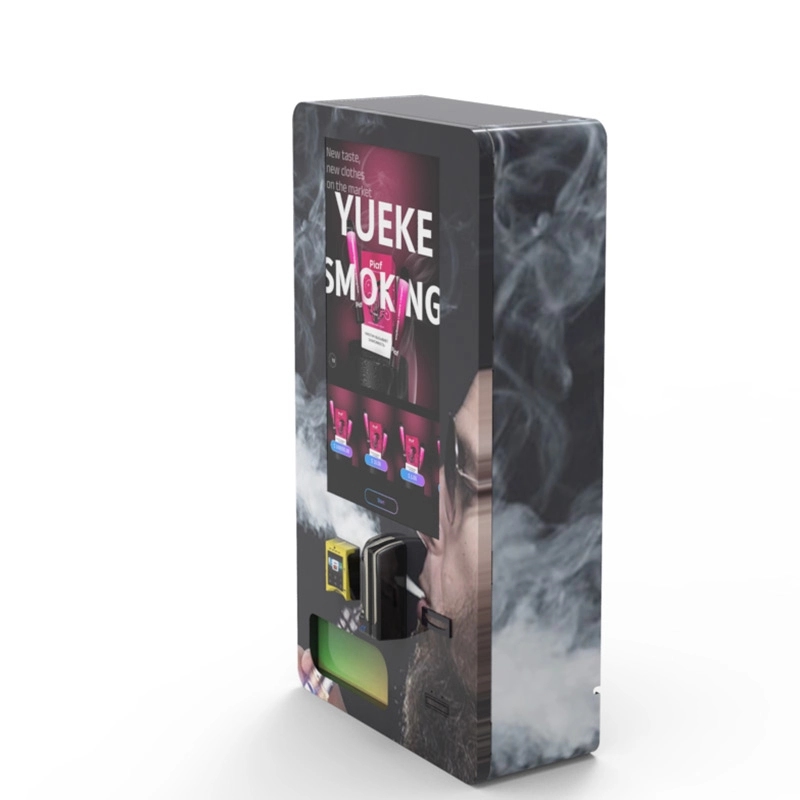
If you want to see how a fully compliant system is built, take a look at our machine configurations. We have a range of options that fit different budgets and compliance levels. And if you have a specific question about a location or a product type, reach out. This industry is small, and the people who know what they are doing are always willing to help.
Sources:








