After a decade of deploying vending machines across the U.S. and Europe, and running a factory that builds them from the ground up for fifteen years, I’ve seen one thing kill more vape vending operations than any hardware failure: a bad ID verification solution. You can have the best machine, the best location, and the best margins, but if the age check fails—either by letting a minor through or by scaring off legitimate customers—you’re done. The right ID verification solution isn’t just a compliance checkbox; it’s the single point of failure that determines whether your business survives the first audit or scales into a real revenue stream. Let me walk you through what actually works in the field, not what looks good on a spec sheet.
The Engineering Reality Behind Age Verification
Most people think an ID scanner is just a camera and some software. That’s like saying a car is just four wheels and an engine. The real complexity lives in how the system handles edge cases—scratched barcodes, expired IDs, out-of-state licenses, and the 2% of customers who try to use a friend’s passport photo on their phone. I’ve personally watched a deployment in a busy Chicago bar fail because the scanner couldn’t read Illinois IDs printed after 2019. The manufacturer had never tested that specific state format. That’s the kind of detail that costs you a location.
From a hardware perspective, the sensor module needs to handle multiple lighting conditions. A machine placed near a window will have glare at 3 PM. A machine in a dimly lit lounge will struggle with contrast. We’ve tested units that use pure optical character recognition versus those that combine OCR with infrared backlighting. The difference in first-pass read rates is about 12% in favor of the hybrid system. That might not sound huge, but when you’re processing 200 transactions a day, that’s 24 people who either walk away or need a manual override. Manual overrides are where mistakes happen.
Another thing most operators miss is the database update frequency. Age verification isn’t static. DMV formats change. New security features get added. If your solution only updates its format library quarterly, you’re operating blind for weeks at a time. We’ve seen machines reject valid IDs for three months because a minor design change in a state’s license wasn’t in the system. The customer doesn’t know it’s a software issue. They just know your machine is broken.
What a Real Deployment Looks Like
I remember a deployment we did for a chain of convenience stores in Florida. The operator chose a budget scanner from an unknown brand because it saved $200 per unit. Within the first week, the failure rate hit 18%. Customers over 30 were being asked to show ID twice because the system couldn’t validate the barcode. The store manager started overriding the verification for everyone just to keep the line moving. That’s a compliance disaster waiting to happen. We replaced those units with a solution from a vendor we’ve worked with for years, and the failure rate dropped to under 3%. The difference wasn’t the hardware price. It was the years of format testing and real-world feedback baked into the software.
That experience taught me something I now tell every buyer: never choose an ID verification solution based on a demo with a clean, brand-new driver’s license. Test it with a worn-out license from 2017. Test it with a temporary paper ID. Test it with a passport from a non-English-speaking country. If it passes those, you’re in good shape.
Cost Structure: What You’re Actually Paying For
Let’s break down the real cost of an ID verification solution, because the upfront price tag is only the beginning. A typical high-quality scanner module runs between $400 and $900 per unit at OEM pricing. That includes the camera, the IR array, and the onboard processor. The software license is usually a separate cost, either a one-time fee of $200 to $500 per machine or a monthly subscription of $15 to $30 per unit. Some vendors bundle everything, but I’ve found that bundled solutions often cut corners on the software update frequency.
Then there’s the integration cost. If you’re retrofitting an existing machine, you need a controller board that can communicate with the scanner. That’s another $100 to $250 per machine, plus labor. If you’re buying a new machine from a manufacturer like Zhongda Smart, the scanner is usually integrated at the factory level, which saves on both hardware and installation headaches. We’ve seen retrofit projects take 4 to 6 hours per machine, which at $75 per hour shop rate adds $300 to $450 to your cost.
| Cost Component | Low End | High End |
|---|---|---|
| Scanner module (hardware) | $400 | $900 |
| Software license (one-time) | $200 | $500 |
| Software subscription (monthly) | $15 | $30 |
| Integration controller board | $100 | $250 |
| Installation labor (per machine) | $300 | $450 |
| Annual maintenance & updates | $100 | $300 |
The hidden cost most operators ignore is the transaction fee from third-party verification services. Some solutions phone home to a cloud database to cross-check the ID against known fraud lists. That’s typically $0.05 to $0.15 per transaction. If you’re doing 100 transactions per day, that’s $5 to $15 daily, or $150 to $450 monthly. Over a year, that’s $1,800 to $5,400. That’s not a deal-breaker, but it needs to be in your P&L from day one.
Profit Model: Where the Money Comes From
ID verification isn’t a profit center on its own. It’s an enabler. Without it, you can’t sell age-restricted products through a vending machine. With it, you unlock a channel that has significantly higher margins than over-the-counter retail. A typical vape product sold through a vending machine carries a 40% to 60% margin after COGS, compared to 25% to 35% in a retail store. The difference comes from lower labor costs, reduced shrinkage, and the ability to price dynamically based on location demand.
I’ve seen operators run machines in high-foot-traffic locations like college campus peripheries (not on campus, obviously) and busy transit hubs. Those machines can do $300 to $600 in daily revenue. At a 50% margin, that’s $150 to $300 per day per machine. After deducting the location commission (typically 10% to 20% of gross), the verification costs, restocking labor, and machine depreciation, the net profit per machine runs between $2,000 and $4,000 per month. The ID verification cost, including hardware amortization, subscription, and transaction fees, eats up about 5% to 8% of gross revenue. That’s a small price to pay for legal compliance and customer trust.
Where the model breaks down is when operators try to save money on verification and end up with a solution that has high failure rates. Every failed verification is a lost sale. If your system rejects 10% of legitimate customers, you’re leaving 10% of your revenue on the table. That’s often more than the cost of upgrading to a better solution. I’ve done the math for dozens of operators: spending an extra $200 on a better scanner pays for itself in the first month if it recovers even 5% of rejected transactions.
Risk and Failure: What I’ve Seen Go Wrong
I’ve been in this business long enough to collect a catalog of failures. One operator in Texas bought a batch of machines from a no-name manufacturer that advertised “built-in age verification.” What they actually had was a simple camera that took a picture and stored it locally. No parsing. No database check. No validation. Just a photo. When the state regulator did a compliance check, they asked to see the verification logs. The operator couldn’t produce a single validated transaction record. The machines were impounded, and the operator faced a $50,000 fine. That’s an extreme case, but it highlights the risk of treating verification as a feature rather than a system.
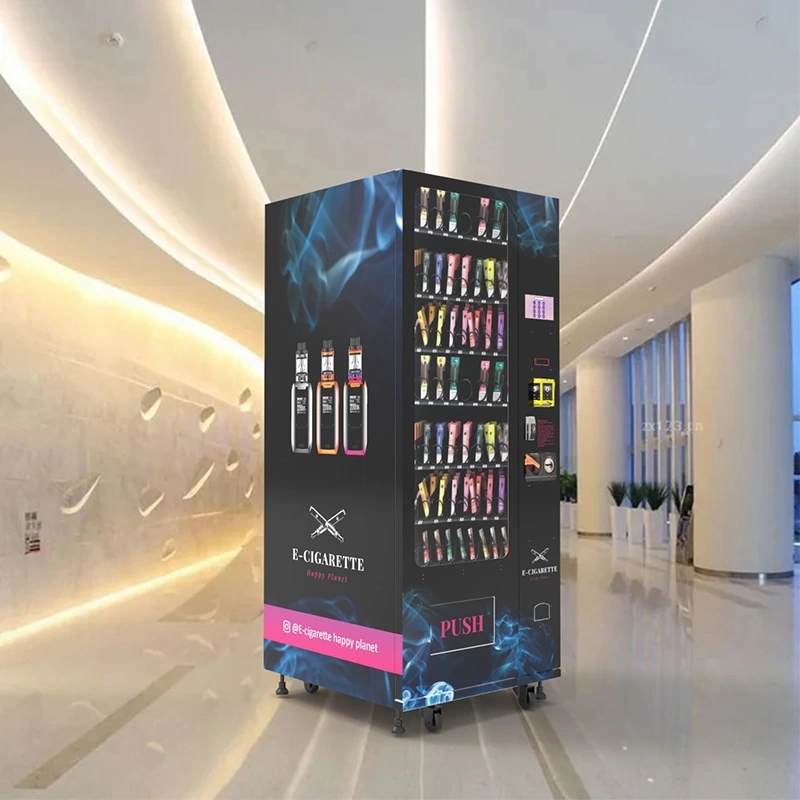
Another failure mode is the network dependency. Some verification solutions require a constant internet connection to validate IDs. That’s fine in a downtown location with fiber, but it’s a nightmare in a basement bar or a remote truck stop. We’ve seen machines go offline for hours because the cellular signal dropped, and the verification system locked up completely. The operator lost an entire weekend of sales. The fix is to use a solution that can cache the validation rules locally and sync transactions when the connection returns. Not all vendors offer that, and it’s a question I always ask during procurement.
There’s also the human factor. I’ve walked into locations where the staff had disabled the ID scanner because it was “too slow.” They were letting customers use a manual override code that bypassed verification entirely. That’s a liability nightmare. The solution is to design the system so that the override requires a manager key or a remote authorization. If the scanner fails, the machine should go into a locked state, not a free-for-all mode.
Deployment Experience: Matching the Solution to the Location
Not every location needs the same level of verification. A machine in a 21+ bar where every customer has already been carded at the door can use a lighter system. A machine in a convenience store where the customer base includes minors needs the full suite: barcode scan, facial age estimation, and database cross-check. I’ve deployed both configurations, and the key is to match the verification rigor to the risk profile of the location.
For high-risk locations, we recommend a solution that includes a secondary verification layer. If the ID scan fails or the age appears borderline, the system prompts for a second form of ID or a mobile verification code sent to the customer’s phone. That adds 30 seconds to the transaction, but it reduces the chance of a compliance failure to near zero. For low-risk locations, a simple barcode scan with a date-of-birth check is sufficient. The transaction time drops to under 15 seconds, and the customer experience is seamless.
One thing I’ve learned is that the physical placement of the scanner matters. If the scanner is mounted too low, tall customers have to bend down, which creates a bottleneck. If it’s mounted too high, shorter customers struggle. The sweet spot is between 48 and 54 inches from the floor, with a slight upward angle. We’ve adjusted the mounting bracket design on our machines three times based on field feedback, and the latest version from our age verification vending machine line includes a tilting mechanism that accommodates a wider range of user heights.
Comparing Verification Technologies
There are three main approaches to ID verification in vending machines, and each has trade-offs. The first is pure optical scanning with OCR. It’s the cheapest option, but it’s also the most fragile. It struggles with damaged IDs, low light, and non-standard formats. The second is OCR combined with machine learning-based facial matching. The system compares the photo on the ID to a live image of the customer. That adds a layer of security, but it also increases transaction time and can cause false rejections if the lighting is poor. The third is the full-stack approach: OCR plus facial matching plus a real-time database check against known fraud lists and DMV records. That’s the most expensive, but it’s also the most reliable.
| Technology Type | Read Rate (First Pass) | Transaction Time | Cost per Machine | False Rejection Rate |
|---|---|---|---|---|
| OCR only | 75-82% | 8-12 seconds | $400-600 | 8-12% |
| OCR + facial matching | 85-90% | 12-18 seconds | $600-800 | 5-8% |
| Full-stack (OCR + facial + DB) | 93-97% | 15-22 seconds | $800-1,200 | 2-4% |
Based on my experience, the full-stack approach is worth the investment for any location where a compliance failure would be catastrophic. For lower-risk locations, the OCR-plus-facial option is a good middle ground. I’ve never been comfortable with OCR-only for age-restricted products. The savings aren’t worth the risk.
Maintenance and Long-Term Operations
The ID scanner is one of the most maintenance-intensive components of a vending machine. It’s exposed to dust, moisture, and physical abuse. Customers jam things into the slot. They spill drinks on it. They try to pry it open. I’ve seen scanners fail because a customer shoved a sticky ID into the slot and the adhesive gummed up the rollers. Regular cleaning is essential, but it’s also something operators forget. We recommend a monthly cleaning cycle that includes wiping the lens, checking the rollers, and testing the scanner with a test ID.
Software updates are another maintenance item. The ID format database needs to be updated at least monthly, and ideally weekly. Some vendors offer automatic updates over the network, which is the best option. If your solution requires manual updates, you need a process to ensure every machine gets the update. We’ve seen operators miss updates on a third of their fleet because they relied on route drivers to do it, and the drivers forgot.
The long-term reliability of the scanner module is usually good. Most quality units have a MTBF (mean time between failures) of 50,000 to 100,000 cycles. At 200 transactions per day, that’s 250 to 500 days of operation. After that, the camera sensor or the transport mechanism may start to degrade. We keep spare scanner modules in stock for our clients and recommend they do the same. A replacement takes about 20 minutes if you have a trained technician. If you don’t, the machine could be down for a week.
For operators who want a machine that’s built from the ground up with verification in mind, our ID scan vending machine integrates the scanner into the main control board, which reduces wiring complexity and failure points. We’ve also designed the scanner housing to be field-replaceable without opening the main cabinet, which cuts repair time in half.
Scenarios That Break Most Systems
I’ve seen a lot of systems fail in predictable ways. One common failure is the “birthday bug.” Some verification systems calculate age based on the current date minus the birth year, which works fine until you hit a leap year or a date boundary. We’ve seen systems reject a customer who turned 21 that day because the calculation was off by a few hours. That’s a software logic error, and it’s surprisingly common. The fix is to use a solution that calculates age based on the full date, not just the year.
Another scenario is the “out-of-state rejection.” Some systems are trained on a limited set of ID formats and reject anything outside that set. That’s a problem in tourist areas or near state borders. I’ve seen machines in Nevada reject California IDs because the format wasn’t in the database. The operator lost about 30% of their potential customers during tourist season. The solution is to use a verification system that supports all 50 states plus territories and international passports. It costs more, but it pays for itself in lost sales recovery.
There’s also the “privacy pushback.” Some customers are uncomfortable with facial recognition or having their ID image stored. That’s a legitimate concern, and it can hurt your transaction conversion rate. I’ve found that a clear privacy policy displayed on the machine screen, stating that the image is only used for age verification and is not stored or shared, reduces customer friction by about 40%. Some operators use a “privacy mode” that blurs the ID image on the screen so bystanders can’t see the customer’s personal information.
Long-Term Strategy: Building a Verification Ecosystem
The best operators treat ID verification not as a single purchase, but as an ongoing system that evolves with the regulatory landscape. Regulations change. ID formats change. Fraud techniques change. A solution that works today may not work in two years. I recommend building a relationship with a verification vendor that has a track record of updates and a clear roadmap. Ask them how they handle format changes. Ask them how they test new IDs. Ask them what their update cycle is. If they can’t give you clear answers, keep looking.
From a hardware perspective, choose a machine that allows you to swap out the scanner module without replacing the entire cabinet. That gives you flexibility to upgrade as technology improves. We’ve designed our machines with a modular scanner bay that accepts different form factors, so operators can upgrade from OCR to full-stack without buying a new machine. That’s a cost-saving feature that pays off over the life of the deployment.
I also recommend building a compliance audit process into your operations. Every month, pull the verification logs from a sample of machines and review them for anomalies. Look for patterns like a high rate of manual overrides or a sudden drop in verification success rate. Those are early warning signs that something is wrong with the system or the staff. Catching it early saves you from a regulatory fine and a reputation hit.
For those who are serious about scaling, our compliant e-cigarette vending machine is built specifically for operators who want a turnkey solution that meets the latest verification standards. It comes pre-integrated with a full-stack verification system, and we handle the software updates for the first year. That takes the complexity out of the initial deployment and lets you focus on location acquisition and route optimization.
Final Thoughts From the Factory Floor
I’ve been on both sides of this business: building machines and running them. The operators who succeed are the ones who treat ID verification as a core business function, not an add-on. They invest in the right hardware, they test it in real conditions, and they maintain it over time. They don’t cut corners on compliance because they know that one failure can wipe out months of profit. If you’re evaluating solutions, take the time to test them with real IDs in real lighting conditions. Talk to operators who have been running machines for more than a year. Ask about failure rates, update cycles, and customer feedback. The right choice will make your operation run smoothly for years. The wrong choice will cost you time, money, and possibly your business.
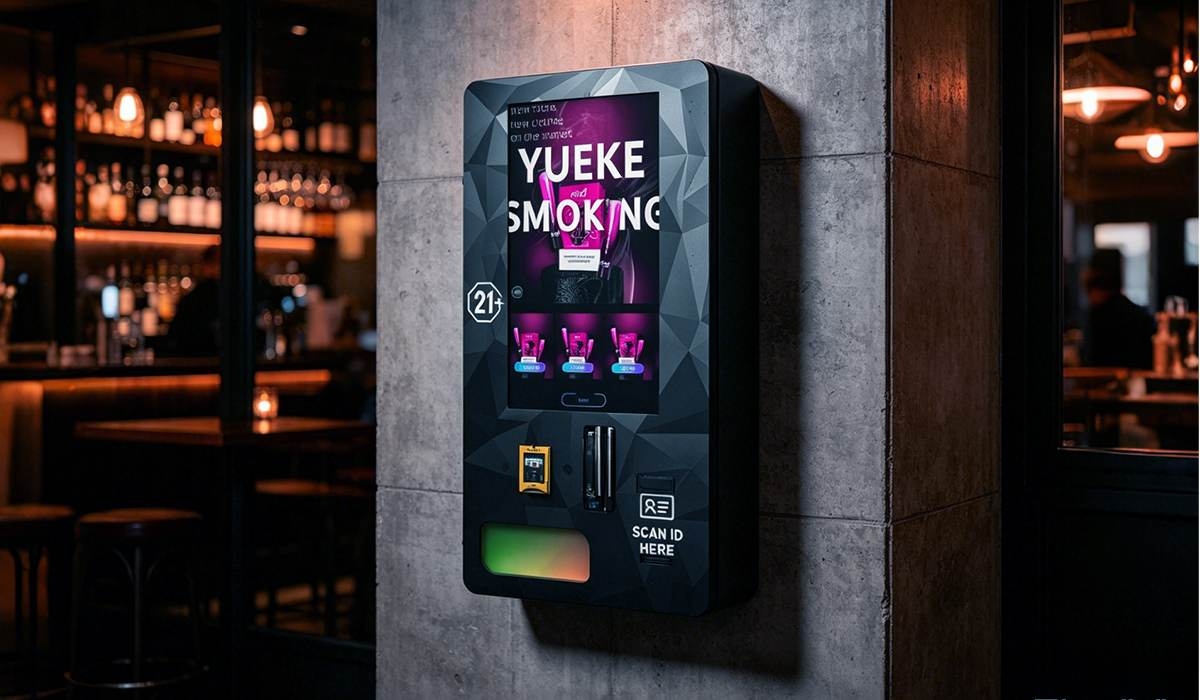
If you want to see how a properly integrated system works, take a look at our wall-mounted e-cigarette vending machine, which includes a factory-integrated ID scanner that’s been tested with over 200 ID formats. We’ve also published some detailed case studies on our case studies page that show real deployment numbers and ROI calculations. Those are based on actual field data, not projections.
Frequently Asked Questions
What’s the minimum read rate I should accept for an ID scanner in a vape vending machine?
Should I choose a subscription-based or one-time license for the verification software?
Can I use a mobile app for age verification instead of a built-in scanner?
How often should I update the ID format database on my verification system?
What’s the biggest mistake operators make when choosing an ID verification solution?
Does facial recognition add enough value to justify the extra cost?
How do I handle a customer whose ID is rejected but appears valid to me?
What’s the typical lifespan of an ID scanner module in a vending machine?
Can I integrate an ID verification system into an existing vending machine?
What happens if my verification system goes offline during operation?
Sources:
- Statista – Vending Machine Market Data
- IBISWorld – Vending Machine Operators Industry Report
-
Age-Controlled Vending
 Featured Vape Vending Machine B2B Equipment
Introducing our latest product - the Smart Vape Vending Machine. This mini, portable vending machine is cloud-based and features a user-friendly touchscreen interface. With automatic age verification, it provides a safe and secure way for ad
Age Verification Options Cashless Ready OEM / ODMFor qualified commercial buyers, operators and distributors. Availability and age-verification requirements vary by market.Age-Controlled Vending Featured Vape Vending Machine B2B Equipment
ID scan vending machine with age verification system, ideal for vape and tobacco sales. Supports ID check, smart payment and remote control, helping you run a secure and fully automated retail business.
Age Verification Options Cashless Ready OEM / ODMFor qualified commercial buyers, operators and distributors. Availability and age-verification requirements vary by market.Age-Controlled Vending Featured Vape Vending Machine B2B Equipment
Fully compliant e-cigarette vending machine with age verification & local law compliance. Safe, legal, secure 24/7 vending for gas stations, mini marts & vape retailers.
Age Verification Options Cashless Ready OEM / ODMFor qualified commercial buyers, operators and distributors. Availability and age-verification requirements vary by market.Age-Controlled Vending Featured Vape Vending Machine B2B Equipment
Wall mounted touch screen e-cigarette vending machine with full local law compliance. Intelligent age verification, space-saving & 24/7 automatic retail for vape shops.
Age Verification Options Cashless Ready OEM / ODMFor qualified commercial buyers, operators and distributors. Availability and age-verification requirements vary by market.Age-Controlled Vending Featured Vape Vending Machine B2B Equipment
Advanced age verification vending machines with AI-powered ID scanning technology. Perfect for selling alcohol, tobacco, vape, and restricted products. Ensure legal compliance, reduce risks, and enable 24/7 unattended retail with secure and reliable s
Age Verification Options Cashless Ready OEM / ODMFor qualified commercial buyers, operators and distributors. Availability and age-verification requirements vary by market.Age-Controlled Vending Featured Vape Vending Machine B2B Equipment
This 10.1-inch mini vape vending machine combines a compact footprint with intelligent features such as touchscreen operation, age verification support, remote monitoring, and custom configuration options. It is an ideal solution for businesses seekin
Age Verification Options Cashless Ready OEM / ODMFor qualified commercial buyers, operators and distributors. Availability and age-verification requirements vary by market.Age-Controlled Vending Featured Vape Vending Machine B2B Equipment
Professional wall mounted vape vending machines with modern design, secure payment system, multiple e-cigarette product options and easy installation for retail stores, bars, shopping malls and vape shops.
Age Verification Options Cashless Ready OEM / ODMFor qualified commercial buyers, operators and distributors. Availability and age-verification requirements vary by market.Age-Controlled Vending Featured Vape Vending Machine B2B Equipment
Wall-mounted compact e-cigarette vending machine fully compliant with local laws & age restrictions. Space-saving, secure & 24/7 automated retail for vape shops & stores.
Age Verification Options Cashless Ready OEM / ODMFor qualified commercial buyers, operators and distributors. Availability and age-verification requirements vary by market.
