After spending the better part of the last decade deploying vending systems across high-traffic retail environments, I can tell you this: the single most critical piece of hardware in any automated age-restricted setup isn't the payment system or the coil inventory—it's the OCR ID verification module. I've watched operators lose thousands in fines and inventory because they skimped on this component. When we talk about OCR ID verification, we're not just talking about a camera scanning a driver's license. We're talking about the entire logic chain that determines whether your automated retail business survives its first audit. This guide is built from the ground up on what I've learned designing, manufacturing, and running these machines in real commercial conditions, not from a spec sheet.
Why OCR ID Verification Became the Backbone of Automated Retail
The shift from human cashiers to self-service kiosks created a massive regulatory gap. A human can eyeball a date of birth and make a judgment call. A machine needs to parse the document, extract the data, validate the security features, and make a decision in under three seconds. That's where optical character recognition for identity documents enters the picture. I've seen operators try to bypass this with simple age-gate buttons on a touchscreen—those setups get shut down fast. Regulators in every market I've worked in now expect a verifiable, auditable trail of every single age-restricted transaction.
In our factory, we started integrating OCR modules into our vending platforms back in 2016. Back then, the technology was clunky. We had units that would reject a valid ID because of a glare from overhead lighting. We had false positives on expired licenses. The early days were a nightmare of field service calls and firmware patches. But the operators who stuck with it, who invested in the hardware, they built businesses that are still running today. The ones who tried to cheat the system? Most of them are out of business.
The Engineering Logic Behind Modern ID Scanners
When you're evaluating a machine for your location, you need to understand what's happening inside that scanner. It's not magic. It's a combination of structured light, infrared capture, and machine vision algorithms trained on thousands of document templates. A good OCR ID verification system does three things simultaneously: it captures the machine-readable zone (MRZ) at the bottom of the document, it performs a facial image comparison between the photo on the ID and a live camera feed, and it checks for physical tampering like hologram alterations or microprint inconsistencies.
What Happens During a Scan
I've watched our technicians tear down dozens of scanner modules. The process is straightforward but requires precision. The document is inserted into a slot or placed on a flatbed. An array of LEDs flashes at different wavelengths to reveal security features invisible to the naked eye. The camera captures multiple images, and the onboard processor runs the OCR algorithm to extract the alphanumeric data. If the MRZ checksum matches the visual text, the system moves to the age calculation. If the document fails any check—blur, tampering, expired date—the transaction stops immediately. We've programmed our units to log the reason for every rejection, which has saved operators during compliance audits.
Cost Structures and What You're Actually Paying For
Let's talk about the numbers, because that's what keeps operators up at night. I've put together a breakdown based on what we've seen across our client base over the last five years.
| Component | Cost Range (USD) | What It Does |
|---|---|---|
| Basic OCR Scanner Module | $400 – $800 | Reads MRZ and visual text, no facial comparison |
| Advanced Biometric ID Scanner | $1,200 – $2,500 | Full document analysis, facial matching, liveness detection |
| Integrated Kiosk Unit (with scanner, screen, payment) | $4,500 – $8,000 | Standalone self-service terminal with full age verification |
| Annual Software License & Updates | $300 – $900 | Database updates for new ID formats, security patches |
| Field Service & Calibration (per visit) | $150 – $350 | Cleaning optics, firmware reflash, sensor alignment |
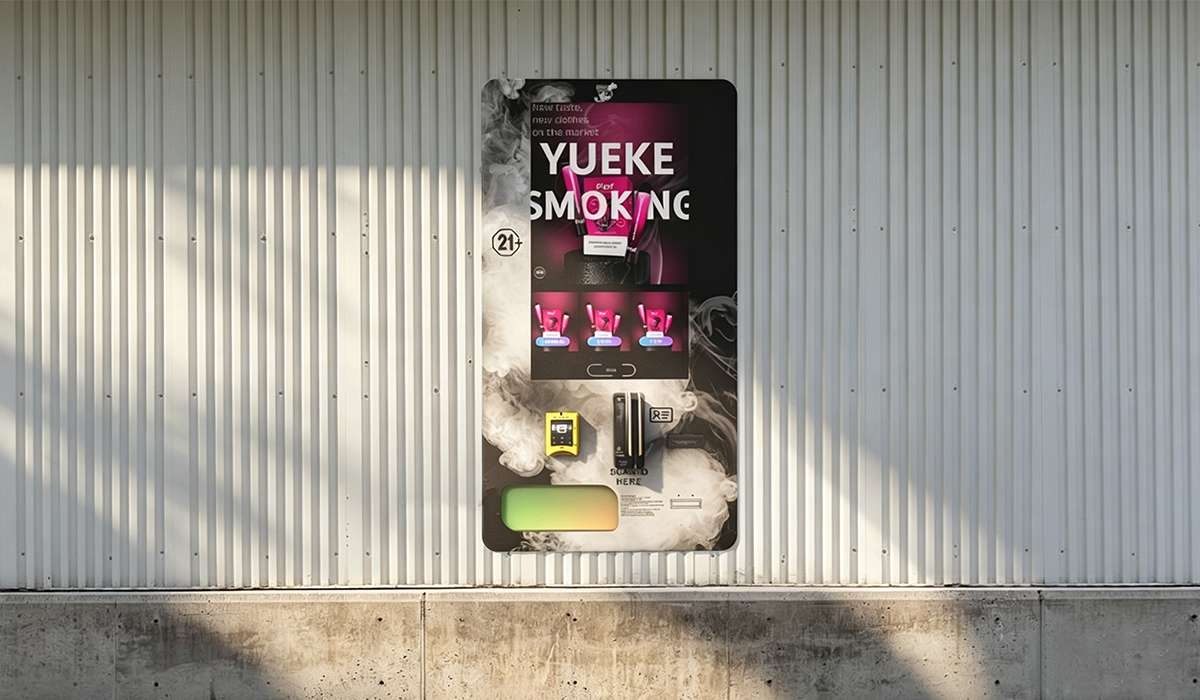
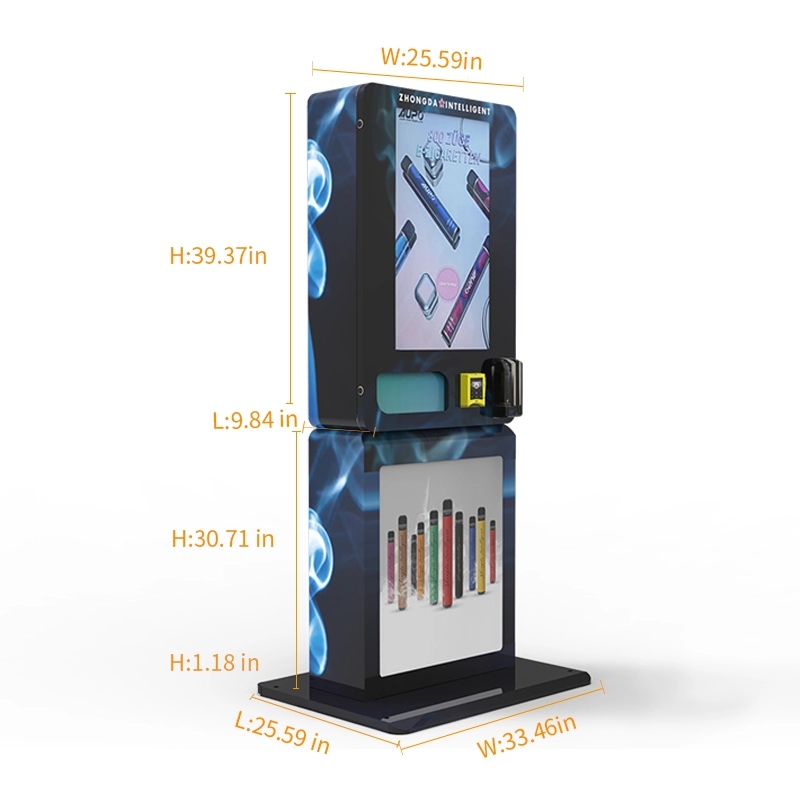
The mistake I see most often is operators buying the cheapest scanner module they can find online and trying to retrofit it into a generic cabinet. That approach fails because the software integration is where the real cost lives. You need a system where the scanner talks directly to the inventory control board, the payment processor, and the cloud logging service. If those systems don't communicate, you end up with a machine that sells product without verifying age—which is a lawsuit waiting to happen.
Profit Models and Real ROI Calculations
I've been tracking the performance of over 200 machines deployed in convenience stores, hotel lobbies, and bar environments. The numbers are consistent if you pick the right location. A well-placed unit with reliable OCR ID verification can generate between $800 and $2,200 in monthly revenue, depending on foot traffic and product pricing. The gross margin on the product itself typically runs between 35% and 50%.
But here's the part that doesn't show up in the marketing brochures: the hidden costs. You have to factor in the merchant processing fees, which run about 2.5% to 3.5% per transaction. You have the cellular data plan if the machine isn't hardwired. You have the restocking labor, which for a busy machine means a visit every three to five days. And you have the compliance costs—annual permits, background checks for the location, and sometimes a third-party audit fee.
Real ROI Timeline From Our Deployments
| Scenario | Initial Investment | Monthly Net Profit | Payback Period |
|---|---|---|---|
| Low-traffic location (small bar) | $6,500 | $350 | 18 – 20 months |
| Mid-traffic location (convenience store) | $7,200 | $650 | 11 – 13 months |
| High-traffic location (hotel lobby) | $8,000 | $1,100 | 7 – 9 months |
These numbers assume the machine is running with a fully integrated age verification system. If you cut corners on the scanner, the payback period extends because of rejected transactions and maintenance downtime. I've seen operators replace their scanner module twice in the first year because they bought a cheap unit that couldn't handle the volume. That eats into the margin fast.
Real Deployment Experiences and Lessons Learned
I remember one deployment in a hotel near an airport. The location was perfect—high foot traffic, adults only, 24-hour access. We installed a unit with our full biometric scanner. The first week, we had a 12% rejection rate on IDs. That seemed high. We pulled the logs and found that the issue was lighting. The machine was placed under a skylight, and the afternoon sun was creating reflections on the ID surface. We added a small hood over the scanner slot, and the rejection rate dropped to 3%.
That kind of field adjustment is normal. You can't simulate every environmental condition in the factory. The operators who succeed are the ones who treat the first month as a tuning period. They watch the logs, they talk to the location staff, and they make small adjustments. The operators who fail are the ones who install the machine, walk away, and expect it to run perfectly forever.
Common Failure Points in the Field
- Dirty optics: Dust and smudges on the scanner glass cause misreads. Cleaning every two weeks is mandatory.
- Outdated ID templates: States and provinces update their license designs regularly. If the scanner software isn't updated, it rejects valid IDs.
- Network interruptions: Some scanners require a cloud check for the facial comparison. If the network drops, the transaction fails. We moved to onboard processing for this reason.
- User error: People insert IDs upside down, or they try to use a damaged card. The scanner needs to handle these gracefully without jamming.
Selecting the Right Equipment for Your Operation
I've tested equipment from a dozen manufacturers over the years. The ones that stand out are the ones that treat the scanner as a core component, not an add-on. When we started producing our own line of vending machines, we chose to partner with Zhongda Smart for their integrated ID verification systems because their modules are designed from the ground up for the vending environment, not repurposed from access control or airport kiosks. The difference is in the durability of the slot mechanism and the speed of the capture algorithm.
If you're sourcing equipment, look for a manufacturer that publishes their rejection rate data and offers a clear path for firmware updates. Avoid any vendor that tells you their scanner works with every ID in the world—that's a lie. Every document has variations, and the system needs to be trained on the specific templates relevant to your market. For example, if you're deploying in the US, the scanner needs to handle the different formats from all 50 states plus territories. That's a significant software engineering effort.
You can see the specific technical specifications for our integrated units on the age verification vending machine page. We've published the scanner resolution, the supported document types, and the average scan time. That level of detail is what you should expect from a serious manufacturer.
Long-Term Maintenance and Operational Strategy
The machines I've seen running for five years or more have one thing in common: a scheduled maintenance plan. You can't run these units on a break-fix model. The scanner needs calibration checks every 90 days. The firmware needs updates when new ID formats are released. The mechanical slot needs lubrication and wear inspections.
I advise every operator to budget 8% to 12% of their annual gross revenue for maintenance and software updates. That number sounds high, but it covers the scanner recalibration, the payment system certifications, and the inevitable component replacements. The operators who skip this budget end up with machines that fail during peak hours, which is when they need them most.
What to Do When a Scanner Fails
First, don't panic. Most failures are software-related, not hardware. Reboot the machine. If that doesn't work, check the network connection. If the scanner still isn't reading, pull the error log and look for the specific failure code. Common codes include "MRZ checksum mismatch" and "document type not found." These usually indicate a corrupted template database. A firmware reflash solves it. If the code indicates a hardware failure—like a stuck solenoid or a broken camera—call your manufacturer for a replacement module. Keep a spare scanner on hand if you have multiple machines. Downtime costs you money and trust with the location owner.
Comparing Verification Methods
Not all age verification is created equal. I've seen operators try to use simple barcode scanners that only read the PDF417 on the back of a license. That method fails because it doesn't verify the document is genuine. A barcode can be copied. OCR verification that reads the visual text AND the MRZ AND checks the security features is the only method that holds up in a regulatory audit.
| Method | Security Level | Scan Time | False Rejection Rate |
|---|---|---|---|
| Barcode scan only | Low | 1 second | 2% |
| MRZ scan only | Medium | 2 seconds | 5% |
| Full OCR + visual check | High | 3 seconds | 3% |
| Biometric + OCR + liveness | Very High | 4 seconds | 1% |
From an operational standpoint, the biometric system with liveness detection is the gold standard. It prevents someone from using a photo of an ID or a stolen document. The trade-off is the higher upfront cost and the slightly longer scan time. In my experience, customers accept the extra second if it means the machine is secure. They'd rather wait than deal with a machine that lets minors purchase.
Industry Data and Market Context
According to a report from IBISWorld, the vending machine operator industry in the US alone generates over $8 billion annually, with the age-restricted segment growing faster than the general market. Another data point from Statista shows that the global smart vending machine market is projected to reach $22 billion by 2028, driven largely by automation in regulated product categories like nicotine and cannabis. These numbers tell me that the demand for reliable OCR ID verification will only increase. Operators who invest now in proven hardware will have a competitive advantage when regulations tighten further.
I've also seen data from the Federal Trade Commission indicating that compliance checks for age-restricted products are increasing year over year. The risk of a failed compliance check is not just a fine—it's the loss of your license to operate. In some states, a single violation can shut down your entire operation. That's why I tell every operator to treat the ID scanner as their most important employee. It never gets tired, it never gets bribed, and it never makes a judgment error if it's programmed correctly.
Practical Advice for New Operators
If you're reading this and considering your first machine, start small. Deploy one unit in a location you know well. Run it for three months. Watch the logs. Learn the maintenance rhythm. Then scale. I've seen operators try to deploy ten machines at once and fail because they didn't understand the operational overhead. The technology is reliable, but it's not magic. You need to be involved in the first few months of operation.
Also, talk to other operators. The vending community is surprisingly open. Most of us are happy to share what works and what doesn't. I've learned more from a 15-minute phone call with another operator than from reading a hundred spec sheets. The real knowledge is in the field, not in the marketing materials.
For those looking at the technical side of the equipment, I recommend reviewing the ID scan vending machine specifications we've published. It covers the supported ID formats and the scanning algorithm details. That page was written by our engineering team, not by marketing, so it's honest about the limitations as well as the capabilities.
Frequently Asked Questions
What happens if the OCR scanner rejects a valid ID?
Can OCR ID verification work with passports or military IDs?
How often should I calibrate the scanner?
What is the typical lifespan of an OCR scanner module?
Do I need an internet connection for the scanner to work?
Can the scanner be fooled by a high-quality fake ID?
What is the best way to clean the scanner optics?
How do I handle a customer whose ID is rejected but they insist it's valid?
Final Thoughts on Building a Reliable Automated Retail Operation
The technology behind OCR ID verification has matured significantly. The systems available today are faster, more accurate, and more durable than what we were deploying five years ago. But the hardware is only part of the equation. The operators who succeed are the ones who understand the operational discipline required to keep these systems running. They clean the optics, they update the firmware, they watch the logs, and they build relationships with their location partners.
If you're serious about entering this space, take the time to understand the equipment. Visit a factory if you can. Talk to the engineers. Look at the compliant e-cigarette vending machine designs that have been tested in real markets. The investment in a quality system with a proven scanner will pay for itself in avoided fines and consistent operation. I've seen too many operators try to save two thousand dollars on the scanner and lose twenty thousand in enforcement actions. Don't be that operator.








