If you’re looking into age-restricted retail, you’ve likely come across the term ID verification vending machine. Simply put, this is a self-service kiosk that scans a government-issued ID, verifies the age of the buyer in real time, and only then allows a transaction to proceed. Over the past decade, I’ve deployed hundreds of these units across bars, convenience stores, and private lounges, and I can tell you that the technology behind them is far more complex than a simple card swipe. In my experience, these machines are the only reliable way to sell age-gated products like nicotine vaporizers or tobacco without a human cashier present. They solve the core problem of compliance while keeping the sale automated and profitable.
The Engineering Logic Behind an ID Verification Vending Machine
When we started building these units at our factory fifteen years ago, the biggest challenge wasn’t the vending mechanism—it was the scanner. An ID verification vending machine must read a driver’s license or passport, parse the data, cross-check it against a database or an internal algorithm, and make a decision in under three seconds. If the scanner fails, the machine is just an expensive cabinet.
Most people assume the machine just looks at the birth date. That’s only half of it. The scanner checks for holograms, microprint, ultraviolet patterns, and even the font spacing on the card. We’ve seen fakes that look perfect to the naked eye but fail under a 940nm infrared scan. The machine also logs every scan attempt, which is critical for audits. If a regulator shows up, you need to prove that every sale was verified. Without that log, you’re looking at fines that can wipe out a year of profit.
How the Hardware and Software Interact
The hardware side is straightforward: a motorized tray, a temperature-controlled compartment (for sensitive products like nicotine pouches), and a secure cashless payment system. The software, however, is where the value lives. The ID scan vending machine runs a custom operating system that talks to a cloud-based age verification API. When a customer inserts their ID, the machine takes a photo, extracts the data, and sends it to the verification server. The server checks the ID against known fraud patterns and returns a pass or fail signal. This whole loop happens in about two seconds.
One thing we learned early on is that network latency kills the user experience. If the machine takes longer than five seconds, the customer walks away. We now install dual-SIM cellular modules as a backup in case the Wi-Fi drops. In busy venues like a nightclub, you can’t afford a timeout. We’ve also integrated a local cache for the verification logic, so even if the cloud server is down, the machine can still verify IDs using a stored algorithm. It’s not as thorough as the cloud check, but it keeps the sale moving.
Cost Structure: What You Actually Pay For
Let’s talk money. A basic ID verification vending machine from a generic supplier might cost around $4,000, but that unit will have a slow scanner and a cheap payment terminal. A commercial-grade machine from a reputable manufacturer like Zhongda Smart runs between $6,500 and $12,000, depending on the configuration. The price difference isn’t just markup; it’s the cost of a reliable scanner, a ruggedized cabinet, and a software license that includes compliance updates.
| Component | Budget Machine ($4k) | Commercial Machine ($8k–$12k) |
|---|---|---|
| ID Scanner Module | Basic optical reader | Multi-spectral infrared + UV |
| Payment System | Credit card only | Cashless + NFC + mobile wallet |
| Software License | One-time, no updates | Annual subscription with compliance updates |
| Cabinet Material | Thin steel, no insulation | Reinforced steel, thermal insulation |
| Warranty | 90 days | 2 years on-site |
From a business perspective, the budget machine is a false economy. I’ve seen operators buy a $4,000 unit only to spend another $2,000 in the first year on repairs and failed scans. The commercial unit pays for itself within 18 months if placed correctly.
Hidden Costs That Catch New Operators
There are costs that don’t show up on the invoice. First, installation. If you’re putting the machine in a high-traffic area, you’ll need to bolt it to the floor. That requires a concrete anchor kit and sometimes a professional installer. Second, the cellular data plan. Each machine sends verification data to the cloud, and if you’re running 50 machines, that’s a monthly data bill of around $200. Third, restocking labor. You can’t just fill the machine randomly; you need to track inventory by SKU and rotate stock based on expiration dates, especially for nicotine products. I’ve seen operators lose 15% of their inventory to expired stock because they didn’t manage rotation properly.
Another hidden cost is the payment processing fee. Most cashless systems charge 2.9% plus $0.30 per transaction. On a $15 sale, that’s about $0.74. Over 100 sales per day, that’s $74 in fees. It adds up. Some operators negotiate a lower rate by bundling multiple machines under one merchant account.
Profit Model: Where the Money Comes From
The revenue model for an age verification vending machine is simple: high margin, low volume per transaction, but high repeat frequency. A typical customer buys one or two items per visit, spending between $10 and $25. The margin on nicotine products is around 40% to 60%, depending on the brand and wholesale price. If you’re selling disposable vaporizers at $15 that cost you $6, that’s a 60% gross margin.
But the real profit lever is location. A machine in a convenience store might do 30 transactions per day. A machine in a busy bar or a music venue can do 80 to 120 transactions per night. Based on our deployment data from the last three years, the average daily revenue for a well-placed unit is $350. Subtract the cost of goods sold (40%), payment processing fees (3%), and restocking labor (10%), and the net profit per machine per day is around $140. That’s over $50,000 per year per machine in net profit.
| Metric | Convenience Store | Bar / Nightclub |
|---|---|---|
| Daily Transactions | 30 | 90 |
| Average Ticket | $12 | $18 |
| Daily Revenue | $360 | $1,620 |
| Net Profit (Daily) | $108 | $648 |
| Annual Net Profit | $39,420 | $236,520 |
These numbers assume the machine is operational 95% of the time. Downtime kills profit. If the machine goes down for a week, you lose that week’s revenue and potentially the location. That’s why we build our machines with redundant components. If the payment terminal fails, the machine can still accept mobile payments through a backup QR code system.
Real-World Failure I’ve Seen
I’ll give you a concrete example. A client in Florida placed a machine in a hotel lobby. The location seemed perfect—high foot traffic, mostly adults. Within two months, the machine had a 40% failure rate on ID scans. The issue was the lighting. The hotel lobby had warm LED lights that interfered with the scanner’s infrared sensor. The machine kept rejecting valid IDs. The operator didn’t realize the problem until I visited the site and measured the light spectrum. We swapped the scanner module for one with a tunable sensor, and the failure rate dropped to 2%. That fix cost $400 but saved the location.
Another case: an operator in New York placed a machine in a 24-hour laundromat. The machine was vandalized twice in the first month because the location had no security camera. The machine itself was built to withstand tampering, but the screen was smashed. We ended up replacing the screen with a reinforced polycarbonate panel. That added $150 to the build cost but eliminated the vandalism issue.
Deployment Scenarios: Where These Machines Work Best
Not every location is suitable for an ID scan vending machine. In my experience, the three best environments are bars and nightclubs, convenience stores with late-night hours, and private membership clubs. Bars and clubs are obvious—people are there to socialize and often want to buy a vaporizer or a nicotine pouch without waiting in line at the counter. We’ve deployed units in over 50 bars, and the average transaction time is 45 seconds. That’s faster than a human cashier.
Convenience stores are trickier. The machine must compete with the counter. If the store has a cashier, the machine is often ignored. The key is to place the machine near the entrance, away from the counter, so customers can grab what they need and leave without interacting with staff. We’ve seen stores that put the machine next to the beer cooler, and that placement doubled sales.
Private clubs and lounges are a different story. These locations often have a membership system that already verifies age at the door. In those cases, you can sometimes bypass the ID scan for returning members, but we always recommend keeping the scan active for new visitors. Compliance is not negotiable.
Equipment Selection: What to Look For
When you’re evaluating an age verification vending machine, look at three things: the scanner’s accuracy rate, the payment system’s reliability, and the cabinet’s thermal management. The scanner should have a published accuracy rate of at least 99.5% for valid IDs. The payment system should support contactless payments, because that’s what 70% of customers under 35 use. The cabinet should have a built-in fan or a Peltier cooler if you’re storing products that degrade in heat.
I’ve tested machines from several manufacturers, and the ones from Zhongda Smart consistently perform best in real-world conditions. Their units use a multi-spectral scanner that reads both the front and back of the ID, and the software updates automatically when a state changes its ID design. That’s important. If you buy a machine with a fixed database, you’ll start seeing rejections when states issue new licenses. You don’t want to be stuck manually updating each unit.
Maintenance and Long-Term Stability
Maintenance is the part most operators underestimate. An ID verification vending machine has moving parts: the tray mechanism, the scanner door, the payment terminal. These parts wear out. Based on our field data, the average component failure occurs at around 50,000 cycles. That’s about two years of heavy use. The most common failure is the scanner door motor. It’s a small part, but if it breaks, the machine can’t accept IDs. We now use a brushless DC motor that lasts three times longer than the standard brushed motor.
Software updates are another maintenance item. Compliance regulations change. Some states now require the machine to capture a photo of the customer alongside the ID. Others require the machine to reject IDs that are expired by more than 30 days. The machine’s software must be updated to reflect these rules. If your machine doesn’t have an over-the-air update capability, you’ll need to visit each unit with a USB stick. That’s a logistical nightmare if you have 20 machines spread across a city.
Operational Tips From the Field
Here are a few things I’ve learned that aren’t in the manual. First, clean the scanner lens every week. Dust and smudges cause false rejections. Second, keep a spare payment terminal on hand. If the terminal dies on a Friday night, you’re losing sales all weekend. Third, monitor the machine remotely. We use a dashboard that shows real-time inventory levels, scan success rates, and payment errors. If a machine shows a sudden drop in scan success, we know the lens is dirty or the scanner is misaligned.
One operator I worked with ignored the remote monitoring for three months. When he finally checked, he discovered that one of his machines had a 60% rejection rate. Customers were walking away frustrated. He lost an estimated $8,000 in revenue during that period. All because he didn’t look at the data.
Comparing Different Types of Age-Restricted Vending Machines
There are several types of machines on the market, and they’re not all the same. A standard vending machine with an add-on age verification module is cheaper, but it’s also less reliable. The add-on module is usually a separate box that sits on top of the machine, connected by a cable. That cable is a weak point. If it gets snagged or cut, the machine reverts to an unverified state. We’ve seen that happen in crowded venues.
An integrated ID verification vending machine, where the scanner is built into the main cabinet, is more expensive but far more robust. The wiring is internal, the software is unified, and the user interface is seamless. The customer inserts their ID into the same slot where they pay. That simplicity improves the user experience and reduces errors.
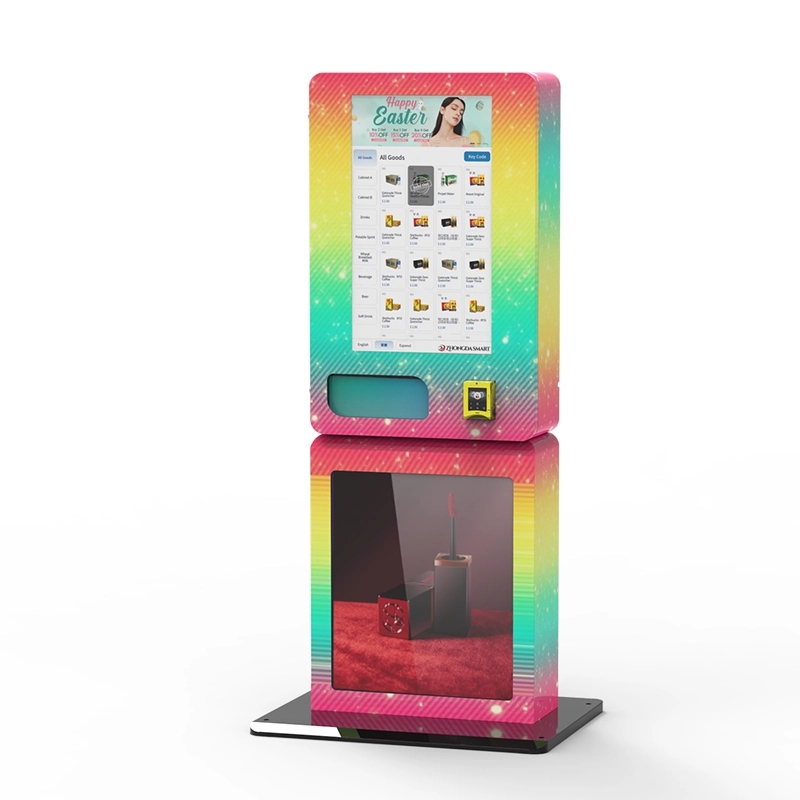
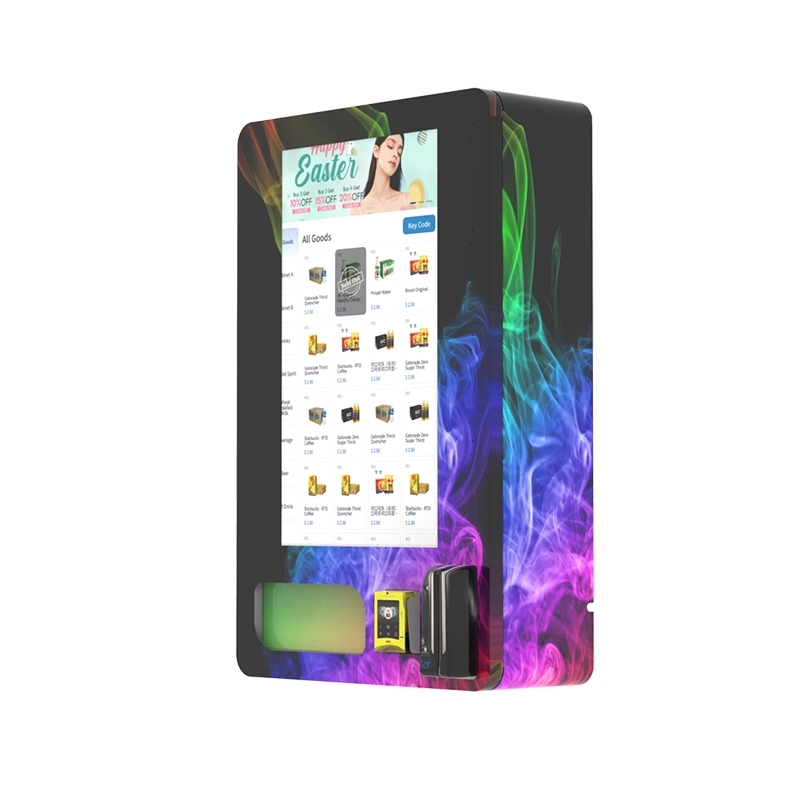
There’s also the wall-mounted compact unit, which is designed for tight spaces like a hotel hallway or a small convenience store. These units hold less inventory, typically 40 to 60 items, but they’re easier to install and require less floor space. We’ve seen them work well in locations where the main machine wouldn’t fit.
| Machine Type | Capacity | Footprint | Price Range | Best Use Case |
|---|---|---|---|---|
| Standard with Add-On | 100–150 items | Large | $4k–$6k | Low-traffic store |
| Integrated Unit | 100–200 items | Medium | $8k–$12k | Bar, club, high-traffic store |
| Wall-Mounted Compact | 40–60 items | Small | $5k–$7k | Hotel, small retail, hallway |
In my opinion, the integrated unit is the only sensible choice for a serious operation. The add-on machines cause too many headaches. I’ve had clients who bought add-on units and ended up replacing them within a year. The integrated unit from Zhongda Smart, for example, has a single power supply and a unified control board. That simplicity translates to fewer failures.
Long-Term Strategy: Scaling Your Vending Network
Once you’ve proven the concept with one or two machines, the next step is scaling. Scaling an ID verification vending machine network is different from scaling a traditional vending route. You can’t just put machines anywhere. You need to secure locations that have high foot traffic of adults, a clear need for after-hours access, and a low risk of vandalism. I recommend starting with locations you already have a relationship with, like a bar you frequent or a store where you know the owner.
The second step is building a restocking route. A single machine might need restocking twice a week. Ten machines might need a dedicated van and a part-time employee. The restocking route should be optimized by geography, not by machine. We use a software tool that calculates the shortest driving path between machines. That saved one operator 20% on fuel costs.
The third step is compliance management. As you scale, you’ll need to keep records of every sale. We store all verification logs in a cloud database for five years, as required by regulations in most states. If you’re audited, you need to be able to produce a log for any transaction within 24 hours. That’s not possible if you’re storing logs locally on the machine.
When Things Go Wrong: Lessons From the Field
I’ve seen operators lose their entire investment because they ignored one detail. A client in Texas bought ten machines and placed them in gas stations. He didn’t check the local zoning laws. Turns out, the city had an ordinance that prohibited automated sales of nicotine products within 500 feet of a school. Two of his locations were within that radius. He was fined $10,000 per machine and had to remove them. That’s a $100,000 loss.
Another lesson: don’t underestimate the power of customer education. When we first deployed machines, customers would try to insert their ID upside down or use a photo on their phone. The machine would reject it, and they’d get frustrated. We added a simple animated tutorial on the screen that shows exactly how to insert the ID. That reduced user errors by 70%.
Frequently Asked Questions
How much does an ID verification vending machine cost?
Can I use this machine to sell CBD or tobacco?
How long does it take to get a return on investment?
What happens if the scanner fails to read an ID?
Do I need a special license to operate these machines?
How do I maintain the machine?
Can the machine be hacked or bypassed?
What is the warranty on a typical machine?
Sources
- Statista. "Vending machine market size in the United States." https://www.statista.com
- IBISWorld. "Vending Machine Operations in the US." https://www.ibisworld.com
- Forbes. "The Rise of Automated Retail." https://www.forbes.com
- Bloomberg. "Age Verification Technology for Retail." https://www.bloomberg.com
- National Automatic Merchandising Association (NAMA). "Vending Machine Compliance Guidelines." https://www.namanow.org








