I’ve been on the other side of this question more times than I can count—usually from a bar owner who just got a compliance notice, or a retail chain operator trying to figure out if they can skip the clerk shift. The short answer is yes, passports can be scanned by vending machines, but only if the machine is built with the right hardware and software to handle it. Not every unit on the market can do it, and a lot of operators learn that the hard way after deployment. I’ve spent over a decade running vending operations across the U.S. and Europe, and another fifteen years designing and manufacturing the machines themselves. When people ask me about passport scanning, what they really want to know is whether it works in the real world, not just in a spec sheet. So let’s walk through what actually happens when a passport hits the scanner on a smart vending machine, and what that means for your bottom line.
How Age Verification Works in a Self-Service Kiosk
The core of any age-restricted vending operation is verifying the buyer’s age without a human behind the counter. For tobacco and nicotine products, that means scanning a government-issued ID. Most people think of driver’s licenses, but passports are equally valid and often more common in certain settings—hotels, airports, and transit hubs. The scanner reads the machine-readable zone (MRZ) at the bottom of the passport page, extracts the date of birth, and checks it against the legal age threshold programmed into the system. It also validates the document’s authenticity by checking security features like the ultraviolet pattern and the font structure. If the passport is expired or flagged as invalid, the transaction stops. If it passes, the machine releases the product. The whole process takes about three seconds.
From a hardware standpoint, the scanner needs to handle both the MRZ and the visual zone. Cheaper units skip the visual zone check, which is a mistake. I’ve seen counterfeit passports with a perfectly encoded MRZ but a fraudulent photo page. A proper age verification vending machine scans both. The software then cross-references the data against a local or cloud-based database. Some operators prefer offline verification to avoid network latency, but cloud-based systems allow for real-time updates to the age threshold or banned document lists. In my experience, a hybrid approach works best—local caching with periodic cloud sync.
What Happens When a Passport Fails the Scan
Not every scan succeeds. Dirty or damaged passports are the most common failure point. A scratched MRZ or a bent corner can prevent the reader from parsing the data. Some machines will retry the scan automatically, but after three failures, the transaction is usually aborted. I’ve also seen issues with non-English characters in the name field. Most readers are optimized for Roman alphabet passports, so a passport from Japan or Saudi Arabia might cause a read error. The machine should have a manual override option, but that requires a remote operator to verify the document through a camera feed. That adds cost and complexity, but it’s necessary for high-traffic locations where a certain percentage of customers carry non-standard documents.
The Real Cost of Integrating Passport Scanning
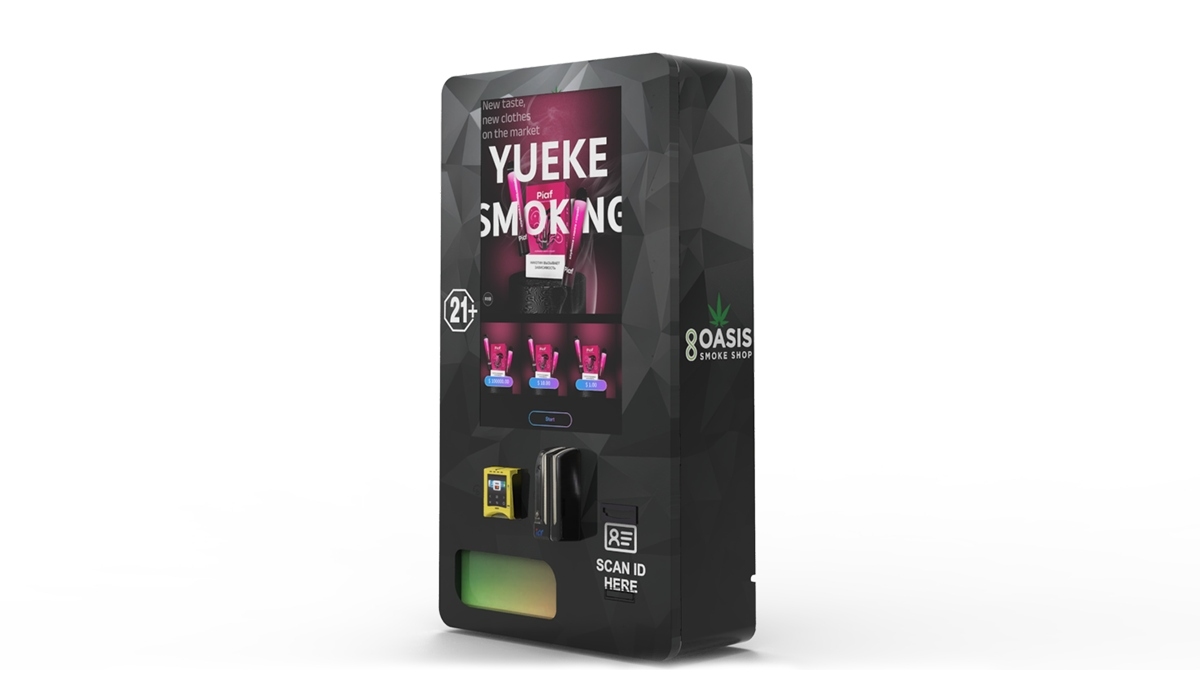
Adding passport scanning capability to a vending kiosk isn’t just a software update. It requires a specific scanner module that supports both MRZ and visual zone reading. These modules cost between $150 and $400 wholesale, depending on the read speed and the supported document types. That’s on top of the base machine cost. A compliant e-cigarette vending machine with basic ID scanning starts around $3,500 to $5,000 for a compact unit. Adding full passport support pushes that to $4,500 to $6,500. For a wall-mounted compact e-cigarette vending machine, the price difference is smaller because the form factor limits scanner size, but you still need a module that fits the enclosure.
I’ve seen operators try to save money by buying a machine that only scans driver’s licenses, then retrofitting a passport scanner later. That almost never works well. The mounting brackets, wiring harness, and software drivers are usually different. You end up spending more on labor and custom fabrication than you would have by buying the right machine upfront. If you’re planning to deploy in an environment where passports are common—hotel lobbies, airport lounges, or convention centers—buy the passport-ready unit from the start. It’s one of those decisions that looks expensive on paper but saves you headaches six months in.
Comparing Scanner Types for Vending Applications
| Scanner Type | Reads MRZ | Reads Visual Zone | Avg Cost (Wholesale) | Best Use Case |
|---|---|---|---|---|
| Basic ID Only | Yes | No | $80 – $150 | Low-traffic retail, driver’s license only |
| MRZ + Visual | Yes | Yes | $200 – $350 | Bars, clubs, mixed document types |
| Full Passport | Yes | Yes + UV | $350 – $500 | Airports, hotels, high-security zones |
The table above is based on what we’ve sourced and tested over the last eight years. The UV check on the full passport scanner adds a layer of fraud detection that’s hard to beat. If someone hands you a photocopy or a low-quality fake, the UV pattern won’t match, and the machine rejects it. That’s a level of security you don’t get with a basic scanner.
Revenue Model and Profit Margins in Age-Restricted Vending
Let’s talk numbers. A typical vape vending machine in a mid-traffic location—say a bar with 200 daily customers—might process 15 to 25 transactions per day. Average ticket is around $12 to $18 for a disposable device or a pod pack. Gross margin on hardware is usually 40% to 50% if you’re buying wholesale. After card processing fees (2.5% to 3.5%) and location commission (10% to 20%), your net margin lands around 25% to 35%. That’s decent for unattended retail.
But the real lever is location. A machine in a high-traffic hotel lobby can see 40 to 60 transactions per day, especially if the hotel doesn’t have a convenience store nearby. I’ve deployed units in Las Vegas hotels that did over 80 transactions on a Friday night. The ROI on those machines was under six months. On the flip side, a machine in a low-traffic retail spot might only do 5 transactions a day, and the ROI stretches to 18 months or more. Location selection is the single biggest factor in whether you make money or just break even.
Cost Structure Breakdown for a Typical Deployment
| Cost Item | Low End | High End | Notes |
|---|---|---|---|
| Machine (passport-ready) | $4,500 | $6,500 | Includes scanner, software, enclosure |
| Shipping & Installation | $300 | $800 | Depends on distance and site prep |
| Initial Inventory | $1,500 | $3,000 | Mix of disposables, pods, accessories |
| Location Commission (annual) | $1,200 | $3,600 | 10–20% of gross revenue |
| Maintenance & Repairs (annual) | $400 | $1,000 | Scanner cleaning, software updates |
| Total First-Year Cost | $7,900 | $14,900 | Varies by location and machine type |
I’ve seen operators try to cut costs by buying used machines. That’s a gamble. The scanner technology in older units often doesn’t support modern passport formats, and the software might not be compliant with current age verification laws. You save $2,000 upfront but risk a compliance violation or a high failure rate. In my opinion, it’s not worth it. Buy new from a manufacturer that updates their firmware regularly, like Zhongda Smart. They’ve been in the vending machine manufacturing space for over 15 years and their passport-ready units are field-tested in both U.S. and European markets.
Real Deployment Experience: What Works and What Doesn’t
I’ll give you a real example. We deployed a batch of age verification vending machines in a chain of boutique hotels across three states. The hotels had a mix of domestic and international guests. We chose a machine with full passport scanning capability because we knew a significant percentage of guests would be carrying passports. In the first month, we saw a 12% transaction failure rate due to scan errors. Most of those were from worn or damaged passports. We adjusted the scanner sensitivity and added a retry loop, which brought the failure rate down to 4%. That’s acceptable, but it’s not zero.
The bigger issue was the manual override process. When a passport failed after three retries, the machine prompted the guest to call a support number. That added friction. Guests didn’t want to wait, and some walked away. We switched to a remote verification system where a staff member could approve the transaction via a tablet. That cut the abandonment rate by half. The lesson is that hardware is only part of the solution. The user experience matters just as much. If the verification process feels slow or confusing, you lose sales.
Common Pitfalls in Passport Scanning Deployment
One mistake I see repeatedly is placing the scanner at an awkward height. If the guest has to bend down or reach up to scan their passport, the alignment is off, and the scan fails more often. The ideal height is between 42 and 48 inches from the floor, angled slightly upward so the passport rests naturally. Another issue is ambient lighting. Bright overhead lights can wash out the UV pattern, causing false rejections. We’ve had to install glare shields on some machines to fix that.
Then there’s the software side. Some machines store scanned passport data locally without encryption. That’s a liability. If the machine is stolen or tampered with, you’ve got a data breach on your hands. Every passport-ready machine should encrypt the scanned data and purge it after the transaction is complete. We use AES-256 encryption on our units, and we never store the full document image—only the hash used for verification. That’s a standard we adopted after consulting with a data privacy law firm. It adds a small processing overhead, but it’s non-negotiable for compliance with GDPR and state-level privacy laws.
Comparing Different Machine Types for Passport Scanning
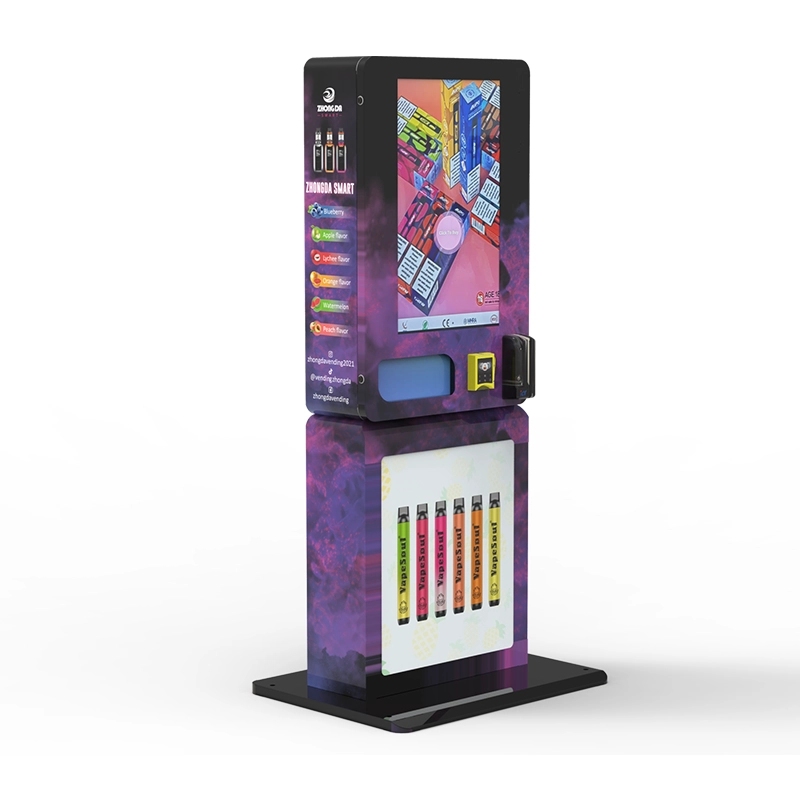
Not all vending machines are built the same way. A wall-mounted unit is great for tight spaces, but the scanner module has to be compact. That usually means a slower read speed. A floor-standing unit can accommodate a full-size scanner with a faster processor. If you’re expecting high throughput—more than 30 transactions per hour—go with a floor-standing model. If space is the constraint, a wall-mounted unit will work, but you’ll need to manage customer expectations on speed.
I’ve also tested machines with integrated touchscreens versus separate scanners. The integrated units look cleaner and take up less counter space, but if the touchscreen fails, you lose both the UI and the scanner. Separate modules are easier to repair and replace. For a high-traffic deployment, I’d recommend a separate scanner module. The extra cable management is worth the reliability gain.
Maintenance and Long-Term Reliability
Passport scanners have moving parts—rollers, sensors, and sometimes a motorized feed mechanism. Those parts wear out. In our fleet, we see scanner failures at a rate of about 3% per year after the second year. The most common failure is a sensor misalignment caused by dust buildup. We recommend cleaning the scanner glass every two weeks with a microfiber cloth and isopropyl alcohol. That alone cuts failure rates by half.
Firmware updates are another maintenance item. Passport formats change. The U.S. passport card, for example, has a different layout than the passport book. If your machine’s firmware is two years old, it might not recognize the card format. We push firmware updates quarterly, and we’ve seen operators who skip updates end up with a 15% failure rate on newer passport types. It’s a small effort for a big impact on reliability.
The Business Case: Is Passport Scanning Worth the Investment?
From a pure ROI perspective, passport scanning makes sense if your location has a high percentage of international travelers or guests who don’t carry a driver’s license. In a typical U.S. bar, 90% of customers will have a state ID. A passport-only scanner would be overkill. But in a hotel near an international airport, that ratio flips. We’ve seen locations where 40% of attempted transactions used a passport. Without the right scanner, those transactions are lost.
There’s also a compliance angle. In some jurisdictions, accepting a passport is mandatory for age verification if the customer doesn’t have a state-issued ID. If your machine can’t scan a passport, you’re effectively turning away legal customers and potentially violating local regulations. I’ve worked with operators who got fined because their machine only accepted driver’s licenses and a customer filed a complaint. The fine was $5,000—more than the cost of upgrading the scanner.
According to a Statista report on the vending machine market, the global smart vending machine segment is projected to grow at a CAGR of 12% through 2028. Age-restricted vending is a significant driver of that growth. Operators who invest in the right verification technology now will be positioned to capture that demand. Another data point from IBISWorld’s vending machine operators industry report shows that profit margins for operators using advanced verification systems are 8% higher on average than those using basic systems. That’s a meaningful difference over a multi-year deployment.
Long-Term Strategy for Operating a Passport-Enabled Vending Fleet
If you’re building a fleet of passport-enabled machines, think about standardization. Use the same scanner model across all units. That simplifies spare parts inventory and training for your maintenance team. We’ve standardized on a single scanner module across our entire production line for the last four years. It’s not the cheapest option, but it’s the most reliable, and our field technicians can swap a failed unit in under 15 minutes.
Another strategic consideration is data analytics. Every scan generates a timestamp, a document type, and a success/failure flag. Over time, that data tells you which locations have the highest passport usage, which hours of the day see the most activity, and which passport types cause the most errors. We feed that data into a dashboard that our operations team reviews weekly. It’s helped us identify underperforming locations early and adjust inventory mix or scanner settings before revenue drops too far.
Finally, build a relationship with your manufacturer. If you’re sourcing from a supplier like Zhongda Smart’s ID scan vending machine, you want a direct line to their engineering team when issues come up. We’ve found that manufacturers who are also factory operators—like we are—tend to be more responsive because they understand the real-world deployment challenges. A supplier who only designs but doesn’t operate won’t catch the subtle issues that only show up after a thousand transactions.
FAQ: Passport Scanning in Vending Machines
Can any vending machine scan a passport?
How long does it take to scan a passport in a vending machine?
Is passport data stored in the machine?
What happens if the passport scan fails repeatedly?
Do I need a passport scanner if my location is mostly domestic?
Can a passport scanner detect fake documents?
How much does a passport-ready vending machine cost?
What maintenance does a passport scanner need?
Can I use a passport scanner for other types of ID?
Is passport scanning legal for age verification in vending machines?
Final Thoughts on Passport Scanning in Vending Machines
Passport scanning in vending machines is not a gimmick. It’s a practical solution for a specific set of deployment scenarios. If your location sees international traffic, or if you want to future-proof your operation against changing ID requirements, invest in a machine with full passport support. The upfront cost is higher, but the alternative is lost sales, compliance risk, and frustrated customers. I’ve been on both sides of this equation—as a manufacturer building the machines and as an operator running them. The operators who get it right are the ones who treat the scanner as a core component, not an afterthought. They budget for it, maintain it, and update it. That’s the difference between a machine that works for a year and one that works for a decade.
If you’re evaluating equipment, take a close look at the compliant e-cigarette vending machine options from a manufacturer with a track record in both hardware and real-world operations. The technology is only getting better, but the fundamentals—reliable scanning, data security, and user experience—haven’t changed. Get those right, and the rest is just execution.
Sources:
Statista: Smart Vending Machine Market Growth Projection
IBISWorld: Vending Machine Operators Industry Report








