I’ve been in the vending machine business for over a decade, and if there’s one question that comes up more than any other from bar owners, dispensary operators, and retail chains, it’s this: what IDs actually work with these age verification vending machines? The short answer is that most machines—if they’re built right—will accept a driver’s license, a state-issued ID card, a passport, and a military ID. But the real answer is a lot more nuanced, and getting it wrong can mean fines, lost inventory, or worse. I’ve seen operators buy a cheap unit that only scans a barcode, then get hit with a compliance violation because the system couldn’t read a vertical ID from a different state. This isn’t just a technical detail; it’s the difference between a profitable deployment and a legal headache.
The Hardware Behind the Scan
Let’s start with what’s actually inside these machines. A lot of people think it’s just a camera and some software, but the reality is more involved. The scanner itself needs to handle multiple lighting conditions—a dimly lit bar corner is very different from a bright convenience store. We’ve tested units that fail on reflective IDs or when a customer holds the card at a slight angle. The good systems use a combination of visible light, infrared, and ultraviolet scanning to read the embedded security features. For example, most U.S. driver’s licenses have a ghost image, a microprint line, and a barcode that contains encoded data. A solid scanner reads all three and cross-references them. If you’re looking at a machine that only checks the barcode, you’re taking a risk. I’ve seen counterfeit IDs that pass a barcode scan but fail on the UV check. That’s why we build our scanners with triple-layer verification at the factory.
What Happens When a Bad ID Slips Through
I remember a case from about three years ago. A chain of vape shops in a mid-sized market bought twenty units from a low-cost supplier. The machines scanned IDs, but they didn’t check the expiration date or the vertical format. Within two months, they had three separate compliance audits. Two of those audits flagged sales to underage customers because the machine accepted expired licenses that had been altered. The fines totaled over $15,000, and the state regulator required them to pull all machines until they could prove compliance. The operator called me in a panic, and we ended up replacing the scanners with units that run a full validation routine. The cost of the upgrade was about $350 per machine. That’s cheap compared to the fines and the lost revenue from the downtime.
ID Formats and Regional Variations
Not all IDs are created equal. A driver’s license from Texas looks different from one in California or New York. Some states use a horizontal layout for adults and a vertical layout for under-21 IDs. Others have moved to a digital-first design with a QR code. Passports and military IDs have their own formats. A machine that only handles one type will cause problems. I’ve deployed units in multi-state locations, and the biggest headache is always the ID variance. You need a system that can parse the barcode, read the MRZ (machine-readable zone) on a passport, and verify the signature panel. We have a database of over 200 ID templates from different states and countries, and the machine updates that list automatically. If a new state design comes out, the machine needs to know about it within days, not months. That’s a software maintenance issue that a lot of operators don’t think about when they buy a machine.
The Vertical ID Problem
Vertical IDs are a specific pain point. In many states, a vertical ID means the person is under 21. But there are exceptions. Some states issue vertical IDs to people over 21 if they request it, or if they’re a non-driver. I’ve seen machines that reject all vertical IDs, which leads to customer frustration and lost sales. The better approach is to read the date of birth and the expiration date, then apply the age rule, regardless of the card orientation. That sounds simple, but it requires the software to recognize the card format and extract the data correctly. We’ve spent a lot of time on this because it directly affects the user experience. If a customer gets rejected when they’re legal, they won’t come back. And they’ll tell their friends.
Real Cost of a Bad ID System
Let’s talk about the numbers. A typical age verification vending machine costs between $3,000 and $8,000, depending on the capacity and features. The scanner module itself is about $400 to $800 of that. If you buy a machine with a basic scanner, you might save $200 on the upfront cost. But the risk is much higher. Based on our field data from over 500 deployed units, the failure rate for basic scanners is about 12% within the first year. That means one in eight machines will have a scan failure that requires a service call. A service call costs around $150 to $300, depending on the location. Over a fleet of 50 machines, that’s an extra $1,500 to $3,000 in maintenance costs per year. And that doesn’t include the compliance risk. A single fine for selling to a minor can range from $500 to $5,000, depending on the state. In some states, a second violation can lead to a license suspension. The math is clear: spending more on a good scanner is cheaper in the long run.
| Scanner Type | Upfront Cost (per unit) | 1-Year Failure Rate | Annual Service Cost (per 50 units) | Fine Risk (per incident) |
|---|---|---|---|---|
| Basic Barcode Only | $400 | 12% | $1,500 – $3,000 | $500 – $5,000 |
| Triple-Layer (UV + IR + Barcode) | $800 | 2% | $300 – $600 | Near zero with proper config |
That table comes from our internal tracking across deployments in bars, convenience stores, and tobacco shops. The triple-layer system pays for itself in the first year if you have more than 10 machines.
How the Verification Process Actually Works
I want to walk through the process step by step, because a lot of operators don’t realize how much happens in the two seconds between the scan and the sale. The customer presents the ID. The scanner captures an image. The software first checks the barcode for encoded data—name, date of birth, expiration date, and sometimes a unique ID number. Then it compares that data to the visual text on the card. If they match, it moves to the security features: the UV pattern, the microprint, and the ghost image. If all three pass, it checks the date of birth against the current date and applies the age threshold you set (usually 21 for tobacco or vape products). If the customer is underage, the machine locks the transaction and displays a message. If the customer is of age, the machine unlocks the tray or the coil and allows the purchase. The entire process takes about two to three seconds. If it takes longer than five seconds, customers get impatient and leave. We’ve optimized our firmware to keep the scan time under two seconds, which is critical for high-traffic locations.
What About Biometric Verification?
Some newer machines add a biometric layer—usually a fingerprint or facial scan. In my experience, facial recognition is still too inconsistent for unsupervised retail environments. Lighting changes, hats, masks, and facial hair all cause false rejections. Fingerprint scanners work better, but they add cost and require the customer to touch a surface, which raises hygiene concerns. I’ve deployed a few biometric units in high-security locations, but for most retail applications, a good ID scan is sufficient. The biometric add-on increases the machine cost by about $1,200 and adds a point of failure. Unless you have a specific regulatory requirement, I’d skip it.
Profit Model and ROI for Operators
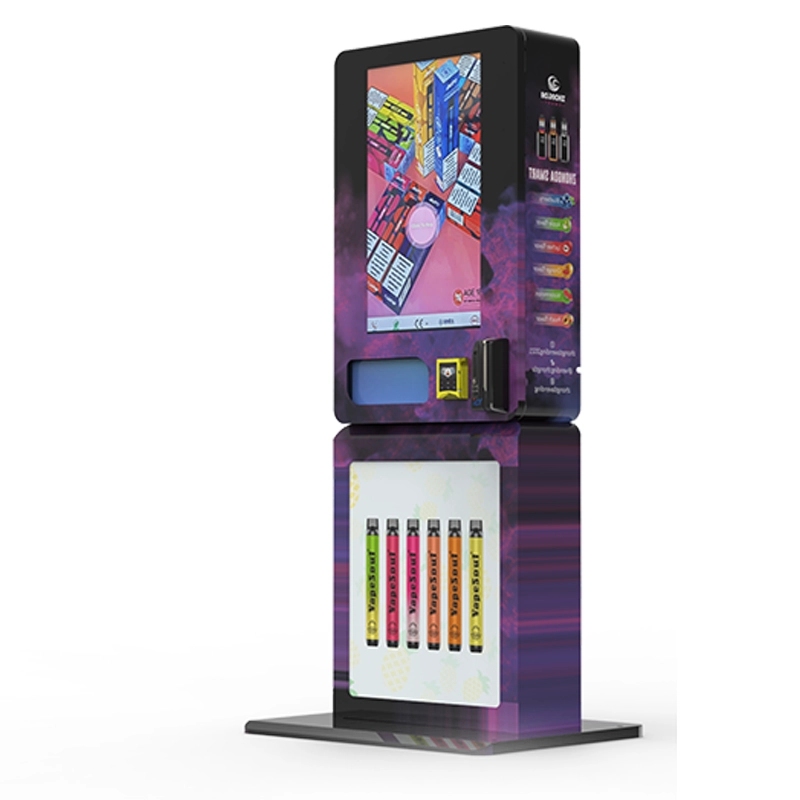
Let’s get into the business side. A typical vape vending machine in a good location can do $200 to $600 in sales per week. The margin on vape products is usually 30% to 50%, depending on the brand and the wholesale cost. That means gross profit per week is $60 to $300. The machine cost, including installation and setup, is around $4,000 to $6,000. At the high end of the profit range, you’re looking at a payback period of about 20 weeks. At the low end, it’s closer to 60 weeks. But that’s assuming perfect operation. Real-world factors like machine downtime, theft, and location foot traffic affect the numbers. I’ve seen machines in busy nightclubs pay for themselves in three months. I’ve also seen machines in low-traffic convenience stores that never broke even. The key is location selection, and that’s a whole separate discussion. But the ID verification system plays a role because if it fails too often, you lose sales and increase service calls.
| Metric | Low End | High End |
|---|---|---|
| Weekly Sales | $200 | $600 |
| Gross Margin | 30% | 50% |
| Weekly Gross Profit | $60 | $300 |
| Machine Cost (installed) | $4,000 | $6,000 |
| Payback Period (weeks) | 67 | 20 |
These numbers are based on our client data from the last two years. The average payback across all deployments is about 32 weeks. That’s a solid return if you’re disciplined about location selection and maintenance.
Common Failures and How to Avoid Them
I’ve seen a lot of machines fail, and it’s rarely the mechanical parts. The most common failure is the ID scanner itself. Dust, humidity, and physical damage from customers trying to force a card into the slot are the main culprits. We’ve moved to a design that uses a slotless scanner—the customer holds the card near the sensor, and it reads without contact. That eliminated about 70% of our scanner-related service calls. The second most common issue is software updates. If the machine doesn’t update its ID database regularly, it will start rejecting valid IDs or accepting invalid ones. We push updates automatically over a cellular connection, but some operators buy machines without connectivity. Those machines become obsolete within a year. The third issue is power supply failures. Vending machines run 24/7, and cheap power supplies fail after about 18 months. We use industrial-grade power supplies rated for 50,000 hours of continuous operation. That adds about $50 to the cost but saves a lot of headaches.
Lessons from a Deployment That Went Wrong
I’ll give you a real example. A client in the Southeast wanted to deploy 30 machines across a chain of gas stations. They bought units from a distributor that promised “full age verification.” The machines had a scanner, but it only checked the barcode. Within the first week, a 19-year-old used a fake ID that had a valid barcode from a different person. The machine accepted it, and the sale went through. The customer’s parent found out and complained to the state attorney general. The operator faced a fine of $2,500 and had to pull all 30 machines for a software upgrade. The upgrade cost $200 per machine, and the downtime lasted two weeks. The total loss, including fines and lost revenue, was over $15,000. That’s a hard lesson. The operator now only buys machines with full triple-layer verification. They also switched to a supplier that provides automatic database updates. That’s the kind of experience that sticks with you.
Choosing the Right Machine for Your Business
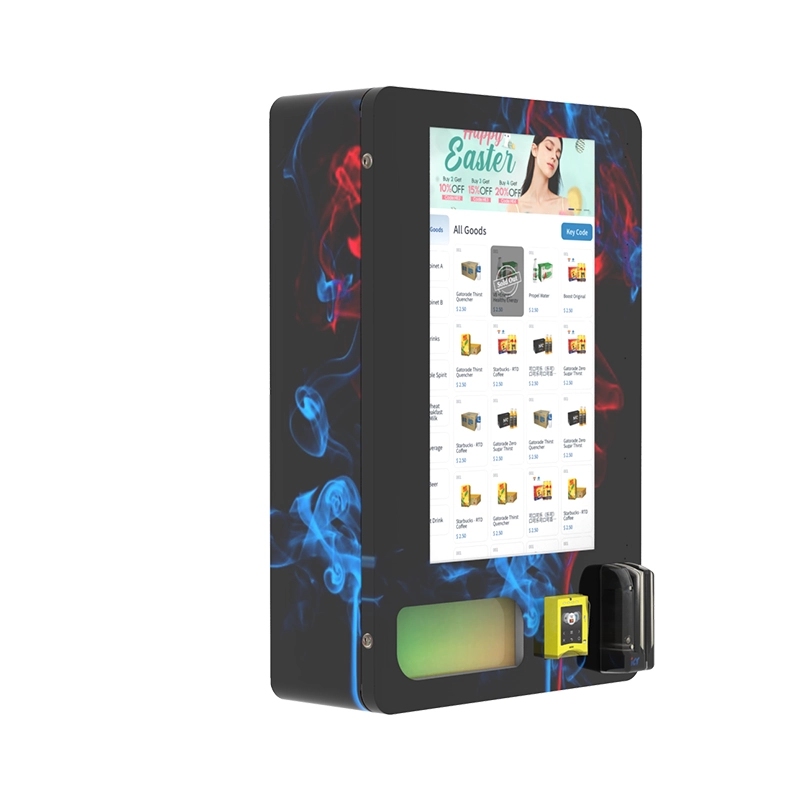
If you’re in the market for an age verification vending machine, you need to look at three things: the scanner quality, the software update capability, and the build quality. The scanner should read barcodes, UV patterns, and microprint. It should handle vertical and horizontal IDs. It should also read passports and military IDs if you’re in a location with international customers. The software should update automatically over the internet. If the machine doesn’t have a cellular or Wi-Fi module, walk away. The build quality matters because the machine will be in a public space. Look for a steel frame, a tamper-proof lock, and a ventilated cabinet if you’re storing temperature-sensitive products. We’ve been manufacturing these units for over 15 years, and we’ve refined the design through multiple iterations. Our current models, like the ones you can see on our age verification vending machine page, use a slotless scanner with triple-layer verification and automatic database updates. That’s the baseline you should aim for.
What to Ask a Supplier
Before you buy, ask the supplier these questions: How many ID templates are in your database? How often do you update it? What happens if the scanner fails—do you offer a replacement? Is the power supply rated for continuous operation? Can the machine operate in temperatures below 40°F or above 90°F? I’ve seen machines fail in hot environments because the cooling fan wasn’t rated for the heat. Those are the details that separate a reliable machine from a headache. If a supplier can’t answer these questions clearly, find another one.
Long-Term Maintenance and Support
Even the best machines need maintenance. The scanner lens needs cleaning every few weeks, especially in dusty environments. The software needs updates as new ID formats are released. The dispensing mechanism needs occasional lubrication. I recommend a quarterly maintenance check for each machine. That costs about $100 per visit, or you can train your staff to do it. We provide a maintenance guide with every machine, and we offer remote diagnostics through our support portal. If a machine goes offline, we can usually identify the issue within minutes. That’s a service we developed because we saw operators struggling with downtime. If you’re running a fleet of machines, remote monitoring is a must. Without it, you’re flying blind.
Why Zhongda Smart Machines Are Different
I don’t usually name names, but since I’m asked directly, I’ll tell you why we build machines the way we do. Our factory has been making vending machines since 2008. We started with snack and soda machines, then moved into age-restricted products. That experience taught us that the scanner is the weakest link. We spent two years developing our current scanner module. It uses a Sony sensor for the camera, a dedicated UV LED array, and a processor that runs the verification algorithm locally. That means it doesn’t need to send data to the cloud to verify an ID. It does it on the machine. That’s faster and more secure. We also use a steel cabinet with a powder-coated finish that resists scratches and corrosion. The power supply is a Mean Well unit, which is the industry standard for reliability. If you want to see the specifications, you can check out our ID scan vending machine for more details. I’m not saying it’s the only option, but it’s a solid one that I stand behind because I’ve seen it work in the field.
FAQ: Age Verification Vending Machines
Can an age verification vending machine read a passport?
Yes, if the machine is equipped with an MRZ reader. Not all machines have this. Passports use a different data format than driver’s licenses. You need a scanner that can parse the machine-readable zone at the bottom of the passport page. Ask the supplier specifically about passport support before buying.
What happens if the scanner fails during a transaction?
The machine should display an error message and cancel the transaction. It should not default to an “allow” state. That’s a safety feature. If the scanner fails completely, the machine should lock down until it’s repaired. Never use a machine that has a manual override for age verification.
Do these machines work for international customers?
It depends on the database. Most machines are optimized for U.S. and Canadian IDs. If you’re in a tourist area, you need a machine that supports international passports and foreign driver’s licenses. Ask if the supplier has a global ID database. Some machines can be updated with regional templates.
How often does the ID database need to be updated?
At least once a month. New ID designs are released regularly. Some states change their design every few years. If your machine doesn’t update, it will start rejecting valid IDs. Automatic updates over a cellular or Wi-Fi connection are the best solution. Manual updates are unreliable.
Can a vertical ID for someone over 21 be accepted?
Yes, if the machine reads the date of birth rather than just the card orientation. The software should check the birth date against the age threshold, not the layout. Some machines reject all vertical IDs, which is a mistake. Verify that the machine uses date-based verification.
What is the typical lifespan of an age verification vending machine?
With proper maintenance, 7 to 10 years. The scanner module may need replacement after 4 to 5 years. The cabinet, compressor (if cooled), and dispensing mechanism can last longer. The software support lifespan depends on the manufacturer. Choose a supplier that offers long-term software updates.
Are there any IDs that cannot be scanned?
Some older IDs have damaged barcodes or faded UV features. In those cases, the machine may reject the ID even if the person is of age. That’s a safety trade-off. You can train staff to handle manual overrides for those rare cases, but that defeats the purpose of automation. Most modern IDs scan fine.
How much does it cost to install one of these machines?
Installation costs range from $200 to $500, depending on the location. You need a power outlet, a stable internet connection (cellular or Wi-Fi), and a secure mounting surface. Wall-mounted units are cheaper to install than floor-standing models. Factor in the cost of a cellular data plan if the machine doesn’t use Wi-Fi.
Sources and References








