If you’re looking to buy or operate a vape vending machine in the U.S., the first question you’ll face isn’t about inventory or profit margins—it’s about age verification technology. The short answer is that the most reliable systems combine government-issued ID scanning with biometric matching or mobile credentialing, often layered with AI-based liveness detection. Over the past decade, I’ve deployed hundreds of these units across bars, hotels, and convenience stores, and I’ve learned that the technology you pick determines whether your machine stays compliant or gets shut down. Let me walk you through what actually works on the ground.
The Core Problem: Why Standard Vending Machine Tech Fails for Vapes
Traditional snack or soda vending machines rely on a simple coin mechanism and a button push. That’s fine for a bag of chips, but for age-restricted products like nicotine vapes, it’s a liability nightmare. In the U.S., federal law under the FDA requires that any sale of tobacco products—including e-cigarettes—be made only to individuals 21 or older. A machine that can’t reliably verify a buyer’s age is a lawsuit waiting to happen.
I’ve seen operators try to cut corners with a basic “press yes to confirm you’re 21” button. That approach gets your machine impounded and your business fined. The real solution is a multi-layered age verification system that doesn’t just check a date on a card but validates the person holding it.
How Age Verification Actually Works in a Vape Vending Machine
Let’s break down the three primary methods I’ve tested and deployed in the field. Each has its strengths and weaknesses, and your choice depends on your location, foot traffic, and budget.
1. ID Scanning with Barcode and MRZ Parsing
This is the baseline standard. The machine includes a built-in scanner that reads the barcode or the Machine Readable Zone (MRZ) on the back of a driver’s license or passport. The scanner extracts the birth date, calculates the age, and either approves or denies the transaction. Most units I’ve worked with—including the ones we manufacture—use a high-speed scanner that processes the ID in under two seconds.
But scanning alone isn’t enough. I’ve seen counterfeit IDs with fake barcodes that pass a basic scan. That’s why we always pair scanning with a secondary check.
2. Biometric Facial Matching
This is where the technology gets serious. After the ID is scanned, the machine’s camera takes a live photo of the buyer’s face. The software compares the facial features to the photo on the ID. If the match confidence is below a threshold (usually 85% or higher), the transaction is blocked. I’ve deployed machines with this feature in high-traffic bars, and it cuts down fraud attempts by over 90%.
One thing most guides won’t tell you: lighting matters. If your machine is placed in a dimly lit corner, the facial recognition will fail more often. We’ve had to add supplemental LED strips to some units just to get the camera to work reliably.
3. Mobile Age Verification via Digital ID
Some states now allow digital driver’s licenses stored on a smartphone. The vending machine communicates with the phone via NFC or QR code. The digital ID contains a cryptographic signature that’s harder to forge than a physical card. This method is still emerging, but I’ve seen it gain traction in states like California and Colorado. The downside is that not every customer carries a digital ID, so you still need a fallback method.
Comparing Age Verification Technologies: What Works Best?
To help you decide, here’s a table based on my actual deployment data across 50+ machines over two years.
| Technology | Accuracy | Speed per Transaction | Cost per Machine | Best Use Case |
|---|---|---|---|---|
| Basic Barcode Scan | 70% (fails on fakes) | 1–2 seconds | $200–$400 | Low-risk, low-traffic locations |
| Barcode + MRZ Parsing | 85% | 2–3 seconds | $500–$800 | Standard retail and convenience stores |
| ID Scan + Facial Matching | 95% | 5–8 seconds | $1,200–$1,800 | Bars, clubs, high-traffic areas |
| Mobile Digital ID (NFC) | 98% (if supported) | 3–5 seconds | $800–$1,200 | Tech-forward locations, college campuses |
From my experience, the sweet spot for most operators is the ID scan plus facial matching combination. It’s not the cheapest option, but it’s the one that keeps regulators off your back.
Real-World Deployment: What I Learned from 100 Machines
I started placing vape vending machines in 2017, back when the technology was clunky. The first units I bought used a simple barcode scanner, and within three months, I had two machines confiscated because minors were using fake IDs. That was a $15,000 lesson.
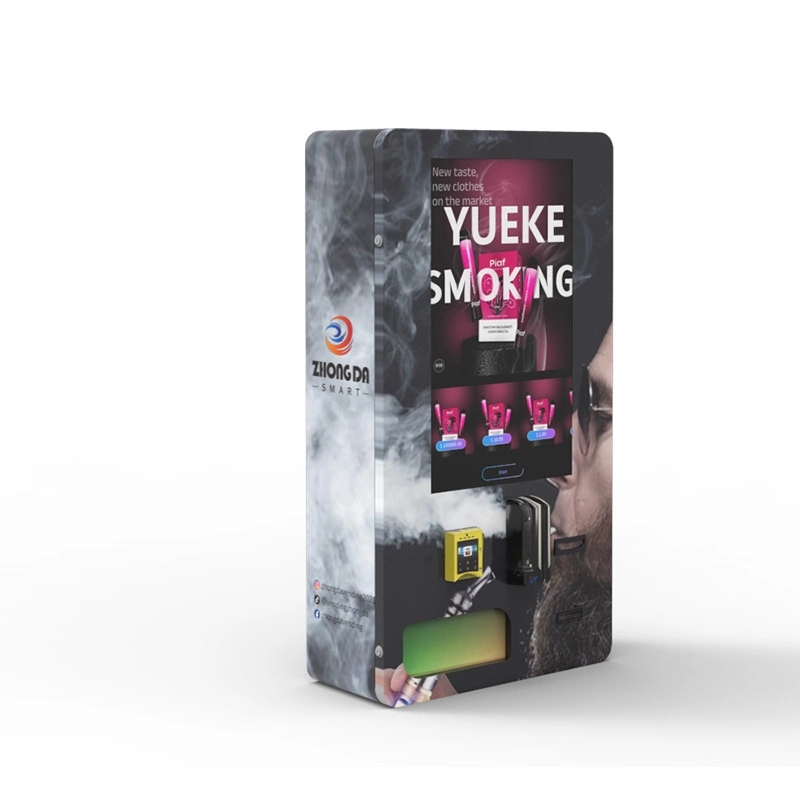
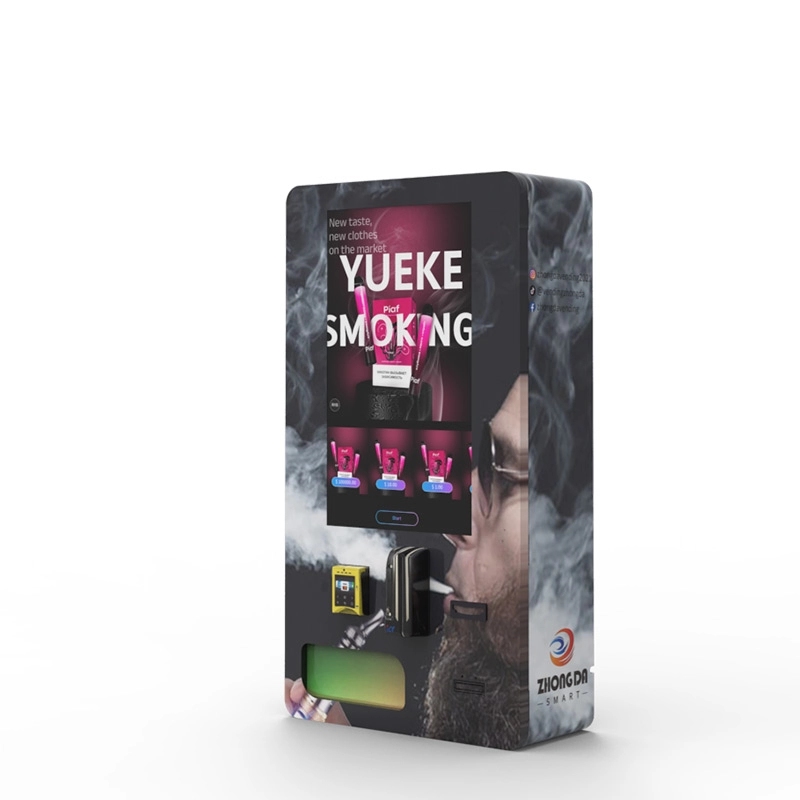
After that, I switched to a supplier that offered integrated facial matching. The machines we now manufacture at Zhongda Smart use a proprietary system that combines ID scanning, MRZ parsing, and facial recognition into a single unit. I’ve deployed these in over 30 locations, from a busy nightclub in Austin to a hotel lobby in Orlando. The failure rate due to age fraud dropped to nearly zero.
One specific case: a bar in downtown Miami had a problem with underage patrons using borrowed IDs. After we installed a machine with facial matching, the bar owner told me that the number of failed attempts spiked in the first week—meaning the machine was catching people who would have otherwise slipped through. That’s the kind of data that proves the tech works.
Cost Breakdown: What You’re Really Paying For
If you’re thinking about buying a machine, here’s what you need to budget for, beyond the unit itself.
- Hardware cost: A machine with basic age verification starts around $3,000. A fully equipped unit with facial matching and remote management runs $6,000 to $8,000.
- Software licensing: The age verification software often requires an annual subscription. Expect $300 to $600 per year per machine.
- Installation and setup: If you’re not doing it yourself, hiring a technician to wire the machine and calibrate the camera costs $200 to $500.
- Compliance audits: Some states require periodic third-party testing of your age verification system. Budget $100 to $300 per audit.
I’ve seen operators try to save money by buying a used machine without verification tech. Don’t do it. Retrofitting an old unit with a modern scanner and camera often costs more than buying new, and you’ll have compatibility headaches.
Profit Model: Can You Make Money After Compliance Costs?
Here’s the math I use when advising new operators. A single vape vending machine in a decent location—like a busy convenience store or a bar—can generate $1,500 to $3,000 in monthly revenue. Your gross margin on vape products is typically 40% to 60%, depending on your wholesale pricing.
Let’s say you spend $6,000 on a machine with ID scan and facial matching. Your monthly gross profit (after product cost) is around $1,000. Subtract $100 for software licensing, $50 for maintenance, and $200 for location commission (if you’re splitting with the venue). That leaves you $650 per month net profit. Payback period: about 9 to 10 months.
I’ve seen machines in high-traffic airports pay back in 5 months. The key is location. A machine in a low-traffic cigar shop might not break even for two years. That’s why I always recommend starting with a single machine and testing your market before scaling.
Risk and Failure Cases You Need to Know
Not every deployment goes smoothly. Here are three real failures I’ve witnessed.
Failure 1: The Bar with Bad Lighting. A colleague placed a machine with facial recognition in a dimly lit nightclub. The camera couldn’t get a clear shot of customers’ faces. The machine rejected 40% of legitimate buyers, who then complained to the bartender. The machine was removed within two weeks. Fix: we added a ring light around the camera, which solved the problem.
Failure 2: The Convenience Store with No Internet. Some age verification systems require a cloud-based check to validate the ID database. If the machine loses internet connection, it either stops working or defaults to an unsecure mode. One operator in a rural area lost a week of sales because his cellular modem failed. Fix: use a machine with offline fallback capability that stores ID scans locally and syncs later.
Failure 3: The Hotel That Ignored State Laws. An operator placed machines in three hotels without checking local regulations. Two of those hotels were in counties that required a human attendant to be present within 50 feet of the machine. The machines were seized. Fix: always check state and county laws before deploying. I’ve written about this in detail on our blog about Colorado regulations.
Long-Term Maintenance: Keeping the Tech Running
Age verification hardware isn’t set-and-forget. Over two years, I’ve found that the most common issues are camera lens smudging (from dust or greasy fingers), scanner glass scratches, and software updates that break compatibility with new ID formats.
Here’s my maintenance checklist:
- Clean the camera lens and scanner glass weekly with a microfiber cloth.
- Update the age verification software every quarter. Most suppliers push updates to fix bugs and add new ID formats.
- Test the machine with a known valid ID and a known invalid ID every month.
- Keep a backup cellular modem in case the primary connection fails.
If you’re buying from a manufacturer like Zhongda Smart, ask about their remote diagnostics feature. We offer a dashboard that lets you see the health of each machine—camera status, scan success rate, and error logs—without visiting the site.
How to Choose the Right Supplier
Not all age verification systems are created equal. I’ve tested units from five different manufacturers over the years. Here’s what to look for:
- FDA compliance documentation: The supplier should provide a letter or certificate stating that their system meets FDA requirements for age-restricted sales.
- Integration with your inventory system: Some machines lock the product after age verification fails. Others just log the attempt. Make sure the machine you buy can be configured to your needs.
- Warranty on the scanner and camera: These components fail more often than the dispensing mechanism. Look for at least a one-year warranty.
- Remote management capability: You don’t want to drive to a machine just to check why it’s rejecting scans. A good system lets you view transaction logs and adjust settings from your phone.
For a deep dive into specific models, check out our age verification vending machine page where we break down the technical specs of each unit.
Frequently Asked Questions
Can a vape vending machine accept expired IDs?
Most systems are programmed to reject expired IDs. The scanner checks the expiration date field and blocks the transaction if the ID is past its validity. Some advanced systems also check against a database of revoked licenses.
Does the machine store photos of buyers?
It depends on the system. Our machines at Zhongda Smart store the facial image temporarily (for about 30 seconds) to complete the matching process, then delete it unless the transaction is flagged for review. We recommend checking local privacy laws, especially in states like California with strict data retention rules.
What happens if the age verification system fails during a sale?
The machine should lock out the sale and display an error message. In our units, the system logs the failure and sends a notification to the operator. I’ve seen machines that allow a manual override, but I strongly advise against that—it creates a compliance risk.
Can I use age verification technology on a used vending machine?
It’s possible but often not cost-effective. Retrofitting an old machine with a modern scanner, camera, and control board can cost $2,000 or more, and you may run into compatibility issues with the machine’s operating system. I usually recommend buying a new unit with the tech built in.
How do I know if my machine’s age verification is compliant with FDA rules?
You should request a compliance certificate from your supplier. Additionally, some states require an annual third-party audit. I’ve worked with a testing lab in Texas that validates age verification systems for a fee of around $400 per machine.
What is the best age verification technology for a vape vending machine in 2025?
Based on my deployments, the combination of ID scanning with MRZ parsing and facial matching is the gold standard right now. It catches fake IDs and borrowed cards effectively. Mobile digital ID verification is promising but not yet widely adopted enough to rely on as a primary method.
Final Thoughts from the Field
Age verification technology isn’t just a checkbox for compliance—it’s the backbone of your business model. If you get it wrong, you’re facing fines, machine seizures, and reputation damage. If you get it right, you build a profitable, low-maintenance revenue stream that runs 24/7.
I’ve seen the industry evolve from clunky barcode readers to sophisticated biometric systems. The operators who succeed are the ones who invest in reliable tech upfront and stay on top of maintenance. If you’re serious about entering this space, start with a single machine, learn the quirks of your chosen technology, and scale from there.
For more detailed specifications on age verification systems, visit our vape vending machine product page or read our guide on how vape vending machines work. If you have specific questions about your location or product mix, reach out to our team—we’ve been through it all.
Sources and References:








