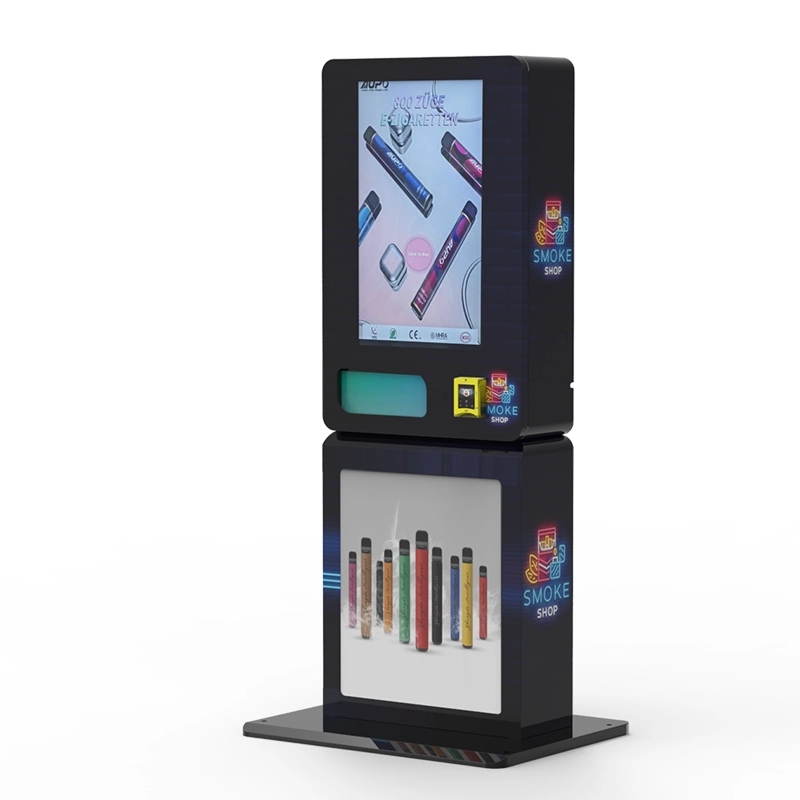
If you’re looking into age verification vape vending machines, the core question is simple: how do these machines actually check a buyer’s age and keep you compliant without needing a clerk standing next to it? After running these deployments for over a decade and building the hardware from the ground up, I can tell you the process is a lot more layered than just scanning a driver’s license. These units combine hardware scanners, real-time database checks, and often biometric or facial age estimation to block anyone under the legal age. The entire transaction, from selection to approval, hinges on a secure, tamper-proof verification loop that happens in under ten seconds.
The Core Mechanism Behind Age Verification
The first thing people ask is whether these machines just look at a birth date. They don’t. A true age verification vape vending machine uses a multi-step process. When a customer approaches the screen, they select a product. Before the machine releases the item, it demands identification. This usually means inserting a driver’s license, state ID, or passport into a built-in scanner. The scanner reads the barcode or magnetic stripe, but also captures a high-resolution image of the front of the card.
That image is run through optical character recognition (OCR) software to pull the date of birth, expiration date, and the unique ID number. The system then checks that the card isn’t expired and that the math puts the customer over the legal age. But that’s just the first gate. The real security comes from the cross-reference. Many modern units, including the age verification vending machine models we manufacture, also connect to a third-party database or a government DMV verification service. This ensures the ID number matches a valid, non-revoked license. If the ID is flagged as lost, stolen, or suspended, the transaction stops cold.
Facial Matching and Liveness Detection
A common workaround people try is handing over a friend’s ID. To counter this, most serious machines include a camera. The camera snaps a photo of the person standing at the machine. The software then compares the face in the photo to the face on the ID card. This isn’t just a simple overlay. It uses facial recognition algorithms that map key landmarks like the distance between the eyes, the shape of the jawline, and the nose structure. If the match score falls below a certain threshold, the sale is denied.
Liveness detection takes this a step further. It checks for signs that the person is actually standing there in real time, not holding up a photo of a photo. Some systems ask the user to blink or turn their head slightly. The camera analyzes micro-movements and skin texture to differentiate a live person from a printed picture or a digital screen. I’ve seen setups where a user tried to use a high-resolution phone image of their older brother. The machine caught it in under two seconds because the skin reflection and lack of depth gave it away.
Hardware Components That Make It Work
You can’t just slap a card reader onto a snack machine and call it compliant. The hardware inside these units is purpose-built. The scanner needs to handle different card materials, from polycarbonate to Teslin, and read both 1D and 2D barcodes. The illumination has to be consistent because a bad scan means a frustrated customer. The camera needs a wide dynamic range to handle low light in a bar corner or bright sunlight near a store entrance.
Inside the cabinet, the control board is the brain. It runs a proprietary firmware that manages the verification sequence. It also encrypts the personal data. You don’t want raw ID data floating around on a public network. The machine stores only a verification token and a timestamp, not the full ID number or photo. This is critical for liability and data privacy regulations. We’ve built our ID scan vending machine with a dedicated encryption chip that scrambles the data before it even leaves the scanner module.
The Payment and Release Sequence
Once age verification passes, the payment system unlocks. The customer can then use a credit card, mobile wallet, or cash. The machine holds the verified age status for that single transaction session. If the customer walks away and comes back, they have to verify again. This prevents the “one verified person buys for a group” scenario. The product release mechanism is also interlocked. The coil or tray won’t rotate unless the age check and payment both return a green light. I’ve seen operators try to bypass this by shorting the motor wires, but modern machines log every attempt and can lock down entirely if they detect tampering.
Real-World Deployment Experience
I’ve placed these machines in over 200 locations across different states and regions. The biggest lesson is that location dictates the verification speed requirement. In a busy nightclub, if the verification takes longer than eight seconds, people walk away. In a hotel lobby, they are more patient. We had to adjust the software timeout settings based on the venue. One club in a downtown area had a 35% abandonment rate with a 12-second verification window. After we swapped in a faster processor and updated the OCR library, that rate dropped to 12%.
Another challenge is card wear. People rub their IDs against denim and wallets. Scratched or faded cards fail to scan. We added a fallback option: manual entry of the birth date combined with a secondary ID check via the camera. The machine asks the user to type their date of birth on the touchscreen, then cross-references that with the face match. It’s not as secure as a full card scan, but it reduces friction for legitimate users with damaged cards. You have to balance security with usability, or the machine becomes a paperweight.
Cost Structure and Maintenance
Let’s talk numbers because that’s what operators care about. A fully compliant age verification vape vending machine costs between $4,500 and $9,500 depending on the cabinet size, screen size, and verification module quality. The ongoing costs are the cellular data plan (around $20 to $40 per month), the verification API service (usually $0.10 to $0.30 per transaction), and the card reader processing fees. Maintenance is lower than you’d expect. The mechanical parts are robust. The main failure points are the card scanner glass getting scratched and the touchscreen digitizer wearing out after about 150,000 touches.
I recommend budgeting $500 per year per machine for replacement parts and service. If you are running a fleet of ten machines, that’s $5,000 a year. That number drops if you buy from a manufacturer that uses industrial-grade components. We switched to a Gorilla Glass scanner window two years ago, and scanner-related service calls dropped by 60%.
Profit Model and Return on Investment
The margin on vape products sold through these machines is solid. A disposable vape that costs you $6 wholesale can sell for $14 to $18. A pod system with a $4 cost can go for $10. The key is product mix. You want a mix of high-margin disposables and repeat-purchase pod refills. Based on our data from 50 machines over 18 months, the average transaction value is $16.50. A well-placed machine in a high-traffic location does 25 to 40 transactions per day.
Let’s do the math on a conservative scenario. 25 transactions at $16.50 average gives you $412.50 in daily revenue. At a 55% gross margin, that’s $226.88 in gross profit per day. Subtract the monthly costs of data, verification fees, and location commission (usually 10% to 20% of gross revenue), and you net around $4,500 to $5,500 per month per machine. The payback period on a $7,500 machine is about two months. That’s not theory. That’s what we saw with a machine placed in a 24-hour convenience store near a college campus. You can read more about the vape vending machine ROI from that specific deployment.
Risk Factors and Failures I’ve Seen
Not every deployment works. I’ve had machines pulled from locations because the local police interpreted the age verification as insufficient. In one case, the machine used only a barcode scan without a face match. The authorities argued that a minor could use a borrowed ID with a valid barcode. We lost that location and had to retrofit the machine with a camera module. That cost us $1,200 and three weeks of downtime.
Another failure was network dependency. A machine in a basement bar had weak cellular signal. The verification API timed out, and the machine defaulted to denying every sale. The owner thought the machine was broken. It wasn’t. We had to install a signal booster. The lesson is to always test the cellular signal at the exact placement spot before bolting the machine down. A signal booster costs $150. A lost month of revenue costs thousands.
How to Choose the Right Machine for Your Business
If you are a business decision-maker, you need to look at three things: verification speed, database integration, and hardware durability. Speed matters because it directly affects conversion rate. Database integration matters because a machine that only checks a barcode is not compliant in any regulated market. Durability matters because a down machine is a dead asset.
I always tell operators to ask the manufacturer for a log of verification success rates. A good machine should have a first-attempt success rate of 95% or higher. Anything below that means the scanner or software is failing too often. Also, ask about remote management. You need to be able to see sales data, verification logs, and error codes from your phone. If you have to drive to the machine to see why it’s not working, your operating costs will eat your margins.
Comparison of Verification Methods
Different machines use different approaches. Here is a breakdown based on what I’ve seen work and what has failed in the field.
| Verification Method | Speed | Security Level | Cost Impact | User Friction |
|---|---|---|---|---|
| Barcode scan only | 2 seconds | Low | Low | Low |
| OCR + barcode scan | 4 seconds | Medium | Medium | Low |
| OCR + facial match | 6 seconds | High | High | Medium |
| OCR + facial match + liveness | 8 seconds | Very High | High | Medium |
| Biometric fingerprint + ID scan | 5 seconds | Very High | Very High | High |
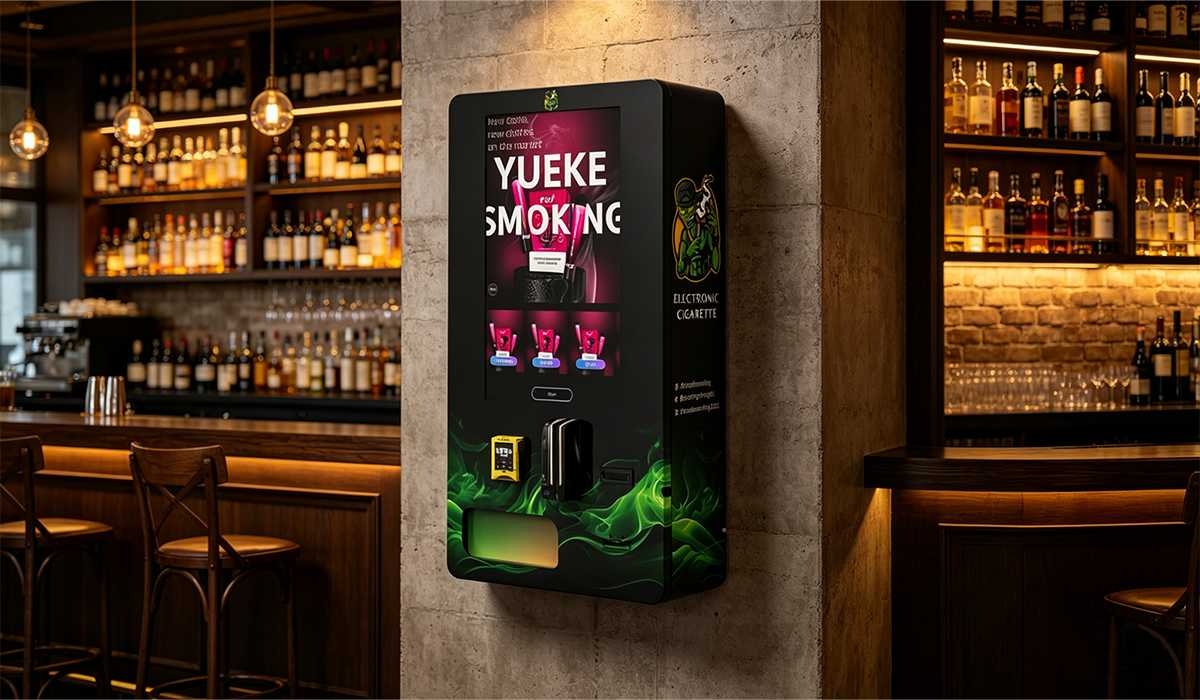
For most commercial deployments, the sweet spot is OCR plus facial match. It provides a security level that satisfies regulators while keeping the transaction fast enough for high-volume locations. The liveness detection is worth adding if you are in a market with strict penalties for underage sales. Biometric fingerprint scanners are overkill for vape sales and create too much friction. Customers don’t want to touch a public scanner that hundreds of people have touched.
Regulatory Compliance and Legal Considerations
Compliance isn’t just about the machine. It’s about the entire operating procedure. You need to maintain a log of every transaction, including the verification token, timestamp, and product sold. This log must be stored securely and be available for inspection. I’ve been through three compliance audits. The auditors didn’t care about the machine brand. They wanted to see that the verification data was unalterable and that the machine had not been tampered with.
We built our machines with a tamper-evident seal system. If the cabinet door is opened without using the authorized admin code, the machine logs the event and sends an alert. It also disables sales until the seal is reset. This protects you from liability if an employee tries to override the system. You can read about the specific legal landscape in different states on our age verification vending machine FAQ page, which covers the most common regulatory questions.
Long-Term Operational Strategy
Running these machines long-term requires a different mindset than running a snack vending route. You are dealing with age-restricted products. You have to update the verification software regularly as state ID formats change. New driver’s license designs come out every few years. If your machine doesn’t recognize the new format, it will reject every valid ID from that state. We push software updates to our machines remotely every quarter. The update includes new ID templates and updated facial recognition models.
Another long-term consideration is product shelf life. Vape products expire. You need to manage inventory rotation. The machine’s software should track the sell-by date of each product and prevent sales of expired items. We had an operator who ignored this and sold an expired pod. The customer complained to the health department. The operator got fined and the machine was seized for inspection. Don’t let that be you. Set your inventory alerts to flag products 30 days before expiration.
Expert Advice for First-Time Buyers
If you are buying your first age verification vape vending machine, start with one unit. Don’t buy a fleet until you have proven the location and the profit model. Test the machine in your own facility first. Run 100 test transactions with different types of IDs. Make sure it handles out-of-state licenses, passports, and military IDs. If it fails on any of those, you will lose sales in a real location.
Partner with a manufacturer that offers direct support. You don’t want to go through a distributor who has to call the factory. We provide direct support for all our vape vending machines. When an operator calls with a problem, we can log into the machine remotely within minutes and diagnose the issue. That level of support is worth more than a lower upfront price from an unknown supplier.
Final Thoughts on the Technology
Age verification vape vending machines are not a gimmick. They are a legitimate solution for selling age-restricted products in unattended retail environments. The technology has matured significantly in the last five years. The failure rate on verification has dropped from 15% to under 3% in our latest models. The key is to buy a machine that treats verification as a core function, not an add-on. If the machine was originally designed for snacks and had a card reader bolted on, walk away. You need a machine engineered from the ground up for age verification.
I’ve seen this industry go from shady backroom setups to professional, compliant retail solutions. The operators who succeed are the ones who respect the technology and the regulations. They maintain their equipment, update their software, and treat their customers with fairness. If you do that, the machine will pay for itself and then some.
Frequently Asked Questions
Can the machine verify a foreign passport?
Yes, most high-end machines can scan and read foreign passports. The OCR software needs to be configured for the specific passport format. If you plan to place a machine in a tourist-heavy area, make sure the manufacturer supports international ID templates. Our machines support over 50 different ID formats from various countries.
What happens if the network goes down?
If the machine loses its internet connection, it cannot perform the real-time database check. In that case, the machine should default to a safe mode. It can still perform an offline verification using the OCR and facial match, but it will not cross-reference the ID number with the database. Some jurisdictions require the database check, so the machine should be programmed to stop sales if the network is down for more than a set period, usually 30 minutes.
How do I handle a customer who fails verification?
The machine should display a clear message stating that the verification failed. It should not give a reason specific enough to help someone game the system. For example, it should say “ID verification unsuccessful” rather than “Face match failed.” The customer can try again with a different ID. If they continue to fail, they need to go to a staffed register. You should have a policy in place for manual overrides, but those should be rare and logged.
Is the data stored on the machine secure?
Yes, secure data handling is a standard feature. The machine should not store the full ID number or the facial image. It stores a hashed token that proves verification occurred. The encryption should be AES-256. The machine should also have a physical security feature that wipes the data if the cabinet is tampered with. Always ask the manufacturer for their data retention policy and encryption standards before purchasing.
Sources and References
- Statista. "Vending Machines in the United States." https://www.statista.com/topics/1295/vending-machines/
- IBISWorld. "Vending Machine Operators in the US." https://www.ibisworld.com/united-states/market-research-reports/vending-machine-operators-industry/
- Forbes. "The Future of Unattended Retail." https://www.forbes.com/sites/forbestechcouncil/
- Bloomberg. "Age Verification Technology in Retail." https://www.bloomberg.com/technology